94Cortex Cloud
You can add IR les to your Quad Cortex via the Cortex Cloud
website and the Cortex Control app.
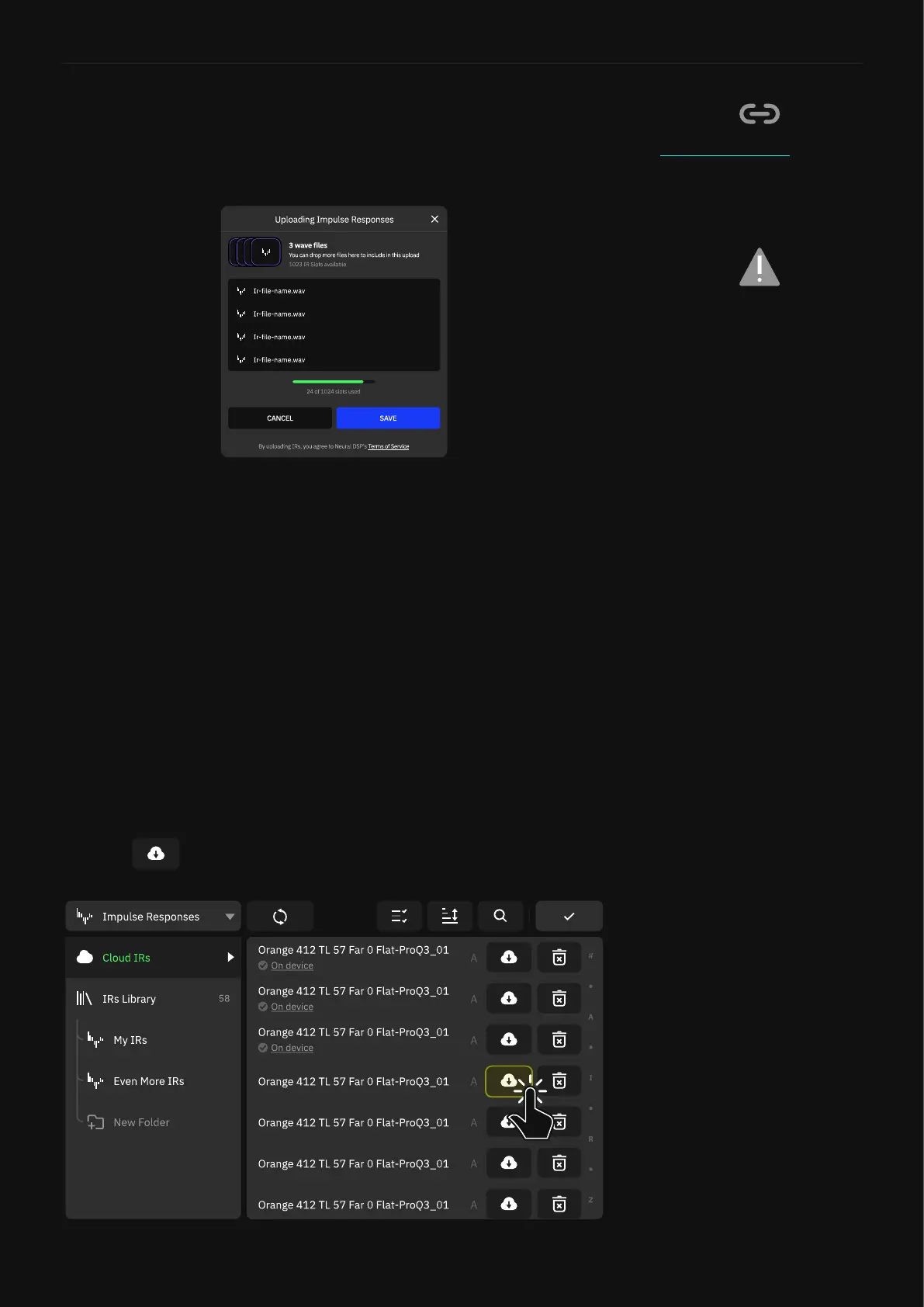
Uploading Impulse Responses
1. Login to your Neural DSP account.
2. Click on CORTEX CLOUD.
3. Click on MY PROFILE and access the IMPULSE RESPONSES
section.
4. Drag-and-drop IR les from your computer to the upload area.
Alternatively use the BROWSE button.
5. Click on SAVE to nish.
Cortex Cloud website login page.
Any compatible WAV le can be
uploaded to the Cloud no matter
its length. Files will be resized
to 1024 samples after being
uploaded (~21 milliseconds).
Importing Impulse Responses
1. Open the Quad Cortex Directory, open the Impulse Responses
category and tap Cloud IRs.
2. Tap next to the IRs you’d like to download.



 To Next Page