55Modes
Stomp Mode allows you to assign a footswitch to engage/bypass
one or multiple blocks in The Grid, just like you would with an analog
pedalboard.
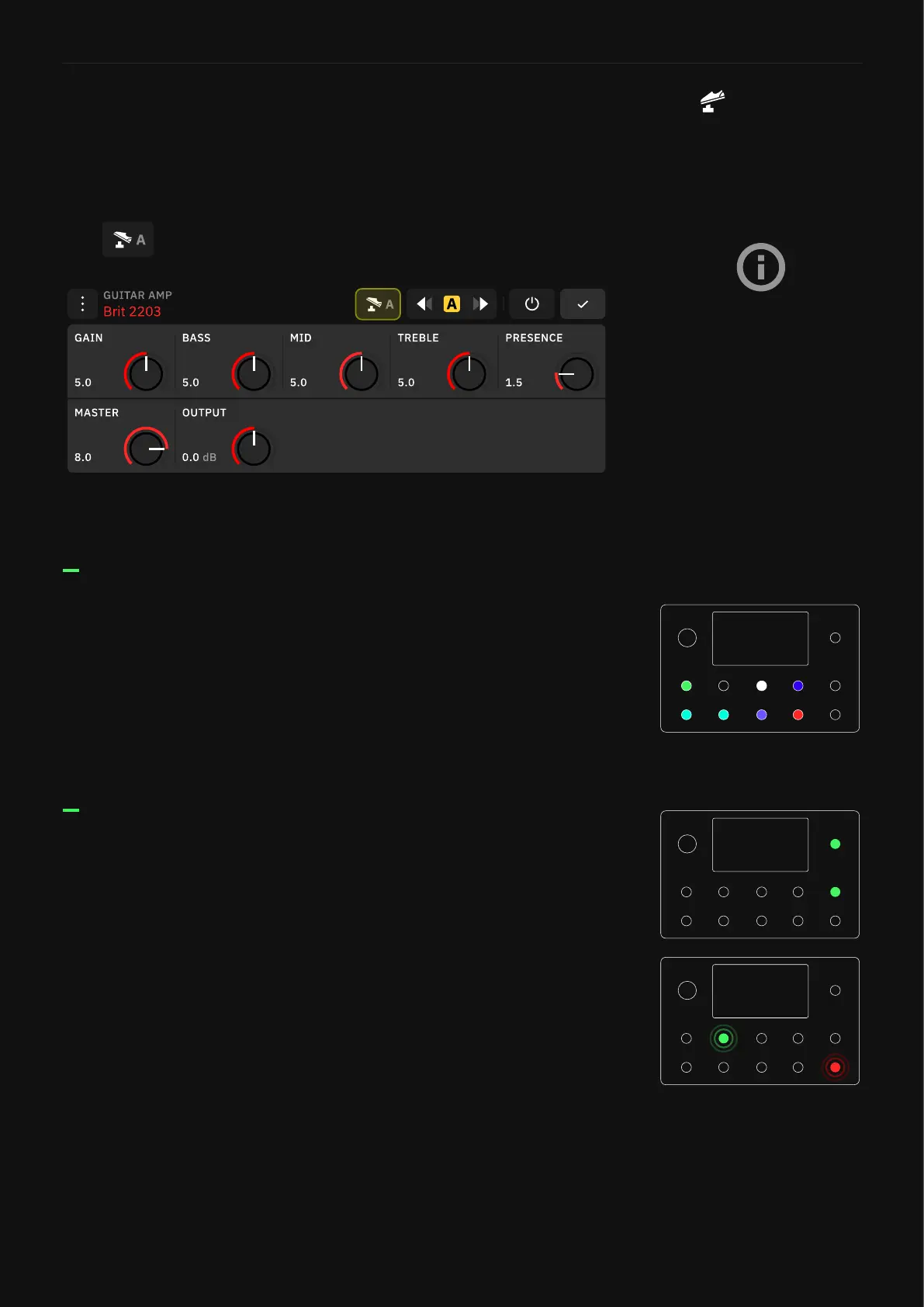
Tap to assign/unassign footswitches to the current block.
Stomp Mode
By default, blocks are
automatically assigned to
footswitches as they are added
to The Grid.
This behavior can be changed
in the Stomp Mode Bypass
Assignment in the Device
Options menu.
Once a block is assigned to a footswitch, the LED will illuminate
corresponding to the color of the assigned block.
The rst eight blocks created in the Preset will be assigned to
footswitches automatically. If your Preset has more than eight
blocks, you have to assign the ones you want to control manually.
While using Stomp mode, press the Up and Down footswitches to
navigate through Presets.
Press and hold either the Up or Down footswitch to navigate
through banks. The Preset name and active footswitch will also blink
intermittently. To conrm the change, press the blinking footswitch.
Navigating through Presets
Footswitch LEDs



 To Next Page