41Presets
• OVERDUB: Starts recording during playback. The recorded
signal is layered on top of the existing recorded audio.
• PLAY: Starts/Stops the playback.
• REVERSE: Rewinds the loop during playback. Using REVERSE
before playback will start the loop backward after pressing PLAY.
• UNDO: Undo the last action. This control is called REDO after
use. The REDO function restores any actions that were previously
undone using UNDO.
Params Mode
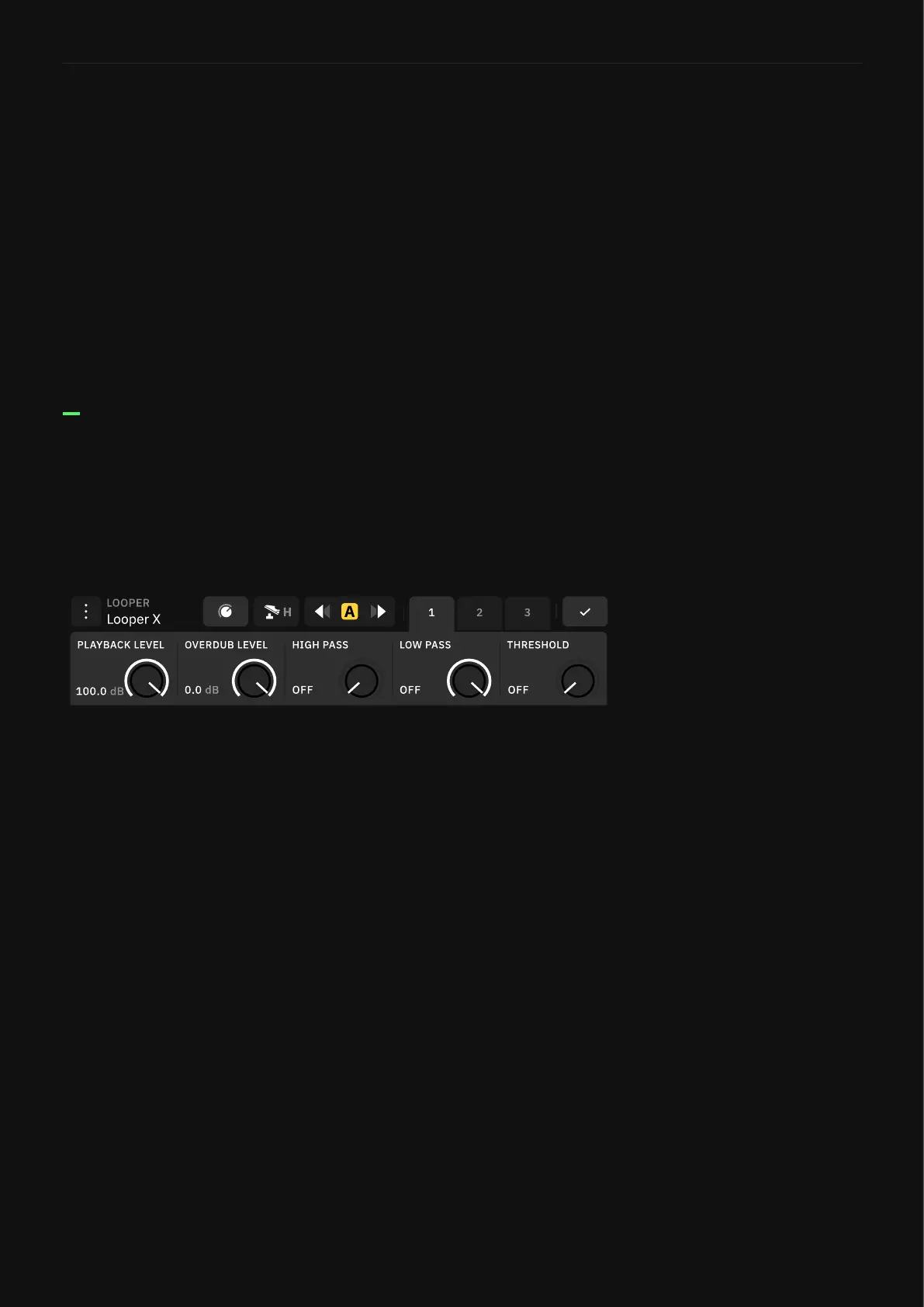
Use Params mode to access the Looper X settings. The controls
are organized in three pages and linked to the Quad Cortex upper
encoders. You can always use the touchscreen.
• PLAYBACK LEVEL KNOB: Adjusts looper playback level.
• OVERDUB LEVEL KNOB: Sets the level of your loop while
overdubbing. For example, if the overdub level is set to -5dB,
its volume will be reduced by -5dB each time the loop repeats,
sounding quieter with each overdub take.
• HIGH PASS KNOB: Allows high frequencies to pass through
while ltering or cutting low frequencies of the playback.
• LOW PASS KNOB: Allows low frequencies to pass through while
ltering or cutting high frequencies of the playback.
• THRESHOLD KNOB: Allows the recording function to trigger
when an audio signal is detected. This function will be disabled
when the Looper X is receiving MIDI clock.
PAGE 1



 To Next Page