39Presets
IR Loader block
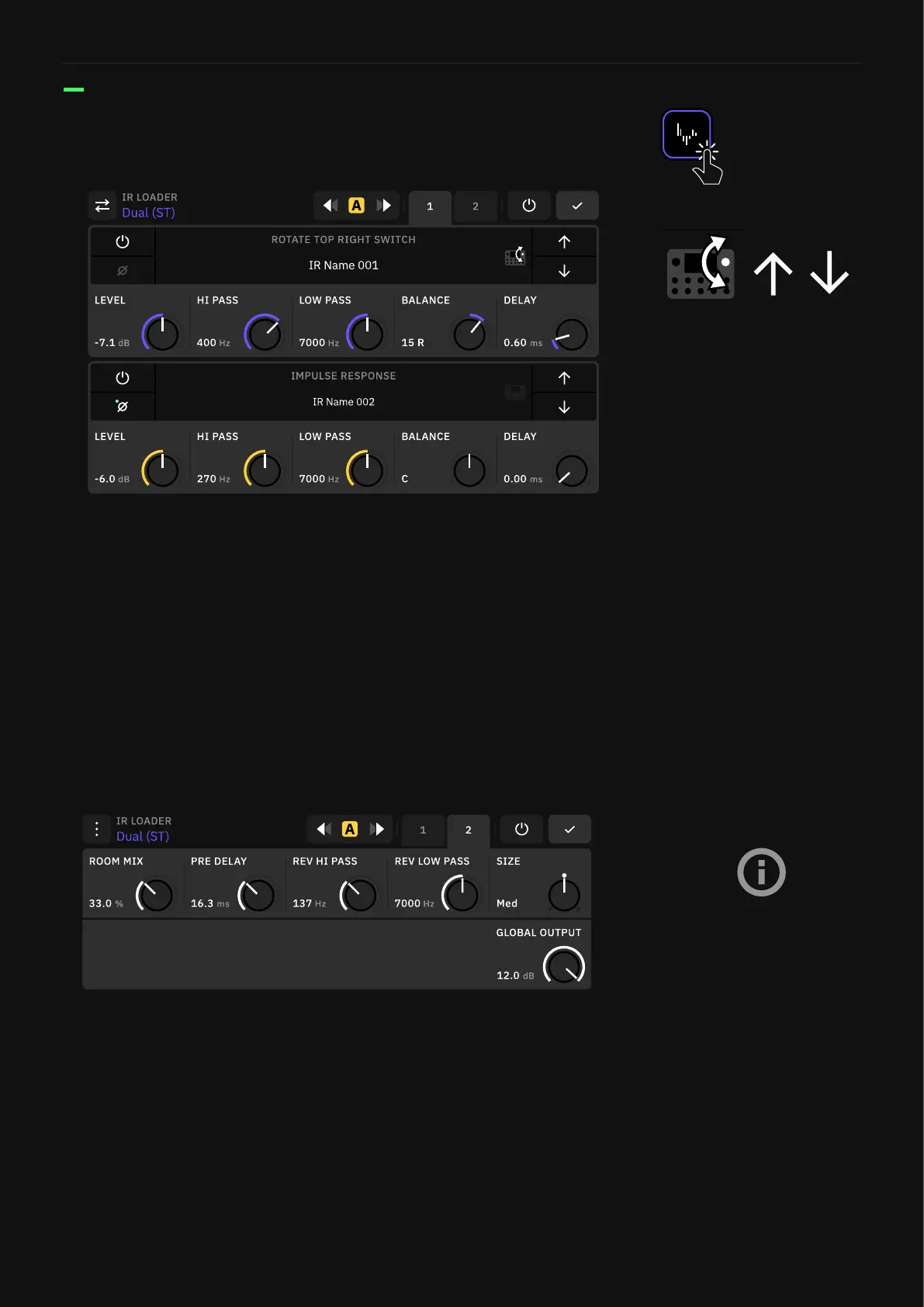
The IR loaders are dedicated blocks for loading third-party Impulse
Responses.
• BYPASS BUTTON: Tap to activate/deactivate the impulse.
• PHASE BUTTON: Inverts the phase of the loaded impulse.
• LEVEL KNOB: Controls the volume of the selected impulse.
• HI & LOW PASS KNOBS: Control the frequency range of the high
and low-pass lters, accordingly.
• PAN KNOB (Single): Controls the output panning of the impulse.
• BALANCE KNOB (Dual): Controls the output balance of the
selected impulse.
• DELAY KNOB: Delays the selected impulse up to 25 ms.
• ROOM MIX KNOB: Adjusts the amount of room reverb effect
that is added to the signal.
• PRE DELAY KNOB: Delays the reverb’s rst reflection up to 100
ms.
• REV HI & LOW PASS KNOBS: Control the frequency range of the
reverb’s high and low-pass lters, accordingly.
• SIZE SWITCH: Sets the size of the room reverb.
• GLOBAL OUTPUT KNOB (Dual): IR Loader block master output.v
Tap the arrows to navigate IRs.
You can also rotate the top-right
footswitch to cycle through IRs.
Tap the Quad Cortex icons to
the right of the IR slots to enable
footswitch navigation.
IR Loader blocks use less CPU
than Cab blocks.



 To Next Page