14
3.5 Wi-Fi connection
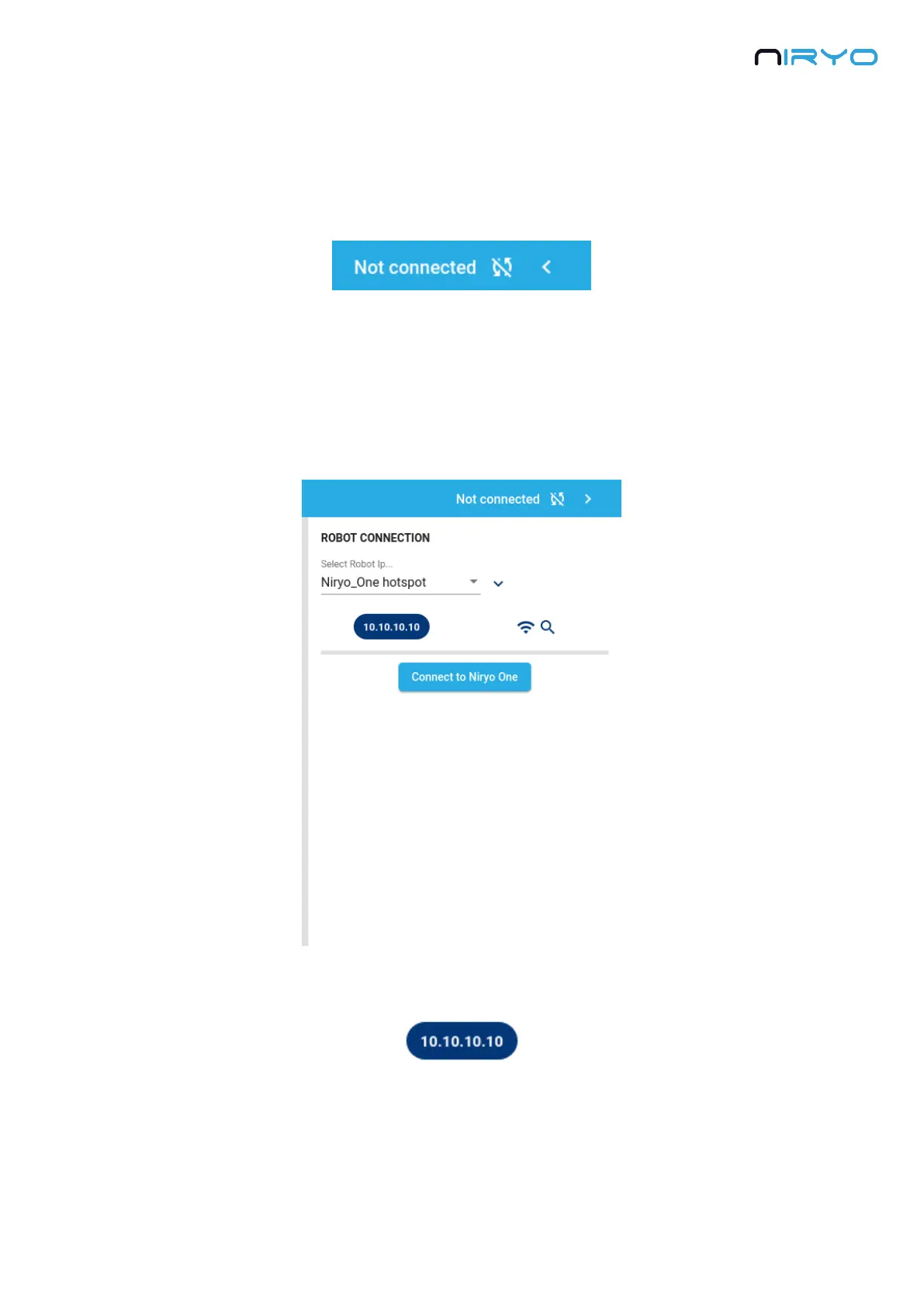
On the right of the toolbar, you can see the current connection state: “Connected to” + IP
address, or “Not connected”.
Once the robot is powered on, and fully started (LED blue or green), you can connect Niryo
One Studio to it.
To do that, click on the arrow icon on the extreme right of the toolbar.
You will see the connection panel:
You can see the current selected IP address on the deep blue chip.
By default the IP is 10.10.10.10, which corresponds to the robot IP address in “hotspot mode”.
We’ll see later how you can change that.



 To Next Page