46
5. Settings
5.1 Raspberry Pi 3B settings
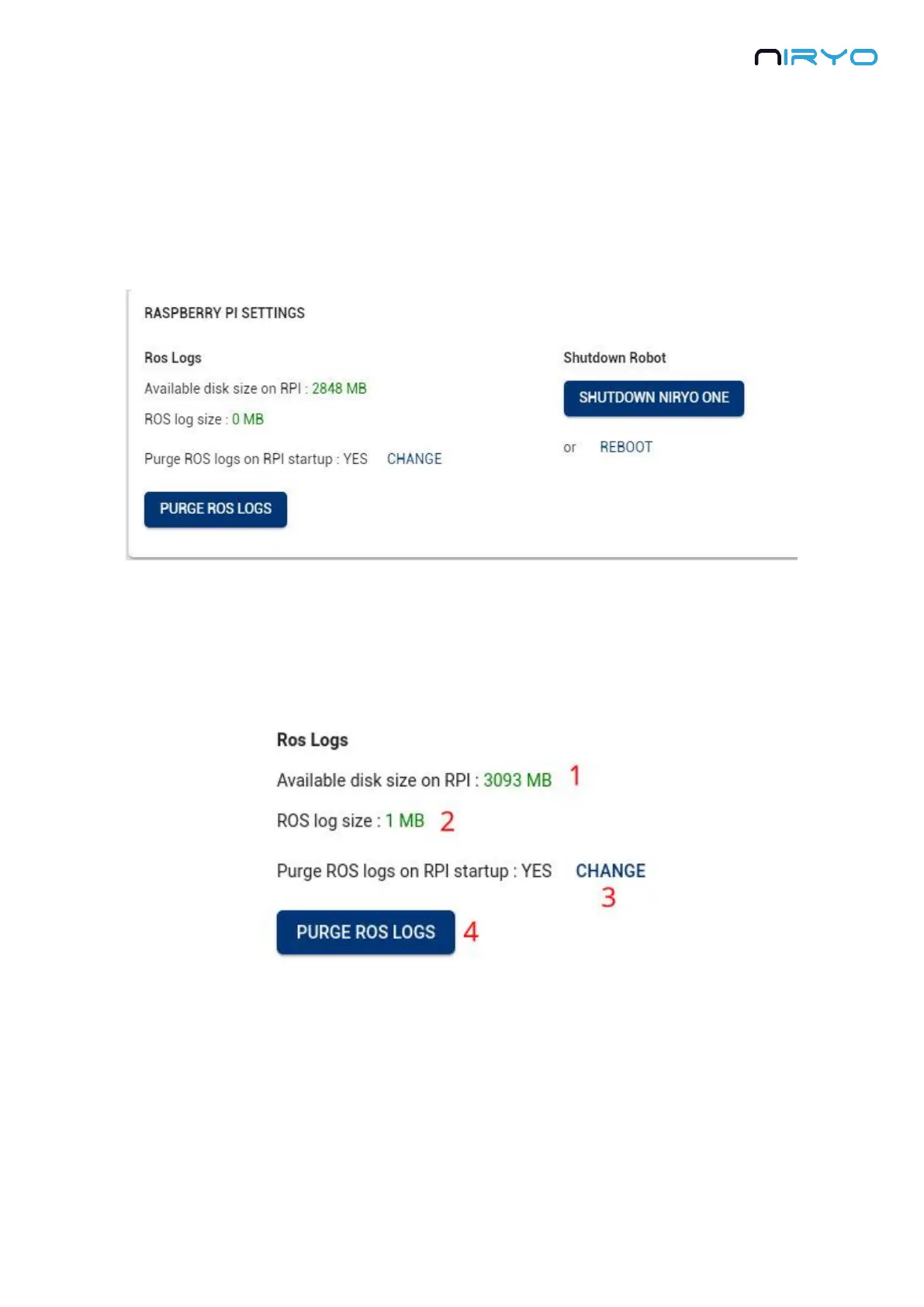
Go on “Settings” panel → “Raspberry Pi settings”.
5.1.1 ROS logs (advanced users)
The software inside the Raspberry Pi 3B (Niryo One ROS stack) is producing logs, which are
useful when developing and debugging. Those logs are also stored. However, after some time
they can take a lot of space, and they will indefinitely need more space.
1. Available disk size on Raspberry Pi 3B. If the number is displayed in orange or red, it means
that there is not enough space on the micro SD card.
2. The size of the stored ROS logs.
3. You can choose to remove all previous ROS logs when the robot boots. This is very useful
for a normal usage of the robot. Basically, you don’t need all the ROS logs that are produced



 To Next Page