49
Go on the “Hardware Status” panel.
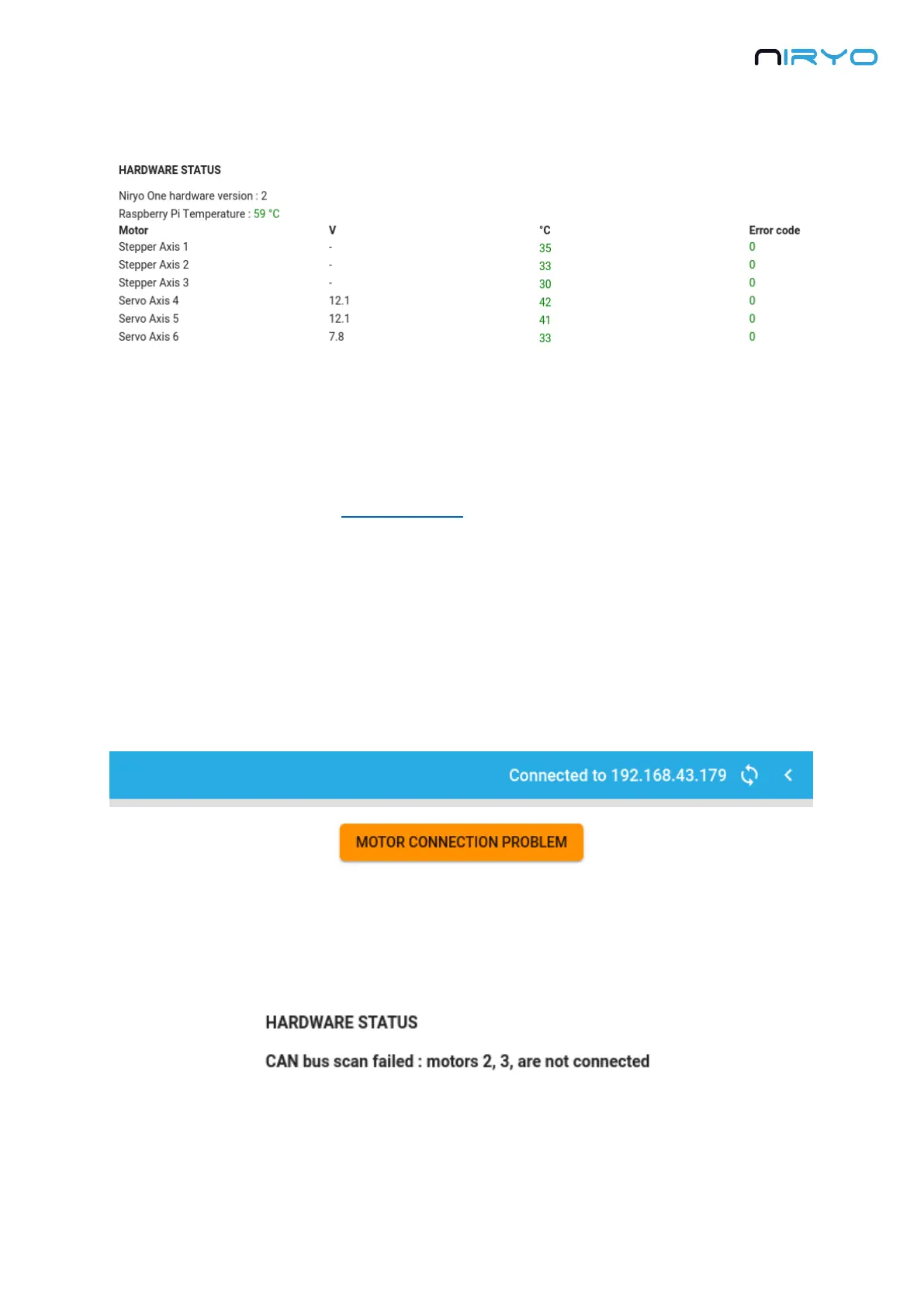
The “Hardware status” panel will give you some useful information about the Raspberry Pi 3B
hardware, and the motors that are connected to Niryo One.
You first have the Raspberry Pi 3B temperature. If the temperature is displayed in orange or
red, it means that something is not normal and the board is too hot (it may have been damaged
because of a bad usage of the panel connector).
Then you get the list of all connected motors. For each motor, you can see its name, type,
voltage (only for Dynamixel motors), temperature, and error code. Any information not written
in green means that there is something wrong with a motor.
5.3.2 Motor connection problem
If you see a blinking alert saying “Motor connection problem” on the top right of Niryo One
Studio, it means that one or multiple motors are not connected/recognized.
Clicking on this warning will make you go to the “Hardware status” panel. Here, instead of
seeing the Raspberry Pi 3B temperature and motors information, you’ll get an error message
saying which motor or bus is not correctly connected.
5.3.3 What to do if you have a hardware problem?



 To Next Page