45
Once you’re done with the joystick control, uncheck this box to disable it.
Direct control and joystick control are not compatible. You can only enable the joystick
control if the robot is not moving. Also while the joystick control is enabled, you can’t move
the robot with the “Move Joints” or “Move Pose” functionalities from the “Arm Command”
section. In this case you will get a warning on the screen.
4.9.2 Use the joystick controller
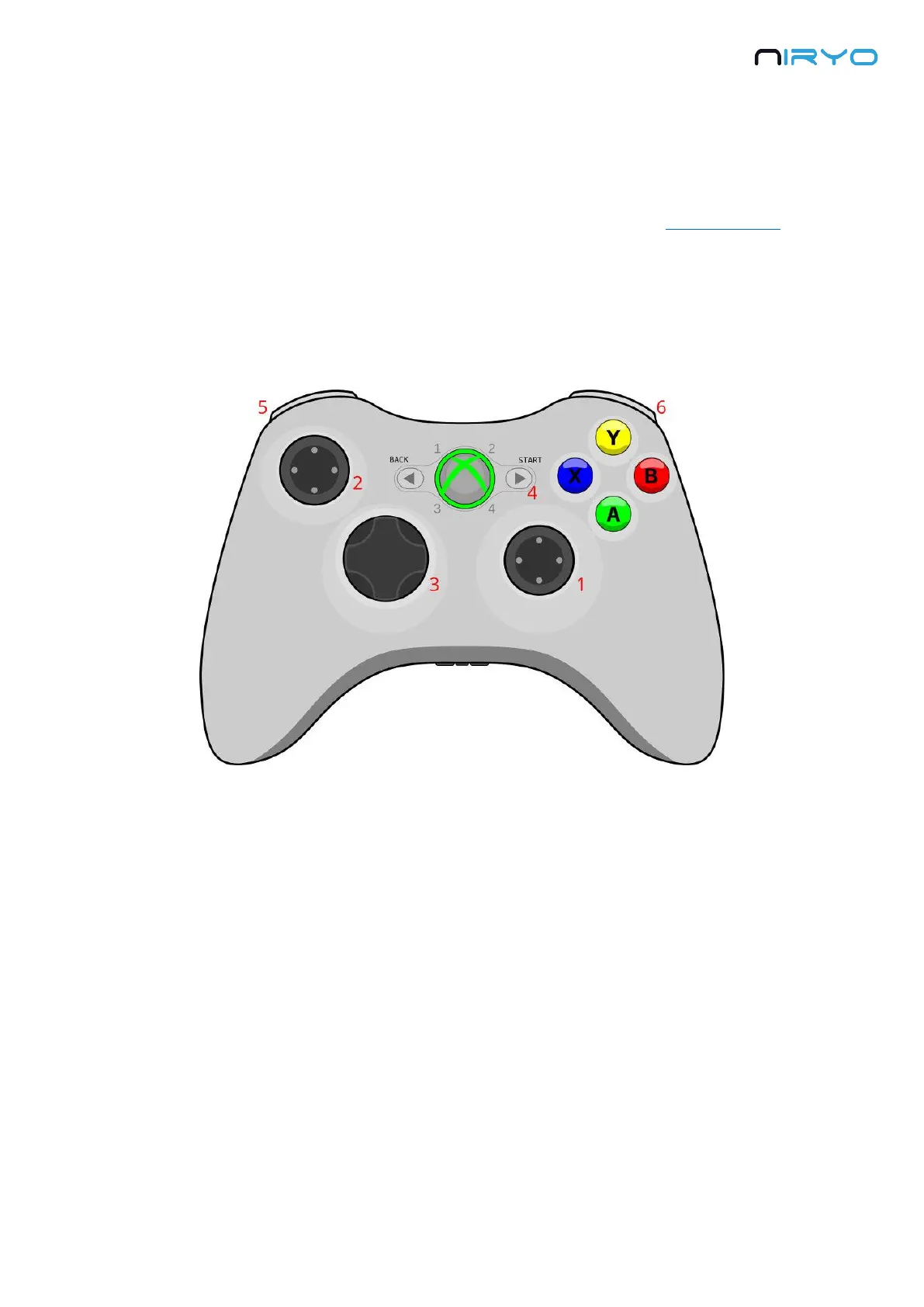
Once the joystick control is enabled and the controller is plugged via USB, use the following
joysticks and buttons to move the robot:
1. Horizontal: axis 1, vertical: axis 2
2. Horizontal: axis 4, vertical: axis 3
3. Horizontal: axis 6, vertical: axis 5
4. Start button: activate/deactivate learning mode
5. LB: increase arm speed for joystick control
6. RB: decrease arm speed for joystick control
Note that you can only use a joystick controller to move the joints of the robots, not the
position of the tool.



 To Next Page