50
If you detect any problem on this panel, you can start by debugging the robot with the Debug
functionality in Niryo One Studio.
For more debugging info and tutorials, check out the tutorials on our website.
After you’re done with the debug tutorials, and if you still have some problems/questions, feel
free to send us a message.
5.4 Debug and logs
5.4.1 Overview
Go on the “Debug” tab.
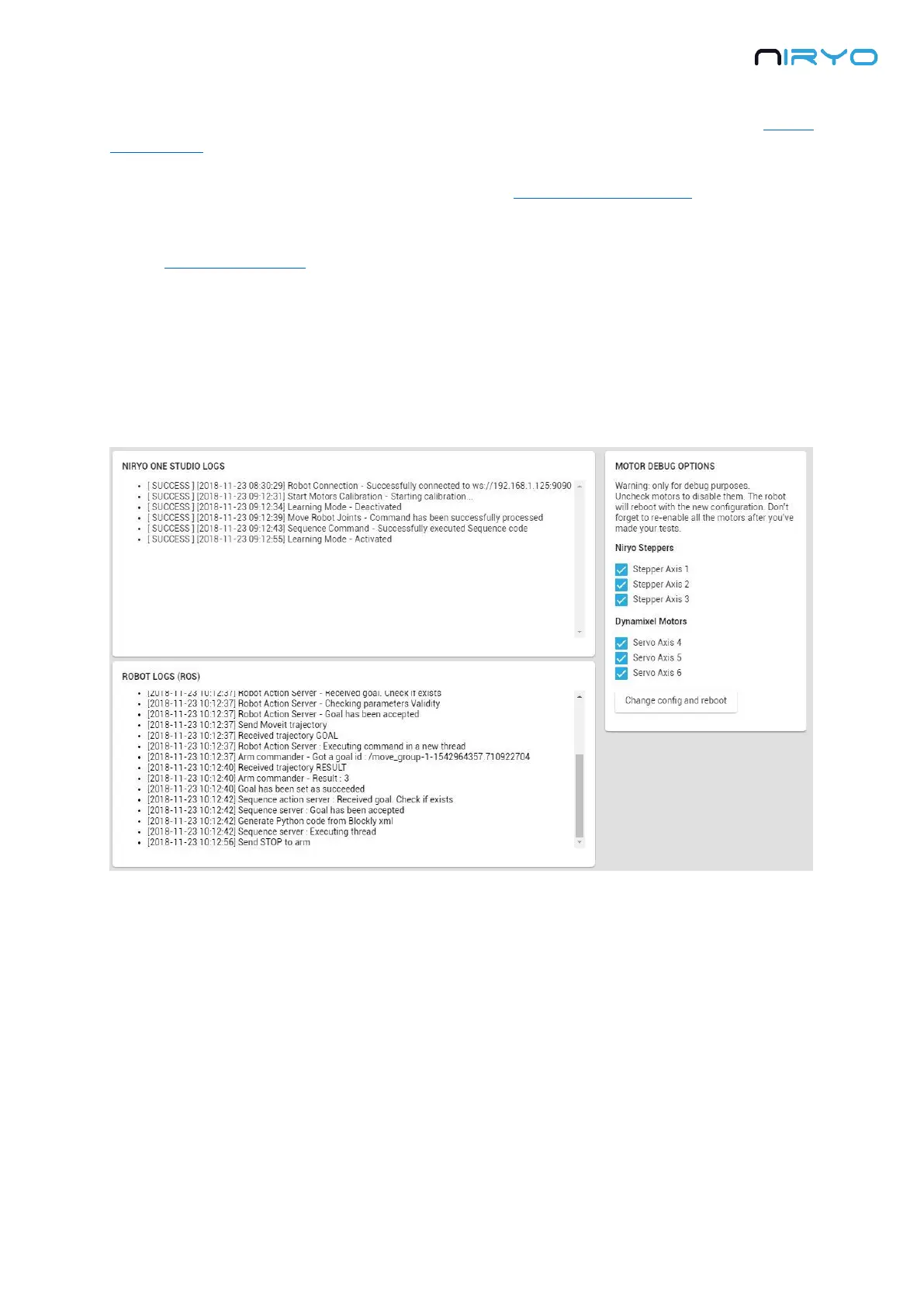
Here you’ll find 3 sections:
Niryo One Studio logs: the logs produced by the desktop application.
Robot logs (ROS): the logs produced internally by the robot.
Motor debug options: allows you to debug motors one by one.
If you notice an error during a movement execution, if you have a motor connection problem,
or any other issue, the logs displayed here can help you see more clearly what’s happening on
the robot.
If you send us a technical support ticket, please attach the complete log (copy and paste
it).



 To Next Page