12 NFS-640 Programming Manual P/N 51333:B 10/03/2003
1. Getting Started
Introduction to the Control Panel
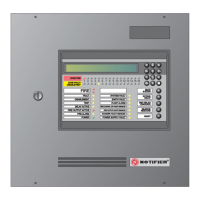
The NFS-640 is an intelligent, field-programmable Fire Alarm Control Panel. Field-programming the
control panel lets you customize the fire alarm system by selecting and setting program options for
intelligent/addressable detectors and modules, Panel Circuits, and Notification Appliance Circuits
(NACs).
This manual provides information for programming using the NFS-640 keypad connected to the control
panel. VeriFire™ Tools must be used for programming if no keypad is used, or if an NCA (Network
Control Annunciator) is used as the keypad in either a network or standalone application. Refer to
VeriFire™ Tools for information on programming without the NFS-640 keypad, and the NFS-640
Installation Manual and NCA Manual for installation information.
For details on control panel operation, refer to the NFS-640 Operations Manual.
Features
Programming features include the following:
• Ease-of-use – Field program the control panel without needing special software skills.
• Autoprogram option – Automatically detects newly installed, addressable devices, allowing
quicker installation.
• Local programming – program directly from the control panel keypad to reduce installation
time.
• PC programming – input long data entry programming information on a PC; transfer
programming data between a PC and the control panel using VeriFire™ Tools programming
utility.
• Security – use passwords to control access to the control panel and protect memory.
• 80-Character (2x40) Liquid Crystal Display – view programming and device information on
the control panel.
www.PDF-Zoo.com


 To Next Page
 Loading...