Appendix C: AWACS™ Applications Detector Maintenance Features
92
NFS-640 Programming Manual P/N 51333:B 10/03/2003
Detector Maintenance Features
Overview
The NFS-640 provides features to check the maintenance performance level of addressable, intelligent
detectors. Detector maintenance features include the following:
• View detector maintenance information for an individual detector
• Print a detector maintenance report for all detectors
How to Access Detector Maintenance Information
1. Access detector maintenance functions by pressing the ENTER key. The control panel displays the
Program Entry screen:
2. From the Program Entry screen, press the M key. The control panel displays the Detector
Maintenance Selection screen:
3. Press 1 or 2 to specify the SLC loop, then the detector’s three digit address, then press the
ENTER
key; or to print a Detector Maintenance Report (Figure 31 on page 93): Press P; then, press the
ENTER key.
View Detector Maintenance for a Detector
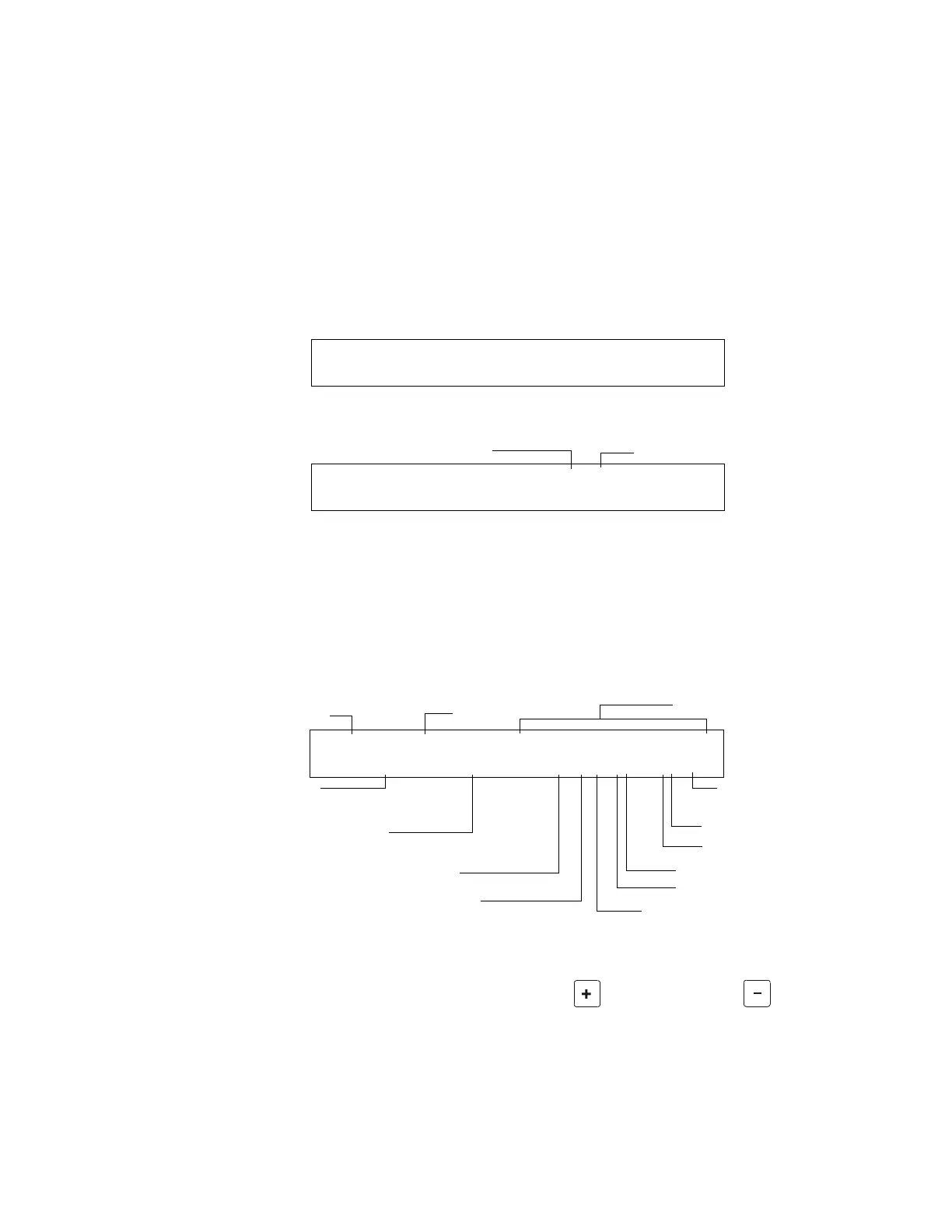
When you enter the detector SLC address the control panel displays the Detector Maintenance Status
screen as shown below:
Figure 30 Detector Maintenance Status Screen
Once you display information for a detector, you can use the
(Next Selection) and (Previous
Selection)
keys to view information for the next or previous detector on the SLC.
Refer to “How to Interpret a Detector Status Display or Maintenance Report” on page 93 for
descriptions of each item.
1=PROGRAMMING 2=READ STATUS ENTRY
(ESCAPE TO ABORT)
SLC loop
Three digit address
Select Detector Address (LDAAA) <ENTER>
or Press P, <ENTER> for print all.
20-character custom label
Current Alarm reading (percentage of alarm)
Pre-Alarm sensitivity setting
(0=none; 1-9)
Percentage of drift
compensation
Device Status
Device address
(01-159)
Type Code
D (indicates a detector)
SLC number
Peak value – the highest alarm
level reached in the past week
Alarm sensitivity setting (1-9)
Alarm Verification selection
Multi-Detector selection
NORMAL SMOKE (ION) DETECTOR ADDR 1D147
Comp:031% Pk:0001% 000%A6 6 ** 1D147
www.PDF-Zoo.com


 To Next Page
 Loading...