28 EV2 Series DVR
2.2. Motion Detection
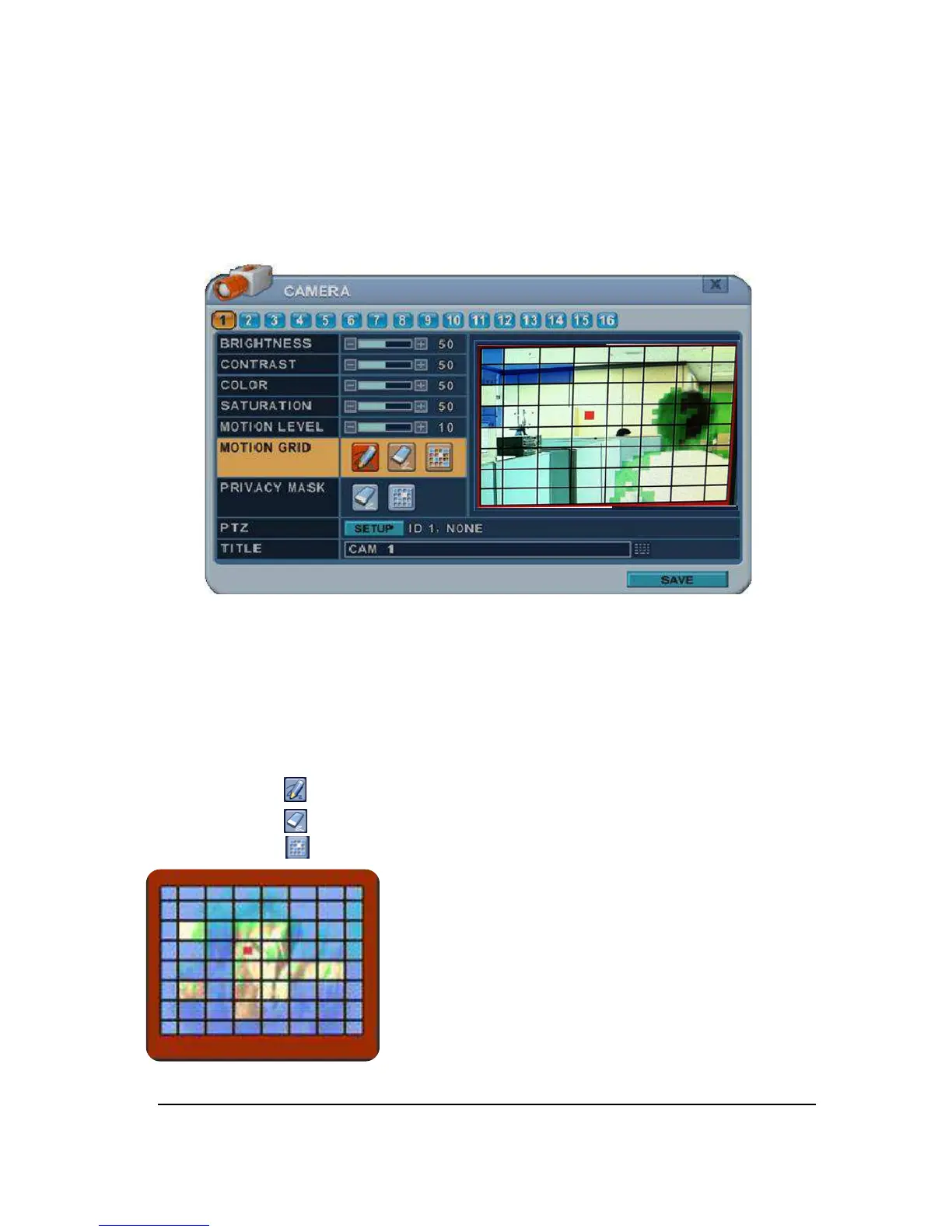
To Configure Motion Area:
Select Camera number button to configure the desire camera.
1. Motion Level : The sensitivity settings are : 1: Low sensitivity~ Level 20: High
sensitivity. By default , the level is set to 10.
2. Motion Grid : The area property is highlighted and motion detection can now be
observed in the view window. By default, it’s OFF.
: Select All. Press [ENTER] to select.
: : Clear All. Press [ENTER] to select.
: Select specific. Press [ENTER] to select.
To define the motion view area cell-by-cell, do the
following:
On the front panel or remote control, press any of
direction buttons to highlight a cell in the motion detection
area, and then press [INC/+] . This area is selected and
the cells are highlighted by blue color.
Press [CANCLE] to return to left column.



 To Next Page