45 EV2 Series DVR
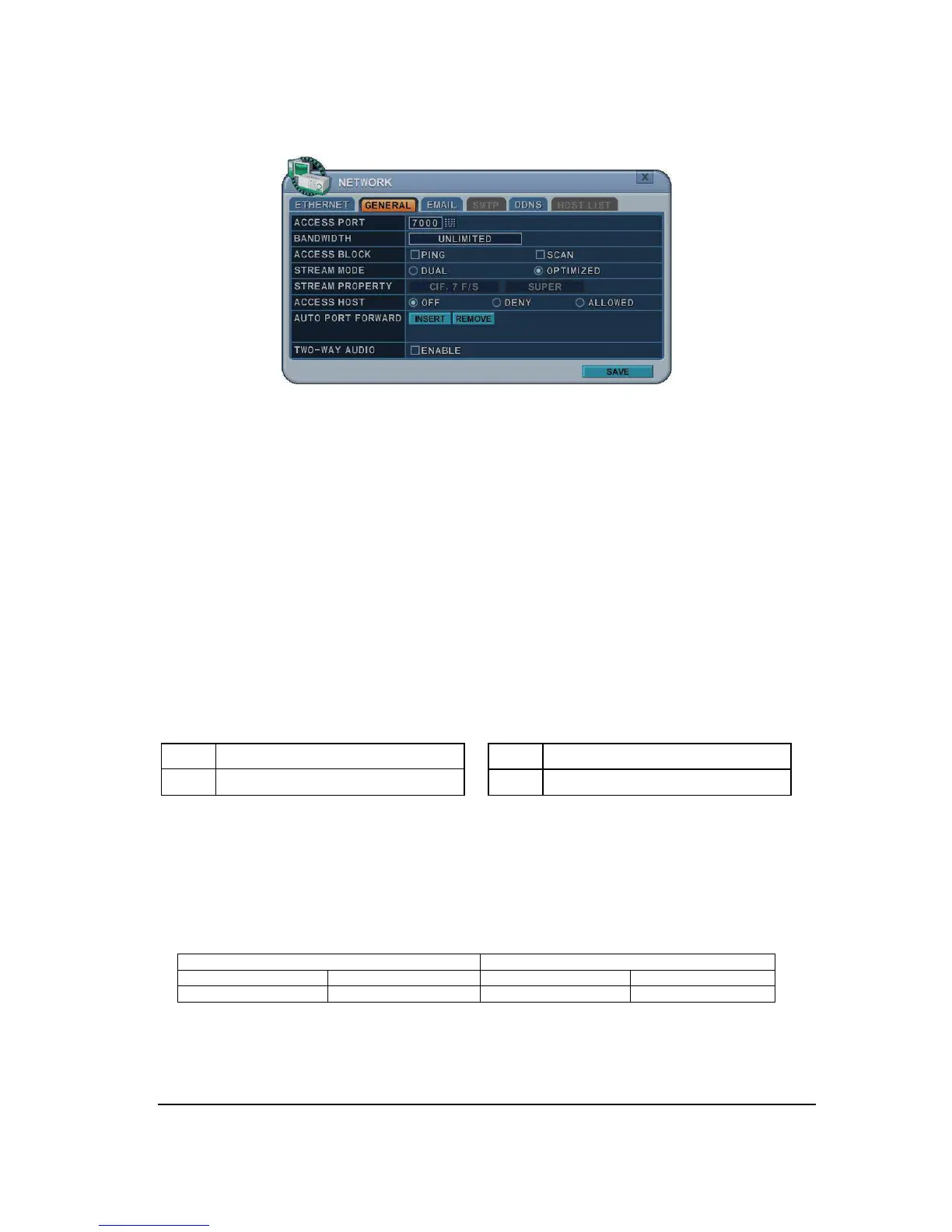
6.2. GENERAL
1. Access Port: Select “0001 ~ 9999”
Enter the port number that the client will use to communicate with the DVR over the
internet. The default port is 7000. It is recommended to use over 1,000.
2. Bandwidth: Select the network bandwidth to limit the amount of network resources
allocated to client connection. The default is unlimited: “ 4 KBPS~ 8 MBPS”
3. Ping Block: No response for ping. Default by off.
4. Scan Block: No response for Auto Scan from EMS. Default by OFF
5. Stream Mode : Select network stream mode between Dual or Optimized
1)
Dual: Streaming the video/audio data with a specified quality, it’s independent of
recording configuration
<Note> Max Dual stream for Network
2)
Optimized: Streaming the video/audio data with a maximized throughput, it
depends on recording configuration but use manufacture’s own method.
It provides better network streaming rate.
Example
RECORDING SETUP
6. Stream Property: It’s activated when you select dual streaming.
7. Access Host and Host List: Allows you to access or deny specific IP address.
NTSC
Available F/S by channel



 To Next Page