55 EV2 Series DVR
7. DEVICE
7.1. GENERAL
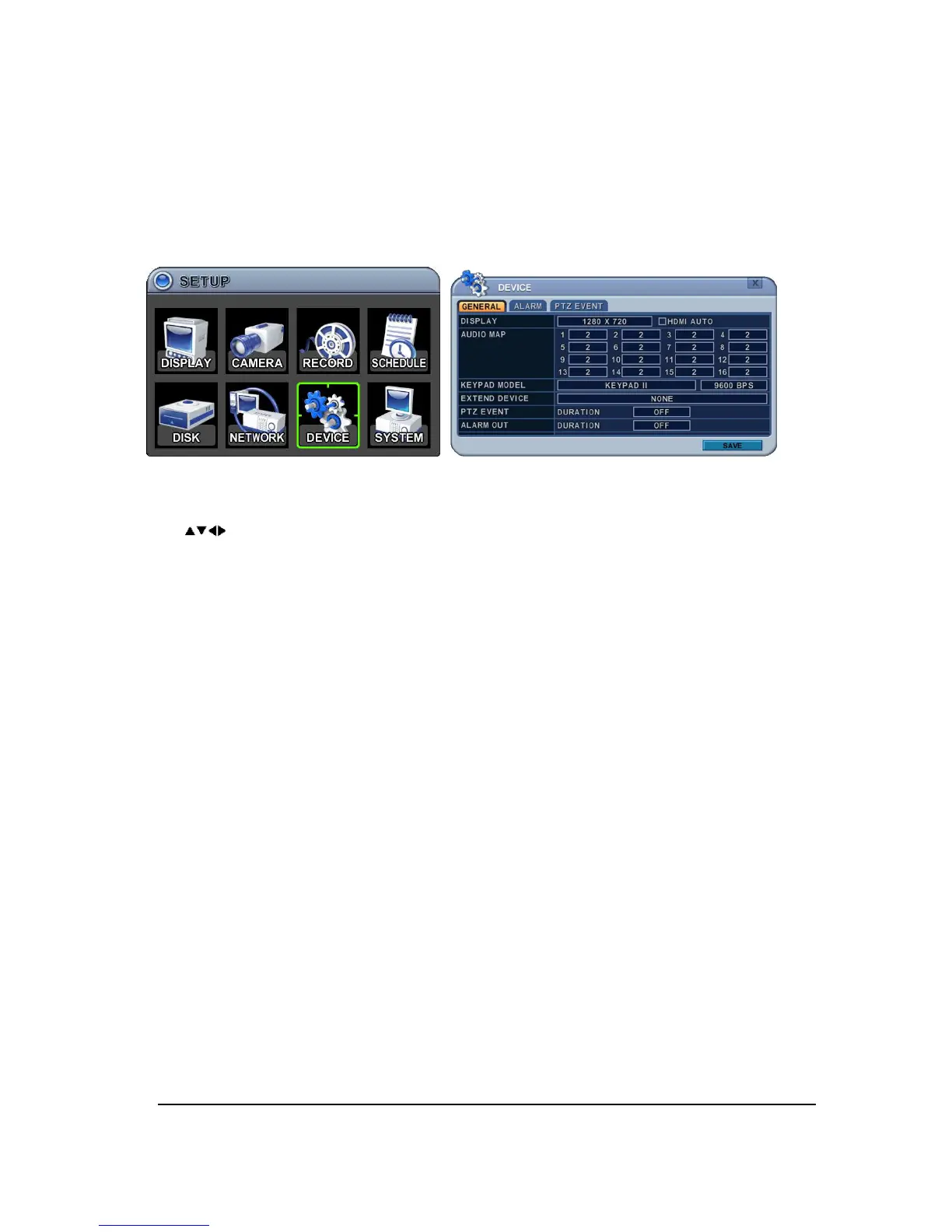
This DVR support 1 Audio, Alarm input and 1 relay output1 and support HDMI output.
1. The menus are displayed with options on the left-hand column and settings in the right
hand column. A cursor (highlighted menu) can be moved using the Direction buttons
[ ].
1) DISPLAY : Please decide to Output resolution
It automatically detects and set correct video resolution on the monitor in default.
[800*600
1024*768
1280*720
1280*1024
1920*1080P]
HDMI AUTO
Automatically detects and sets the HDMI resolution on the monitor connected to the
DVR. It might display “no video” if a VGA monitor is not able to support high
resolution.
<NOTE>
In order to connect HDMI and VGA output to use both monitors, please set up as the
lowest resolution without selecting HDMI AUTO.
2) Audio Map: Select audio recording device usage 1~4.
3) The audio data is always recorded in real time unlike the video data that can be
recorded in various modes including real time. There may be a slight delay in
synchronization of the audio to video
4) Keypad Model: Select Joystick Controller and Baud Rate.
5) Extend Device: Future use.
6) PTZ Event: DURATION [OFF,1SEC ~ 5 SEC] : Select PTZ EVENT duration.
7) Alarm out: DURATION [OFF,1SEC ~ 5 SEC] : Select Alarm duration.
2. Select SAVE to save changes and press [ENTER] button to exit the menu.
Exit the menu without making changes, press [CANCEL] button.



 To Next Page