61 EV2 Series DVR
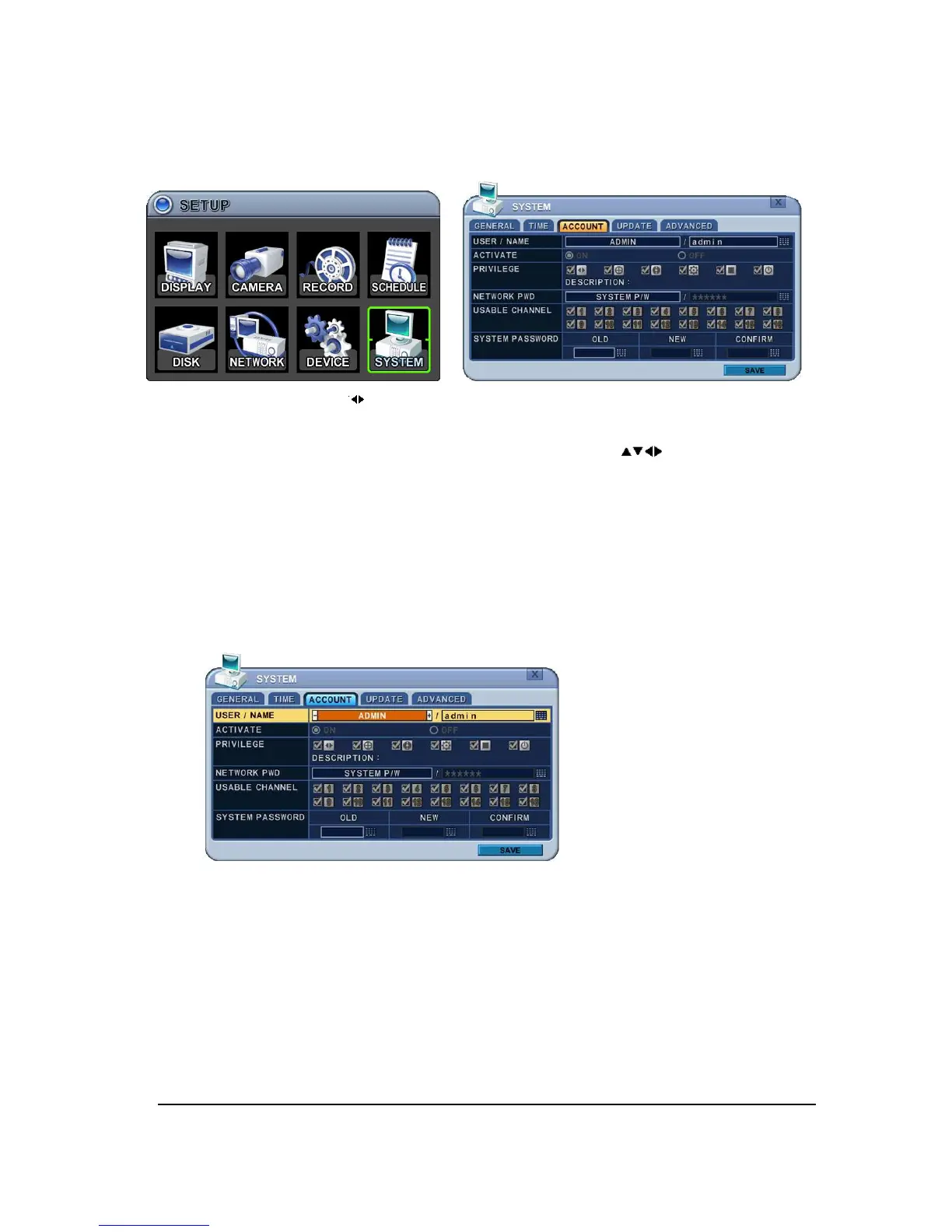
8.3. ACCOUNT
.
1. Use Left/Right buttons [ ] to select on TAP menu “Account”. The menus are displayed
with options on the left-hand column and settings in the right hand column. A cursor
(highlighted menu) can be moved using the Direction buttons [ ]. Press [-, +] button
to change the values.
1) User/Name: DVR comes preconfigured with ADMIN. Select User 1~5, and then
activate it by on.
a. Name Length: up to 10 characters.
b. Characters: A to Z, numerals 0 to 9.
2) Privilege: Admin can define each user’s Privilege such as
[
PLAYBACK, PTZ
CONTROL, BACKUP, CONFIGURATION (except for Disk and System), RECORD
STOP, and SYSTEM SHUTDOWN]
3) Network: DVR comes preconfigured with System password to Network access for
Admin and Deny for User. It is possible to create different password for Network
access choose by [Custom P/W].



 To Next Page