71 EV2 Series DVR
2.2. Preview Search (Single Channel Playback)
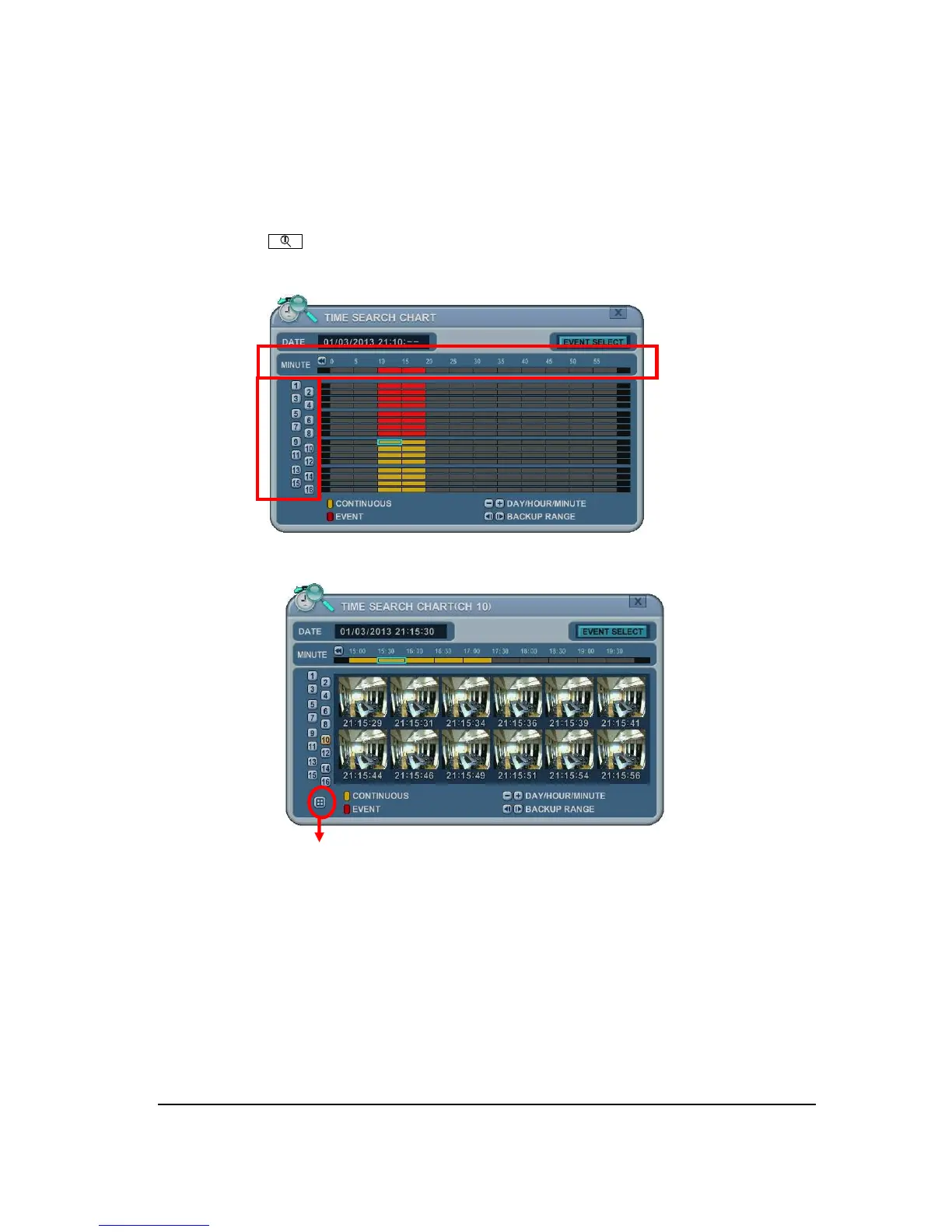
The DVR allows you to quickly review a single channel of playback over a period of Day,
Hour, and Minute.
1. Press the [Time Search] button to access the time search table. Day will be
displayed.
2.
Choose the desired channel to review pressing by numeric button.
Return button to chart.
3.
Use [+] button to navigate to the desired Day
Hour
Minute (5min)
Minute
(30sec). Use [-] button to go back Minute (30sec)
Minute (5min)
Hour
Day.
Using mouse, wheel is used for [+/-] button.
4.
While it’s reviewing snapshot, use numeric buttons to review other channel.
5. Use the directional button to select snapshot and, press [ENTER] button. Using
mouse, double click.
6. The DVR will start the playback mode, displaying selected channel. Any channel
number or the DISPLAY button may be pressed to change the display mode.
Channel
Day, Hour, Minute



 To Next Page