75 EV2 Series DVR
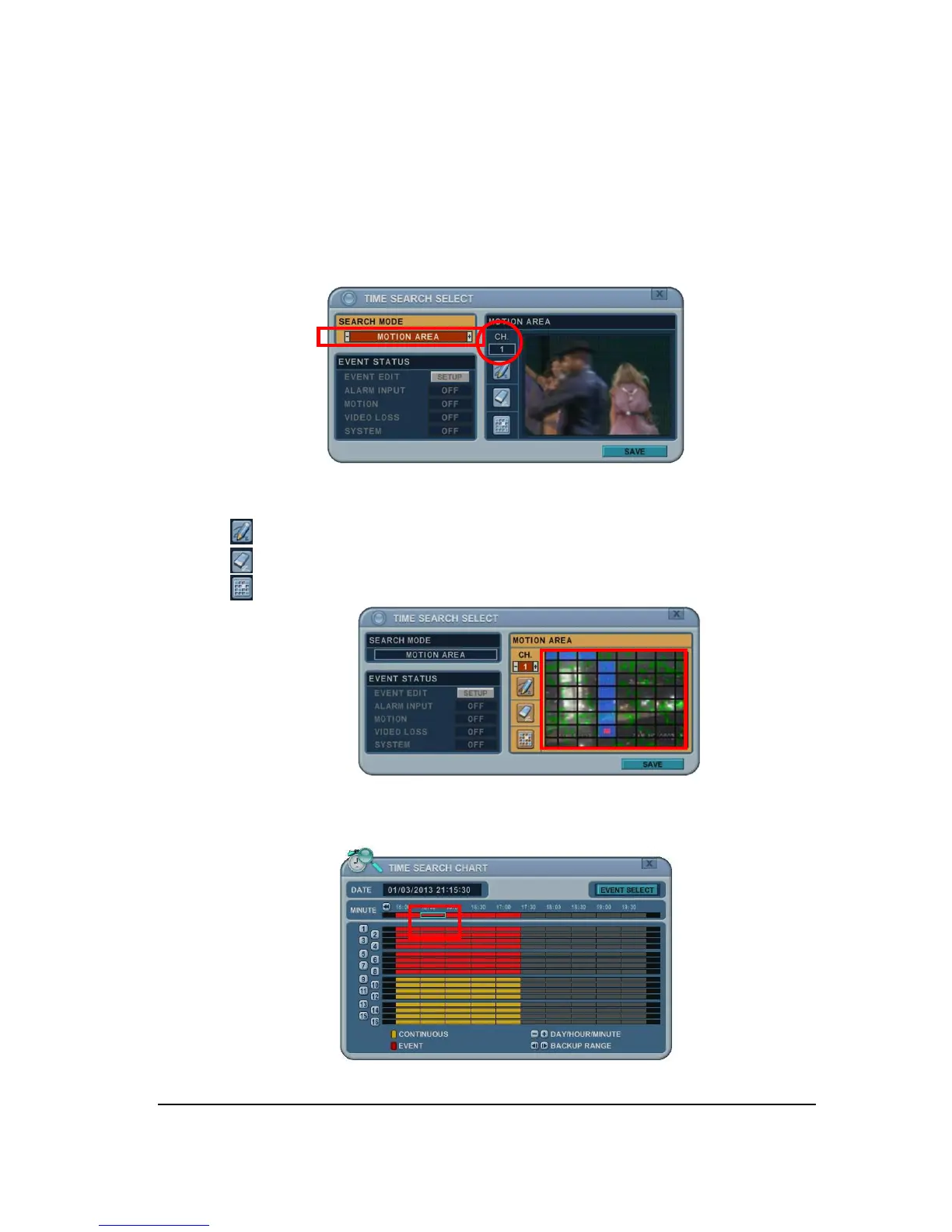
2.5 Motion Area Search (Single Channel Playback)
The DVR searches for recorded video then matches the search area defined by selected
cell.
1. Select “MOTION AREA” (Single channel playback) to search the recording data that
has motion in a specific area in a certain channel.
2. By pressing [+/- ] button, select the channel you want to search.
3. Select motion area you want to search.
: Select all grids
: Deselect all grids
: Select grid one by one by one by pressing [+/- ] button
4. Press MENU button, then TIME SEARCH CHART will display the recording data in
red to see what happened in that channel.



 To Next Page