81 EV2 Series DVR
<Note> Please Refer to [LOCAL PLAYER]/ [Mini-Player] section to read Back-up file.
3. Backup (LOG)
1. Plug in USB memory stick to USB port.
2. Press “Log” button to see Log list of DVR.
ITEM
ADJUSTMENT
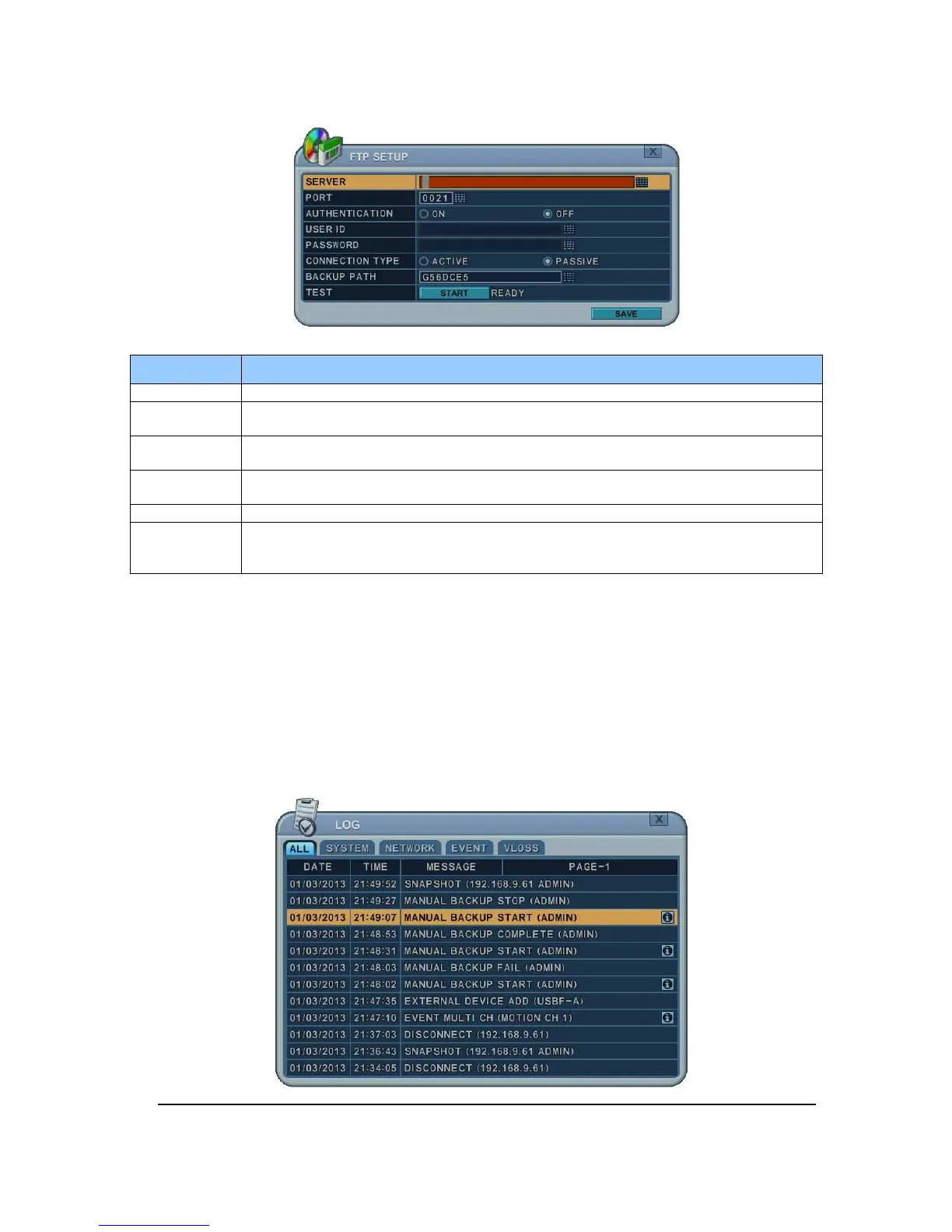
Server Select Highlight FTP Server and then press numeric buttons to define an FTP server.
Port Define the port that the FTP server will communicate through.
User ID
Enter the user ID of FTP Server.
(It is recognized as a small letter, even it’s displayed as a Capital Letter)
Password
Enter the password.
(It is recognized as a small letter, we do not support capital Letter)
Connection Select PASSIVE mode or REGULAR Mode.
BACKUP
PATH
The path should be made in FTP server in advance. Mac address is set with the
default in consideration of the situation that lots of DVRs may backup its file to the one
FTP server.



 To Next Page