80 EV2 Series DVR
To read USB backup HDD in Window, format to FAT32 or NTFS.
To backup as an AVI File, set the file format to AVI using the [+] button.
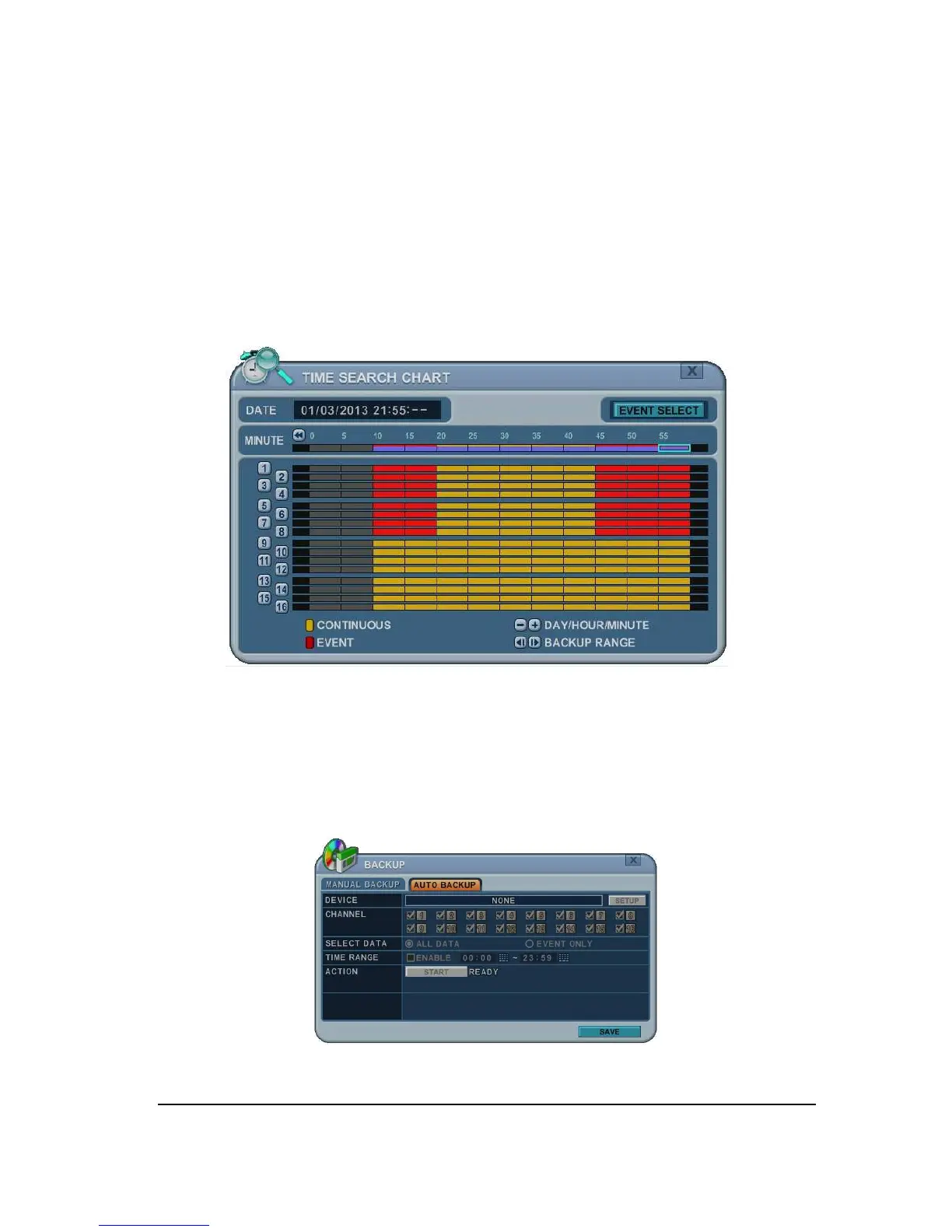
1.3 Back up Range Setup
Press the [◄
▌
] button to set backup start time and press the [
▐
►] button to set the end.
Selected time changes to a Violet color.
Selected backup time is displayed on the backup range.
[LOG IN/OUT] button is toggled for the range.
2. Backup (FTP): Not available
1. Use [-, +] button to change select device: FTP
2. Use direction button to move FTP setup. The menus are displayed with options on the
left-hand column and settings in the right hand column.



 To Next Page