56 EV2 Series DVR
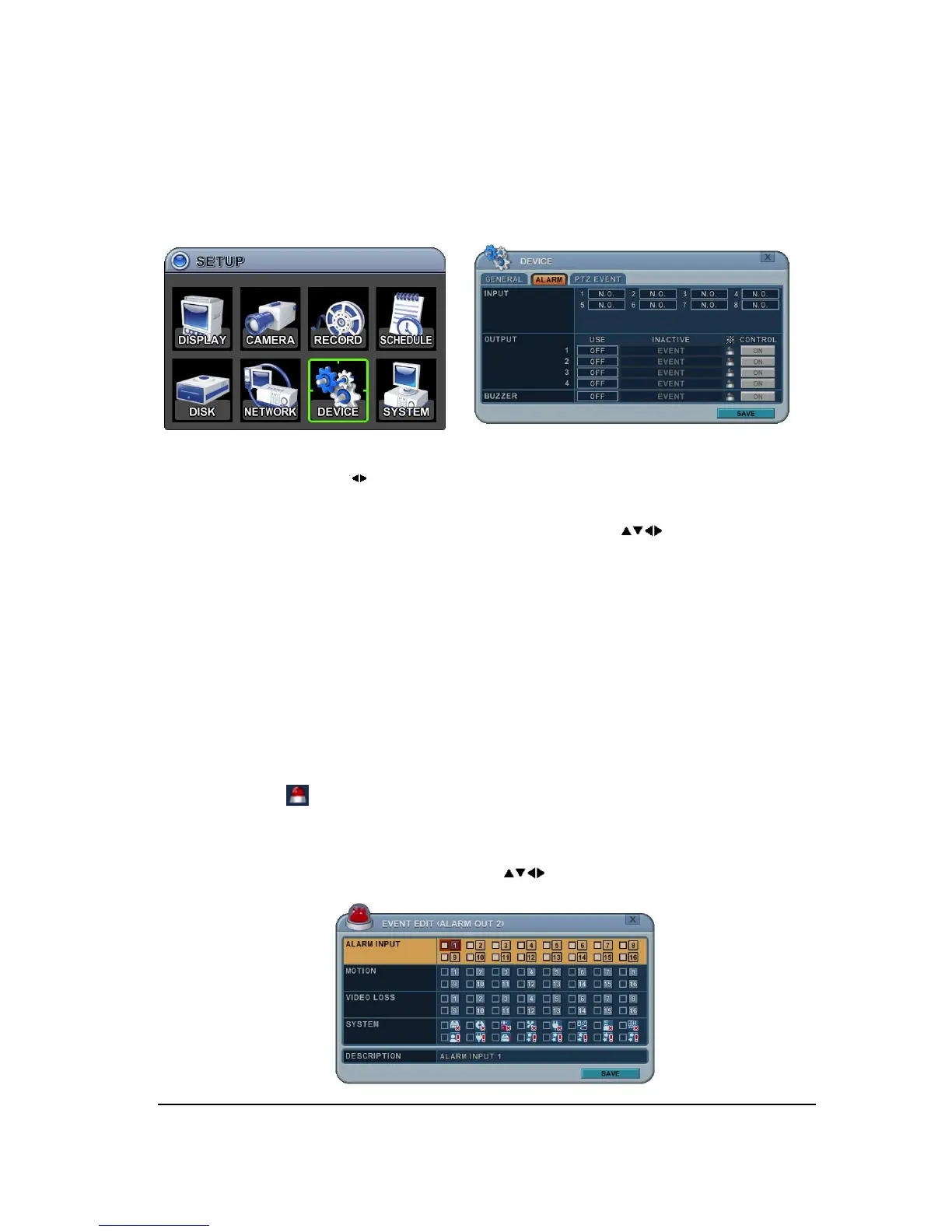
7.2. ALARM
This DVR support 4 Alarm inputs and 1 relay output. One Alarm input can be configured to
one relay output. One relay output can be assigned to multiple alarm inputs.
1. Use Left/Right buttons [ ] to select on TAP menu “ALARM” The menus are displayed
with options on the left-hand column and settings in the right hand column. A cursor
(highlighted menu) can be moved using the Direction buttons [ ] .
2. INPUT: Change the input type. Use [-, +] button to change the values.
3. OUTPUT: you can configure how the relay outputs are controlled: automatic or manual.
1) Use: Change the output type.
2) Inactive: Select turn off method of Relay out.
a. Event (Automatic): Relay out is turned off when the event expires. This setting is
configured globally.
b. Manual: Relay out is turned off from this menu <Control>.
3) Event Edit
- Press [ENTER] to edit multiple events. The menus are displayed with options on the
left-hand column and settings in the right hand column. A cursor (highlighted menu)
can be moved using the Direction buttons [ ] on IR remote or front panel.



 To Next Page