33 EV2 Series DVR
3.2. Resolution & Recording speed Setting
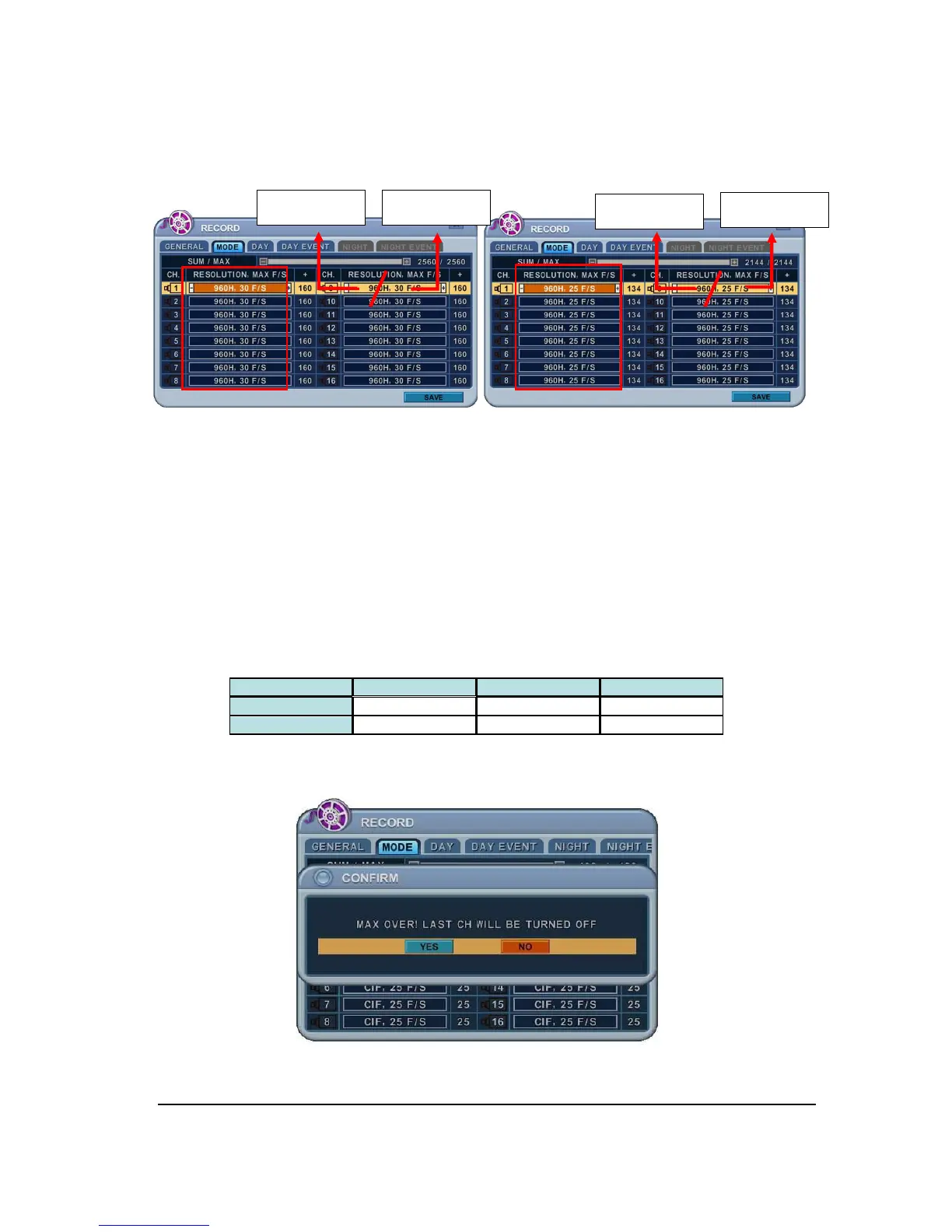
<NTSC MODE> <PAL MODE>
This DVR records each camera individually and then multiplexes them. You can individually
set up resolution and recording speed for each channel. 960H stands for NTSC 960 * 480
(PAL 960 * 576), D1 stands for NTSC 720*480(PAL 720*576), Half D1 stands for NTSC
720*240 (PAL 720*288) and CIF for 360*240(PAL 360*288)
To make them global record, select desired setting channel then press split button copy to
other channel.
<Note> Total fps is displayed in SUM/MAX. MAX for each channels as below.
4Ch 8Ch 16Ch
NTSC 640 1280 2560
PAL 536 1077 2144
If the sum of fps is over than MAX fps, below warning message will be popped up.
Then automatically the last channel will be disabled.
USED FPS MAX FPS
USED FPS
MAX FPS



 To Next Page