27 EV2 Series DVR
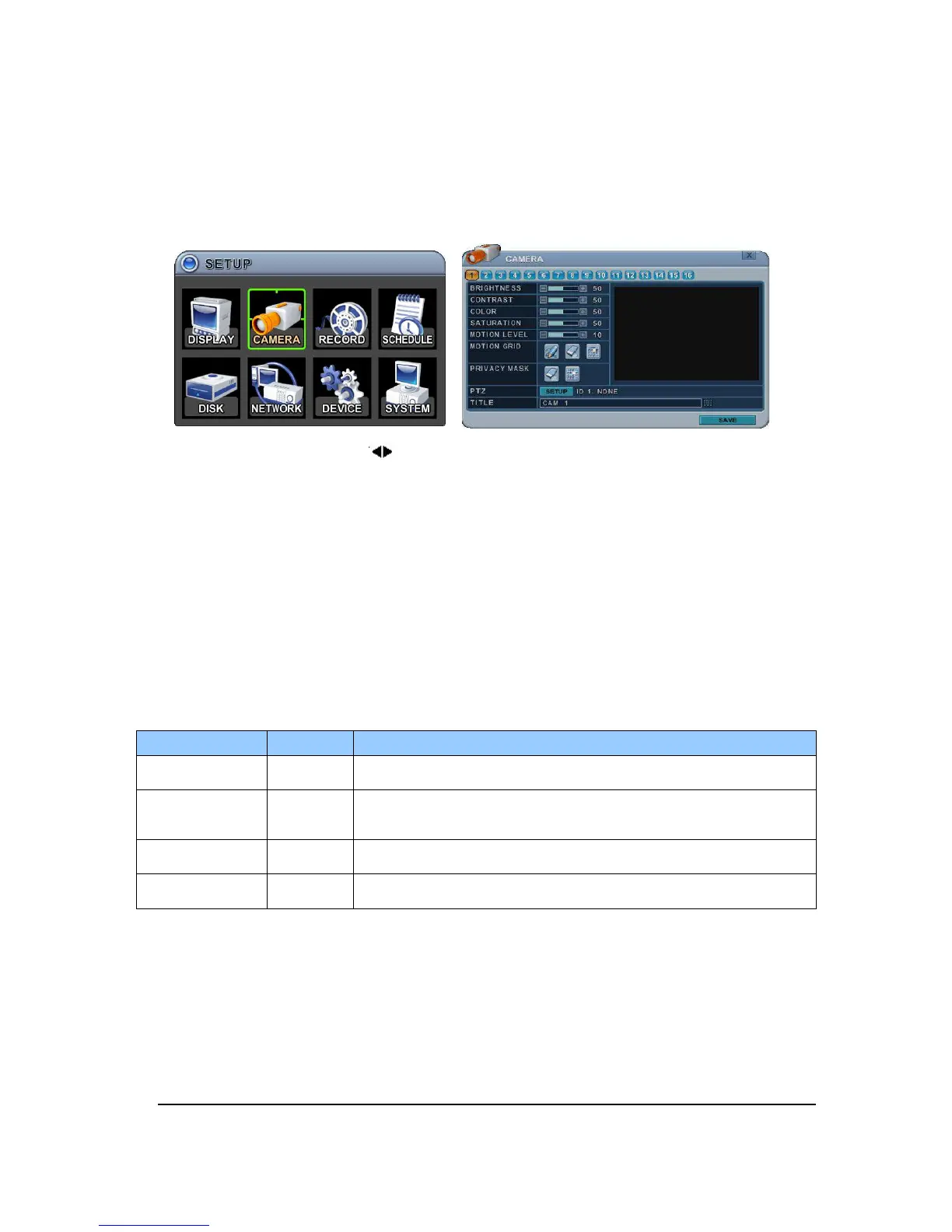
2. CAMERA
Configure the properties of cameras such as Video Adjustment (Brightness, Contrast, Color,
and Saturation) , Motion detection, PTZ Selection.
1. Press Left/Right buttons [ ] or number button to select desired camera
2. Camera Channel option is highlighted and the camera settings are displayed.
3. The menus are displayed with options on the left-hand column and settings in the right
hand column.
2.1. Video Adjustment
To Configure Camera Settings:
Select Camera number button to configure the desire camera.
ITEM
DEFAULT
ADJUSTMENT
BRIGHTNESS 50%
The brightness of each camera can be adjusted by pressing [-,+]
buttons.
CONTRAST 50%
The contrast of each camera can be adjusted by pressing [-,+]
buttons.
COLOR 50%
The color of each camera can be adjusted by pressing [-,+]
buttons.
SATURATION 50%
The saturation of each camera can be adjusted by pressing [-,+]
buttons.



 To Next Page