34 EV2 Series DVR
3.3. Continues /Normal Recording
The DVR comes with a certain preset settings from the factory. Therefore once the
DVR is installed, immediate recording is possible after pressing the record buttons. By
default, audio, alarm, motion recording are off.
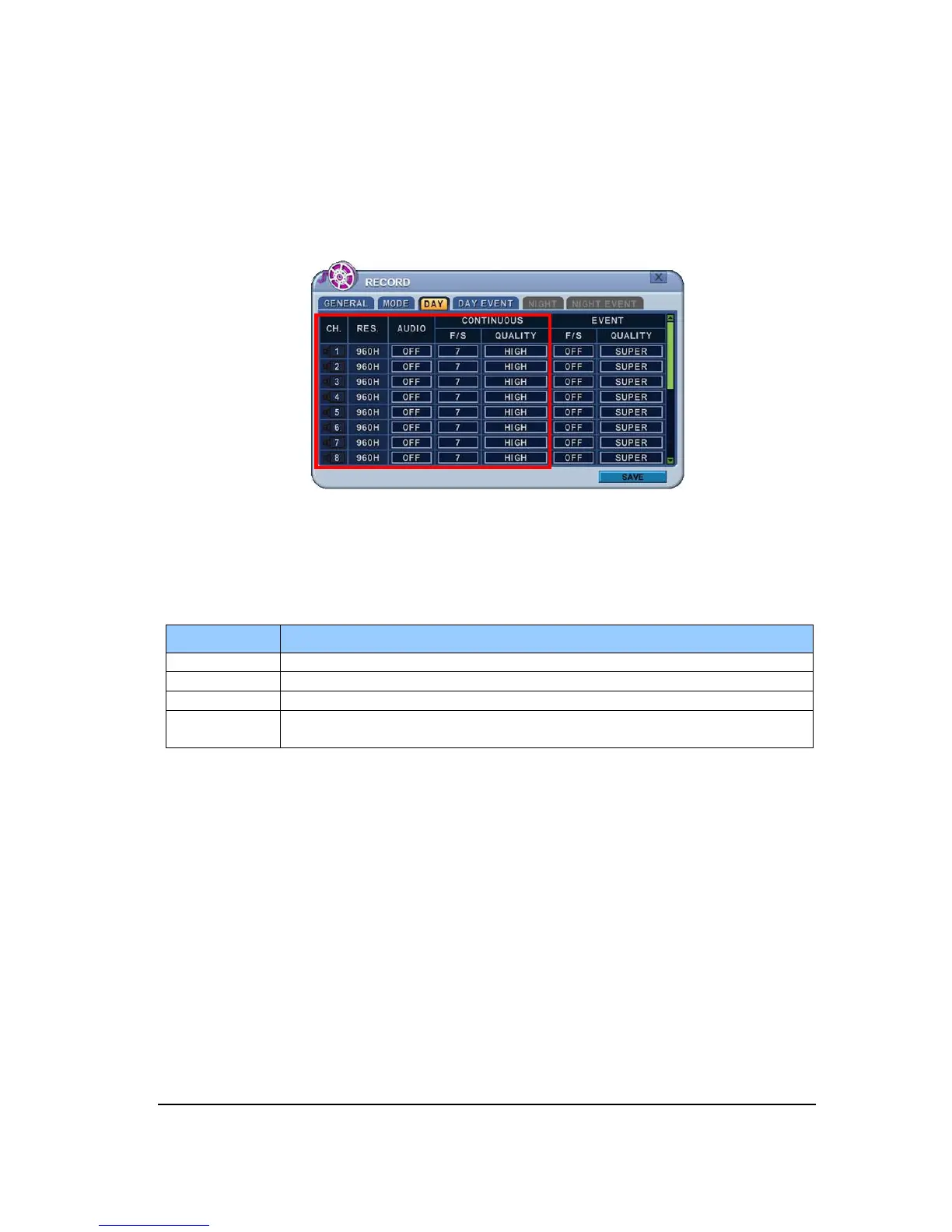
The DVR records video data continuously over 24 hour period. Recording setup is for normal
recording. Different settings can be configured for each camera. To copy the setting to other
channel, press [Display] button.
ITEM
RES. Display selected resolution in MODE tab.
AUDIO Select to record audio.
F/S Frame per second: Select recording speed rate for each camera.
QUALITY
Specify the record picture quality for each camera.
SUPER HIGH MIDDLE LOW



 To Next Page