72 EV2 Series DVR
2.3. Event Record Search
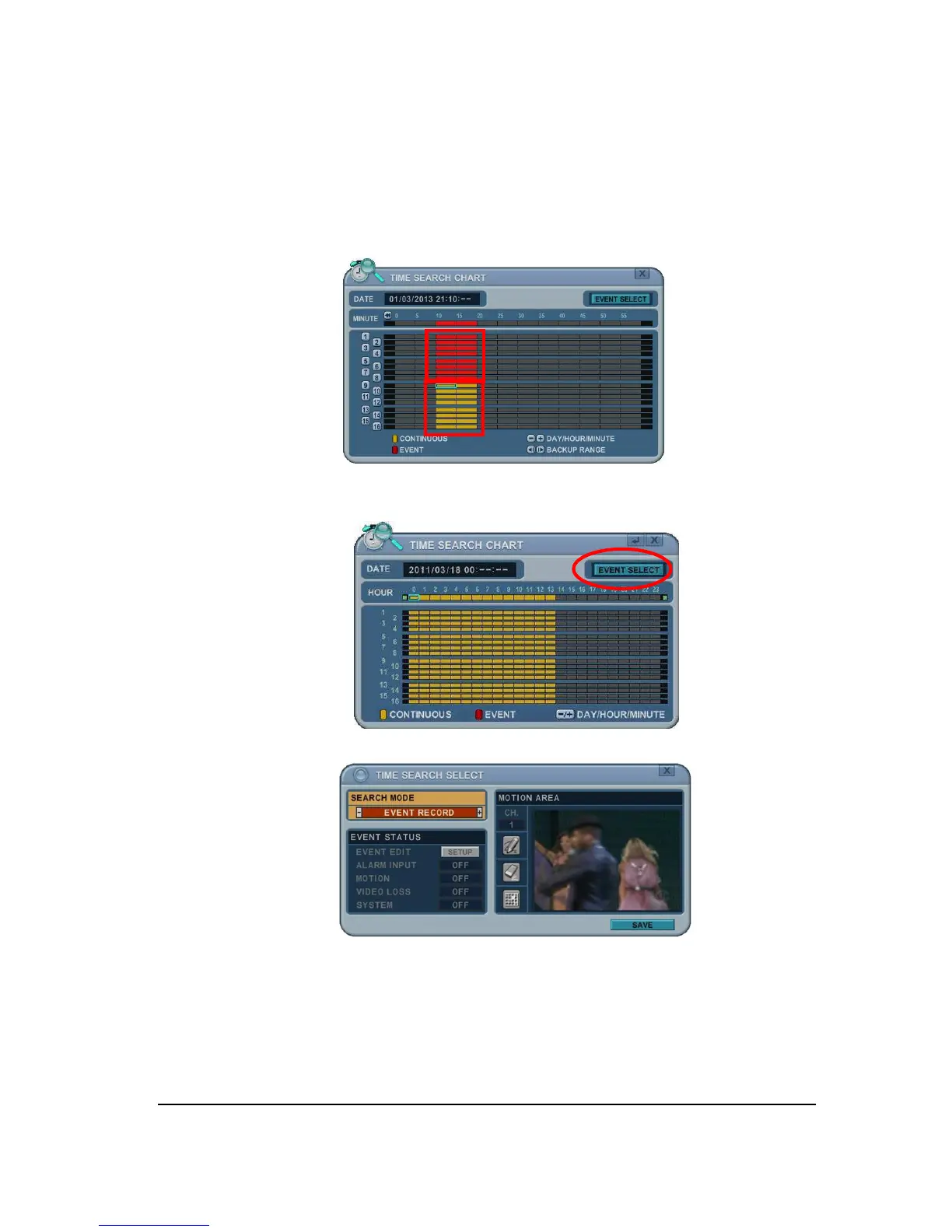
Event Record search feature allows you to search for recorded video by event. The time
search table displays time events. As a default, TIME SEARCH CHART displays
CONTINUOUS recording (Yellow) and EVENT recording (Red). TIME SEARCH CHART will
display the different outcome according to the SEARCH MODE below.
[FIGURE 1]
1. Press the “Event Select “ button to change search mode.
2. Press [ENTER] to set up. Press [+/-] button to select “event record”.
3. Press [+/-] button to select “SEARCH MODE “(Event source /Motion Area).
By selecting Search Mode, TIME SEARCH CHART will display the different
outcome.
<Note>: EVENT RECORD is set by default and it makes TIME SEARCH CHART
display EVENT recording in Red as above FIGURE 1.



 To Next Page