22 Rev 2.3 • 14 Oct 08
2. Introduction
Active Cards
Systems Clock Generator Card
The systems clock is located on the control card. (See Control Cards on page 21.) This clock is crit-
ical and used by all input cards and output cards; if the clock fails, the router cannot route audio sig-
nals. As a preventive measure, a secondary control card (optional for redundancy) can be installed
to act as a backup should the primary control card fail. If you do not want to install two control
cards, an optional Systems Clock Generator card (EM0414) can be installed in place of the second-
ary control card. The Systems Clock Generator card ensures that in the event of a primary control
card failure the system continues to receive clock information. However, the Systems Clock Gener-
ator card only provides clock information and cannot take over control card tasks.
Audio I/O Cards
Audio input cards and output cards support AES synchronous, AES asynchronous, and analog
audio signals. Each type of signal requires a unique type of card. For example, to support AES syn-
chronous signals, cards that specifically manage AES synchronous signals must be installed. Dif-
ferent types of audio input cards and output cards can be inter-mixed in a single frame to meet
specific switching configuration needs.
For each input card and output card installed, an associated backplane must also be installed. For
more information, see Backplanes
on page 13.
Analog and AES synchronous signals may be converted between analog and digital within the
NV5128 router frame. (See Mixing Analog and Digital
on page 7.) In addition, analog or AES syn-
chronous signals may be routed as stereo or mono signals, but not as AES asynchronous signals.
AES asynchronous signals can only be routed as stereo signals. However, using the SRC input
card, asynchronous AES signals can be converted to synchronous signals and then routed as stereo
or mono signals. (See AES Sample Rate Converter (Input Only)
on page 24.)
The following is a list of the different audio input cards and output cards available. Each card is
listed by the type of signal it manages. For your convenience, the part number for each card has
been included.
For a list of all audio input cards and output cards and their associated backplanes, see Cards, Card
Sets, and Backplanes on page 93.
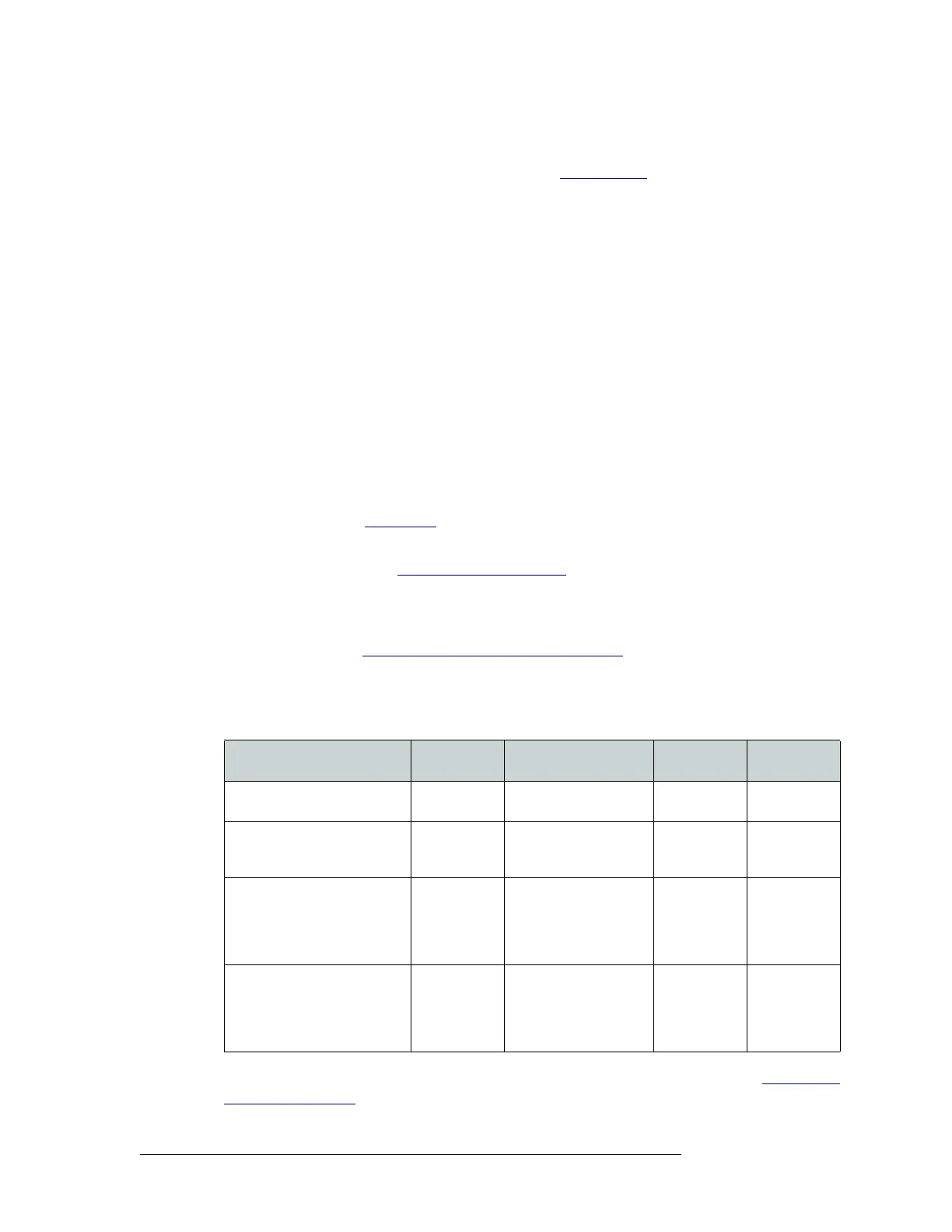
Input Card/Output Card
Inputs and
Outputs
Incoming Signals
per Sample Rate
Input Card
Part Number
Output Card
Part Number
AES synchronous balanced and
unbalanced
16 stereo or 32
mono
16 stereo (32 mono) at
48
kHz
EM0389 EM0390
AES asynchronous balanced
and unbalanced
16 stereo 16 stereo at 32
kHz to
96 kHz (passed
through)
EM0387 EM0388
AES Sample Rate Converter 16 stereo 16 stereo (32 mono) at
22
kHz to 108 kHz asyn-
chronous,
converted to
synchronous AES
locked to 48
kHz
EM0500
(input only)
N/A
Analog 16 stereo or 32
mono
16 stereo (rate N/A) or
32 mono (rate N/A).
Converts analog input to
internal digital format
locked to
48 kHz
EM0585 EM0586


 To Next Page