36 Rev 2.3 • 14 Oct 08
3. Installation
Package Contents
6 Make connections to signals acting as references for audio and video signals. If reconfiguring,
verify that all necessary reference connections are made for the signals being routed. See Mak-
ing Reference Connections on page 57.
7 Make connections between the router and the router control system. If reconfiguring, skip this
step if all necessary router control system connections are still adequate. See Making Router
Control System Connections on page 59.
8 Make permanent or temporary diagnostic connections. Diagnostic connections enable the
router and UniConfig to communicate. This is important when initially configuring the router
and any time the router is reconfigured. See Making Diagnostic Connections
on page 62.
9 Connect the alarm connection on the router to an external indicator. If reconfiguring, skip this
step if alarm connections are still adequate. See Making Alarm Connections
on page 64.
10 Install UniConfig. If reconfiguring, UniConfig does not need to be reinstalled. See the UniCon-
fig User’s Guide.
Package Contents
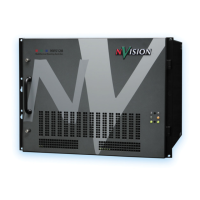
When your NV5128 products from NVISION arrive, immediately inspect the shipping container
for any obvious damage. If the container is damaged, unpack and inspect the contents. If the con-
tents are damaged, notify the carrier immediately.
When unpacking the shipping container, look for the packing slip and compare it against the con-
tents to verify that everything ordered was received. If anything is missing (or if equipment is dam-
aged unrelated to shipping), please contact NVISION. For contact information, see Technical
Support Contact Information on page iii.
The package does not contain mounting rack, network cables, video cables, mounting screws, or
grounding wire.
This document does not address the shipment or installation of any other equipment or software
that can be used in conjunction with the routers, including router control systems or configuration
software.
Preparing for Installation
You will need the following items before getting started:
A PC running Windows
®
2000 or higher, or Windows XP Professional.
®
This PC is
required only for system configuration.
PC hardware requirements:
CD drive
EIA-232 serial COM port (DE9) capable of operating at 38.4
kb/s.
10BaseT or 10/100BaseT (preferred) Ethernet port.
100
Mb/s Ethernet switch with at least 4 ports.
RJ-45 connectors and Ethernet cables (category 5).


 To Next Page