10 Start-up
Instruction Manual Corvis® ST (G/72100/XXXX/EN 1019 Rev01) 19 / 80
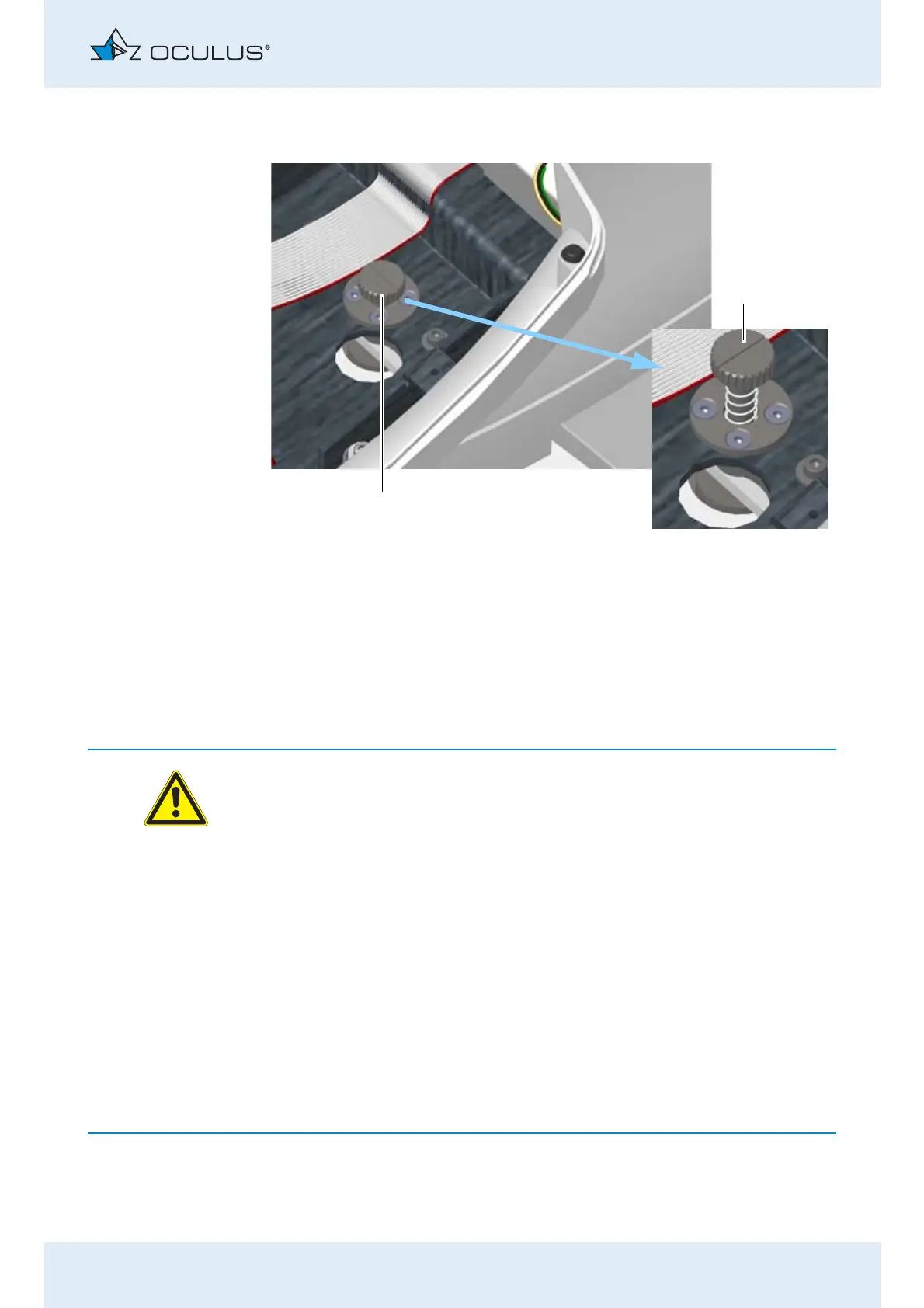
Unlock the transport safety device if it is locked (1).
Press down gently on the transportation safety device and turn it
counter-clockwise to the "unlocked" position (2). The spring will
push the transport safety device up.
Close the cover with the display, fig. 10-1, page 18.
10.4 Electrical Connection
Warning
Electrical safety hazard
Do not use the Corvis® ST adjacent to or stacked with other
equipment.
If you have to use the Corvis® ST adjacent to or stacked with other
equipment, verify the correct operation of the Corvis® ST.
Only use the power adapter listed in the list.
Only use a power cord which meets the requirements of IEC 60227-
1, type H03V VH2-F, minimum 0,75 m² and IEC 60320-1, type C7.
If you use a power strip to connect the Corvis® ST: Use a power strip
that complies with the requirements of DIN EN 60601-1.
Do not place the multiple socket extension cord on the floor.
Do not use more than one multiple socket extension cord.
Plug only the Corvis® ST and the computer that is being used with
the unit (if applicable) into the multiple socket extension cord.
1 "Locked" position 2 "Unlocked" position
Abb. 10-2: Unlock transport safety device



 To Next Page