7 Initial Operation
18 / 86 Instruction Manual Mesotest II (G/62800/0715/en)
Attention
Electrical safety hazard
Do not use the Mesotest II immediately adjacent to other devices
and do not stack it with other devices.
If you use a multiple socket extension cord to connect the Mesotest
II: Use a multiple socket extension cord that complies with the
requirements of DIN EN ISO 60601-1.
Do not place the multiple socket extension cord on the floor.
Do not use more than one multiple socket extension cord.
Plug only the Mesotest II and the computer that is being used with
the unit (if applicable) into the multiple socket extension cord.
Use a socket with a protective earth connection which is fully
operating.
If you are going to operate the Mesotest II via a computer/laptop, connect
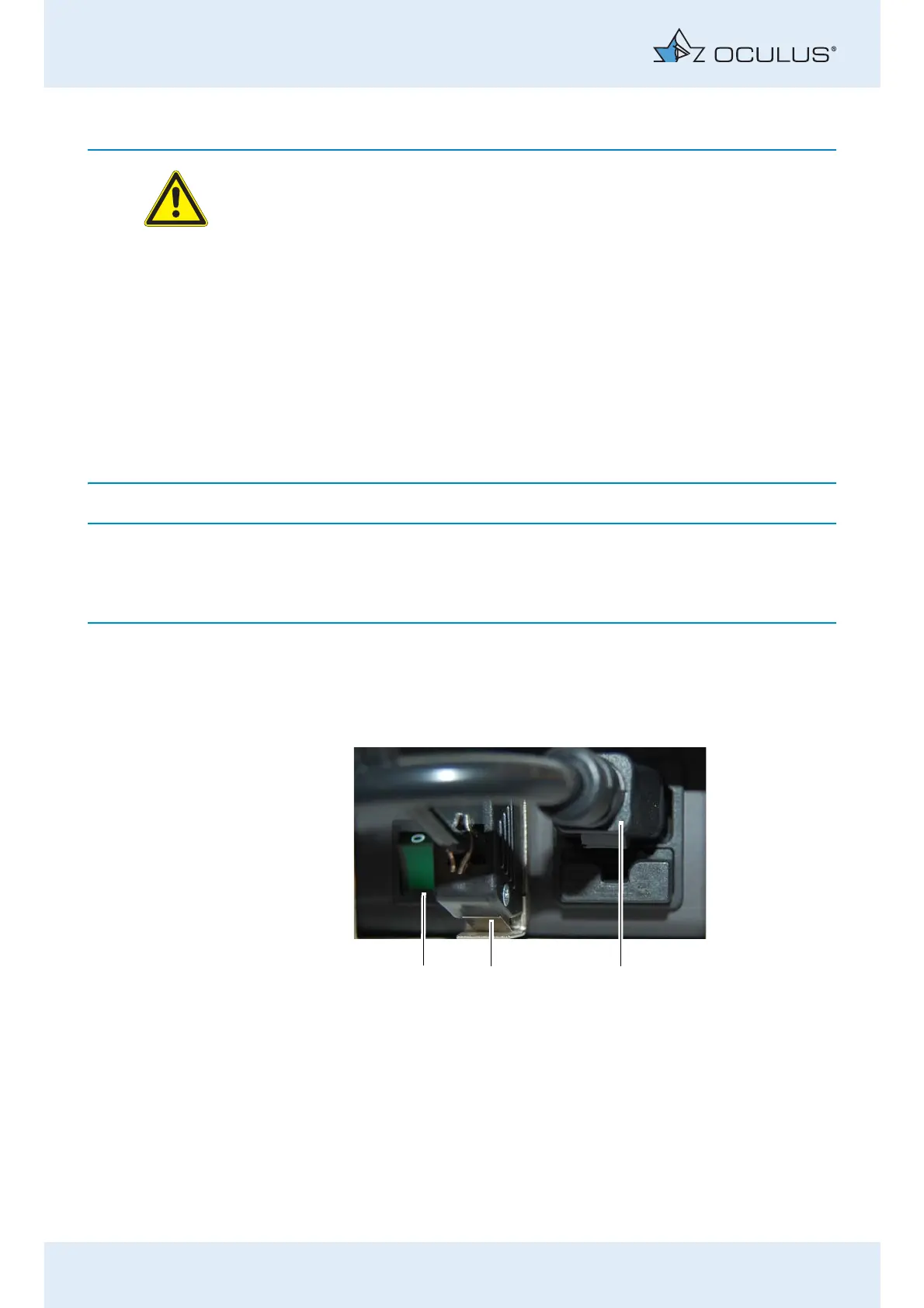
the latter in the same way as the control pad, fig. 7-2, page 18, item 2.
Connect the unit to the mains with the supplied power cable,
(fig. 7-2, page 18, item 1).
Make sure that the mains voltage is the same as the voltage speci-
fied on the rating plate.
Switch on the Mesotest II at the On/Off switch (3).
After a short, automatic self-test, the device is ready for operation.
The On/Off button lamp (3) lights up for control purposes. If you are
working with the control pad, the LCD module and the panel
illumination also light up here.
1 Mains connection
2 Jack for connection of the control pad/laptop/computer
3On/Off switch
Fig. 7-2: Mesotest II Connection



 To Next Page