11 Editing the Examination Programmes
Instruction Manual Mesotest II (G/62800/0715/en) 49 / 86
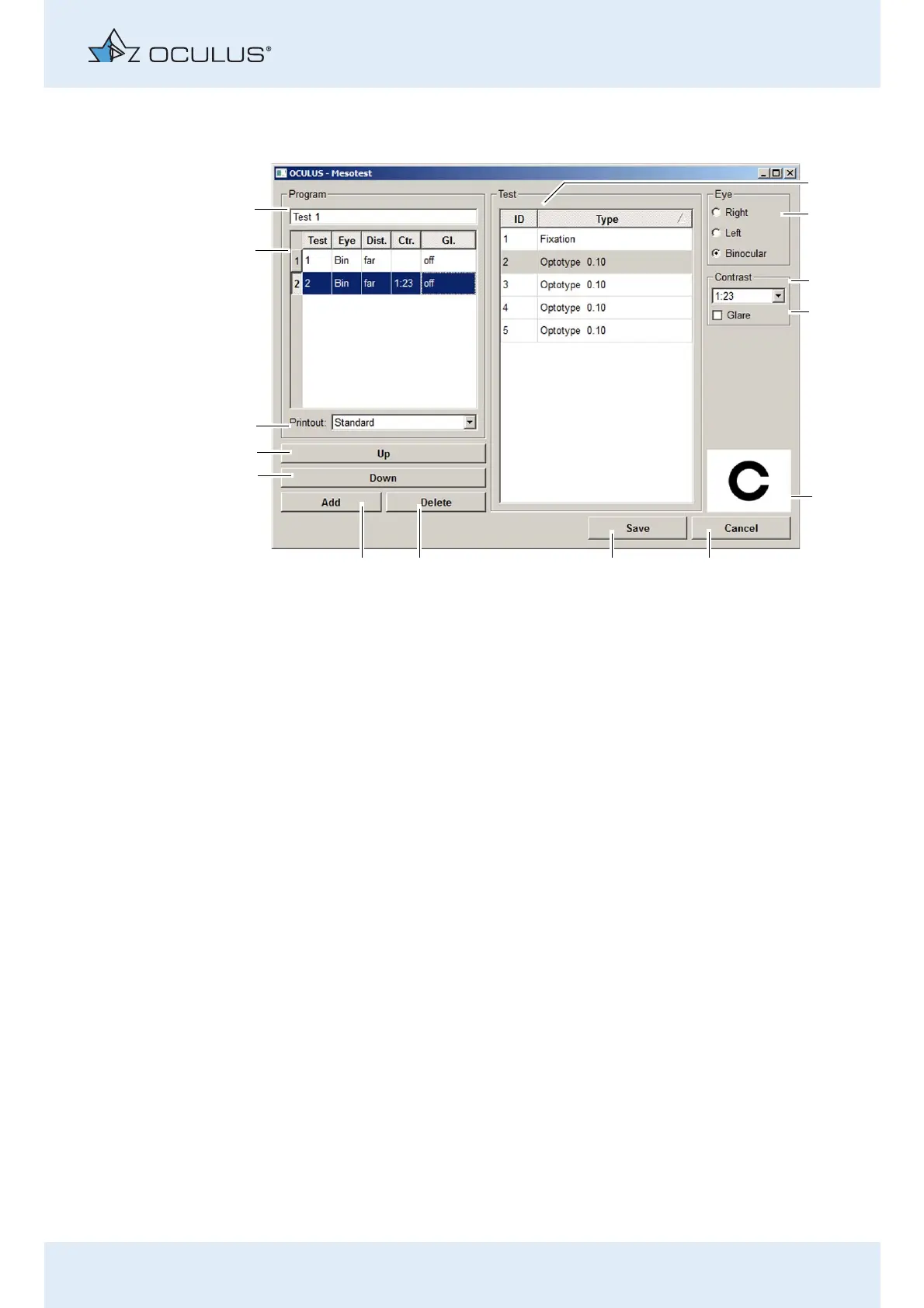
Press the [Edit] button. The following dialogue is displayed:
Assign a name
You can assign a new name to the examination programme in the field
for the “name of the examination programme” (14).
To do this, move the cursor into that field and enter the new name.
1 List of test presentation variants 8 [Delete] button
2 [Eye] box for eye selection 9 [Add] button
3 Drop-down list for contrast selection 10 [Down] button
4 [Glare] checkbox 11 [Up] button
5 Display of the optotype 12 Presetting for the printout: Presently without function
6 [Cancel] button 13 List of the test steps of the examination programme
7 [Save] button 14 Name of the examination programme
Fig. 11-3: Editing a new examination programme



 To Next Page