2021-03-23 / Rev. 10 VV016042 13
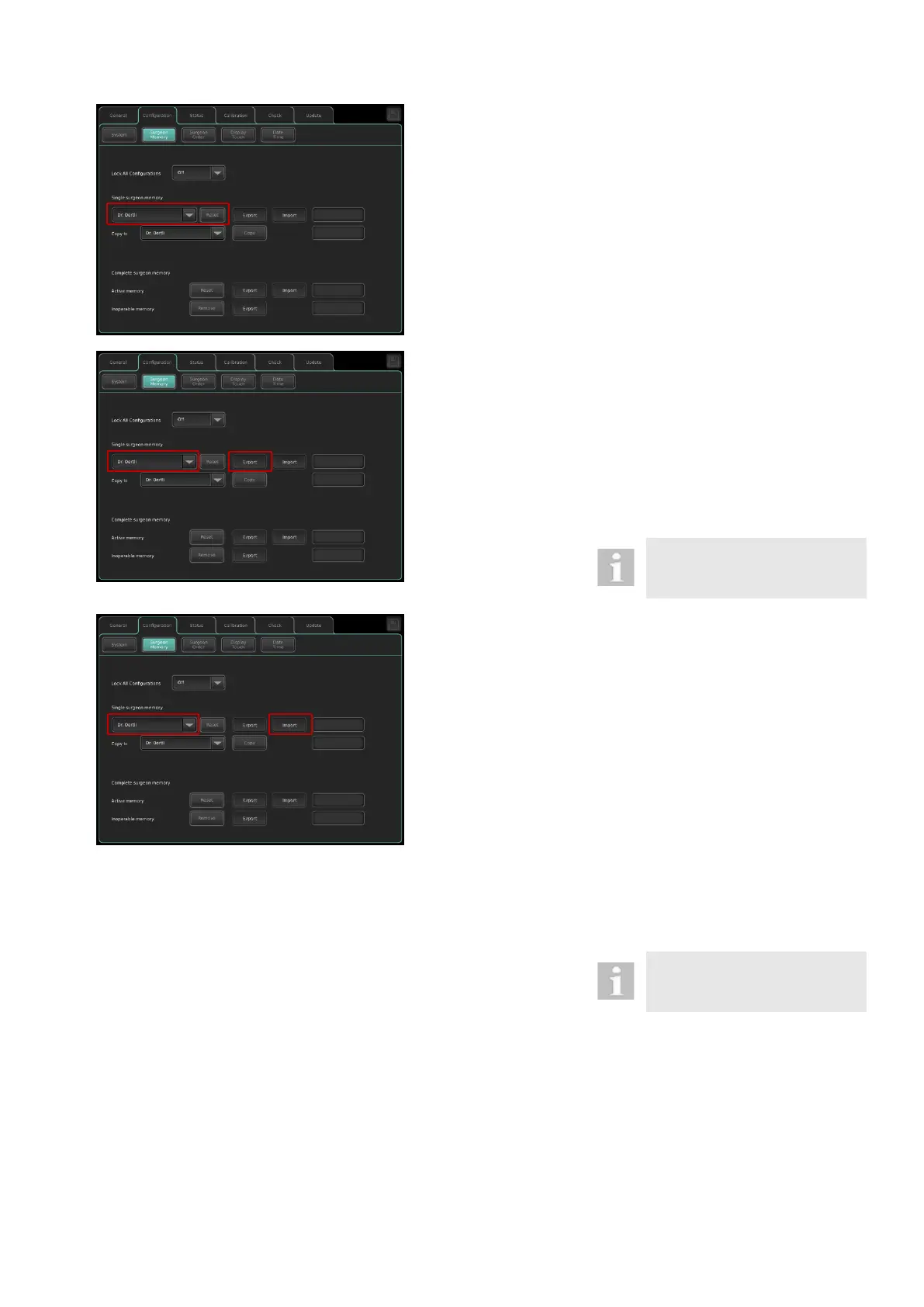
Reset a single surgeon memory:
To set settings of a single surgeon memory
to default values, please proceed as follows:
1. Select a surgeon memory to be reset to
default values from the drop-down field
under “single surgeon memory”.
2. Press the Reset button
3. The message “Confirm to reset surgeon
xy: The selected target memory will set
to default.” appears. Confirm with OK.
4. The message “Reset successful” ap-
pears.
Export a single surgeon memory to a
USB stick:
To export a single surgeon memory to a
USB stick, please proceed as follows:
1. Insert USB stick into the USB port of the
device. The Export button is enabled.
2. Select a surgeon memory from the drop-
down field to be exported
3. Press the Export button
4. The message “Export successful” ap-
pears
Only use an Oertli service USB
flash drive in conjunction with
the OS 4.
Import of single surgeon memory from a
USB stick:
To import a single surgeon memory from a
USB stick, please proceed as follows:
1. Insert USB stick into the USB port of the
device. The Import button is enabled.
2. Select a surgeon memory from the drop-
down field, where the surgeon memory
from the USB stick shall be imported.
3. Press the Import button
4. Select a valid single surgeon memory
file from the USB stick and press
“Open”.
5. The message “Confirm to import sur-
geon memory: The selected target
memory surgeon xy will be overwritten”
appears. Confirm with OK.
6. The message “Import successful” ap-
pears.
Only use an Oertli service USB
flash drive in conjunction with
the OS 4.



 To Next Page