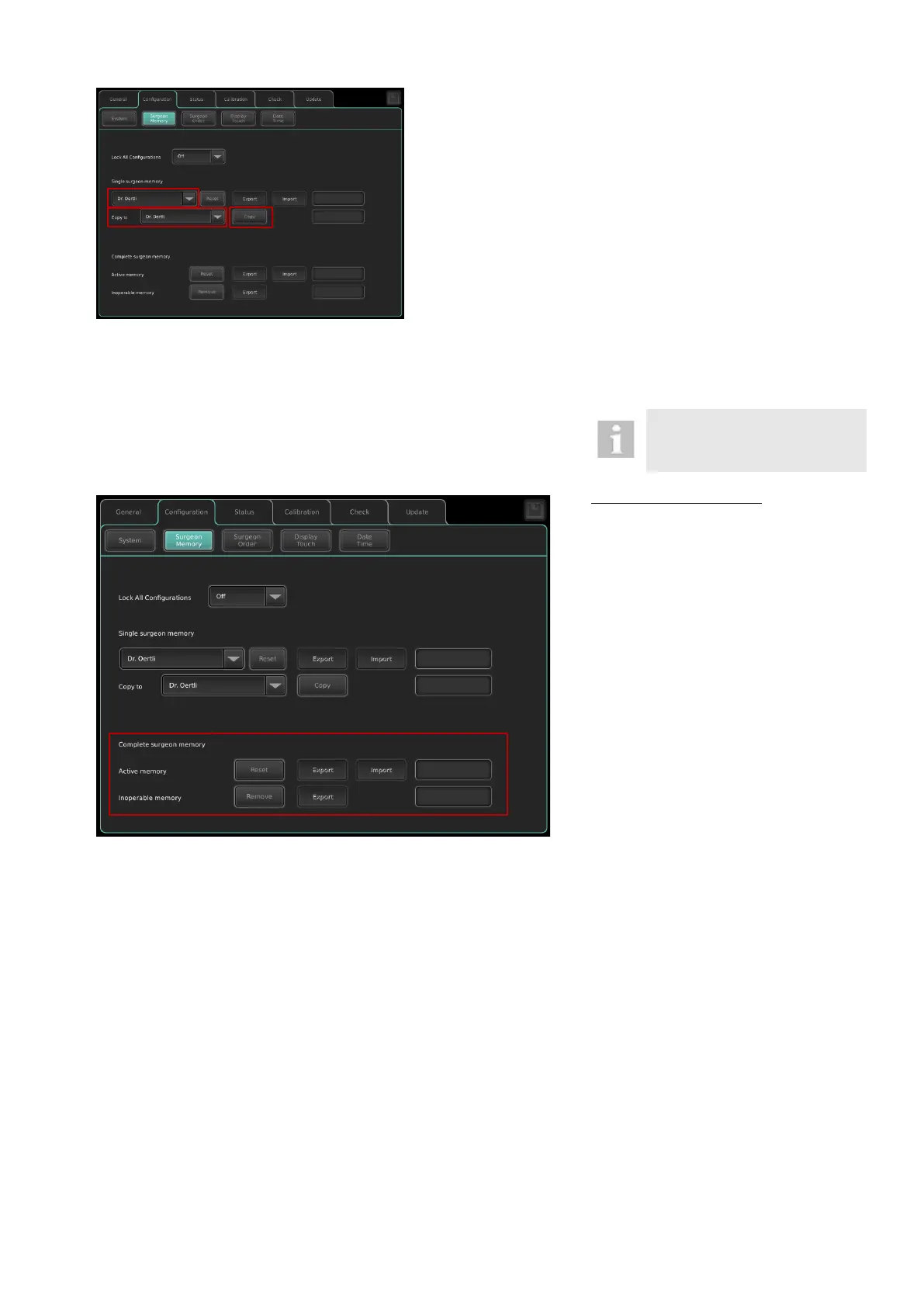
Copy a single surgeon memory:
To copy a single surgeon memory within a
OS 4 platform, please proceed as follows:
1. Select a surgeon memory to be copied
from the drop-down field under “single
surgeon memory”.
2. Select a target surgeon memory from
the “copy to”- drop-down field to deter-
mine where the surgeon memory is cop-
ied.
3. Press the Copy button
4. The message “Confirm to copy surgeon
memory: The selected target memory
surgeon xy will be overwritten”. Confirm
with OK.
5. The message “Copy successful” ap-
pears.
Complete Surgeon memory
The OS 4 administers two different com-
plete surgeon memories:
1. Active memory: surgeon memory cur-
rently in use
2. Inoperable memory: previous version of
surgeon memory
Export of surgeon memory:
It is possible to export the active memory as
well as the inoperable memory to an USB
stick. To do this, please proceed as follows:
1. Insert USB stick into the USB port of the
device.
2. Press the “Export” key.
Import of surgeon memory:
1. Insert the USB stick that contains the
surgeon memory to be imported into the
USB port of the device.
2. Remove inoperable memory.
3. The message „Inoperable memory re-
moved” will appear.
4. Press the „Import“ key.
5. The message „Import completed. Re-
start to apply.“ appears. The imported
surgeon memory is located in the active
memory. The previously used surgeon
memory is now located in the inoperable
memory.
6. Restart the device.
Reset of surgeon memory:
Set the entire surgeon memory to default.
1. Remove inoperable memory.
2. Press the “Reset” key.
3. The message „Reset completed. Restart
to apply“ will appear.
4. Restart the device.



 To Next Page