2021-03-23 / Rev. 10 VV016042 27
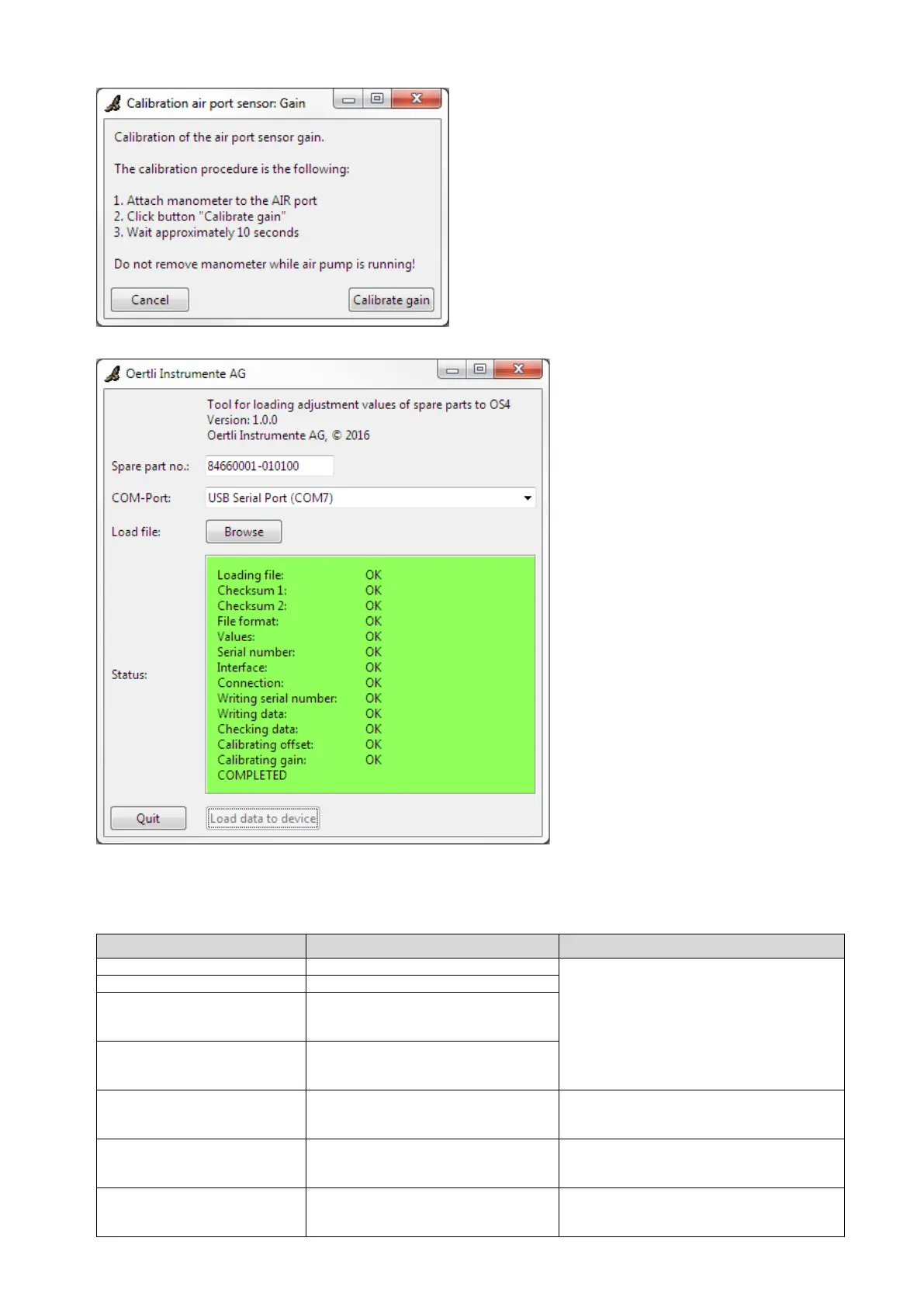
12. A successful data transfer from the lap-
top onto the device is confirmed by the
message „COMPLETED“ and a green
background in the status field.
13. Switch off the device.
14. Remove the USB interface cable from
the device and the laptop.
No or incorrect file has been selected.
File could not be correctly loaded.
Checksum 1 of the file is not OK
(file has either been manipulated or
file is corrupt).
Checksum 2 of the file is not OK
(file has either been manipulated or
file is corrupt).
File format of the file does not corre-
spond with file format required by the
tool.
Use the correct version of the tool.
For the values in the file, there is no
counterpart in the script.
Error in the tool. Check tool version. If need
be, request for tool again at Oertli Instru-
mente AG.
Serial number entered does not corre-
spond with the number in the file.
Enter correct serial number (e.g.
84660001-010101 including the hyphen).



 To Next Page