19
OPERATION
Fill Guide
Fill Guide is
enabled only
when Fill Guide
Function is selected under the Setup menu.
Refer to page 38. To set options, refer to page
46, Fill Options under the Setup Options
submenu.
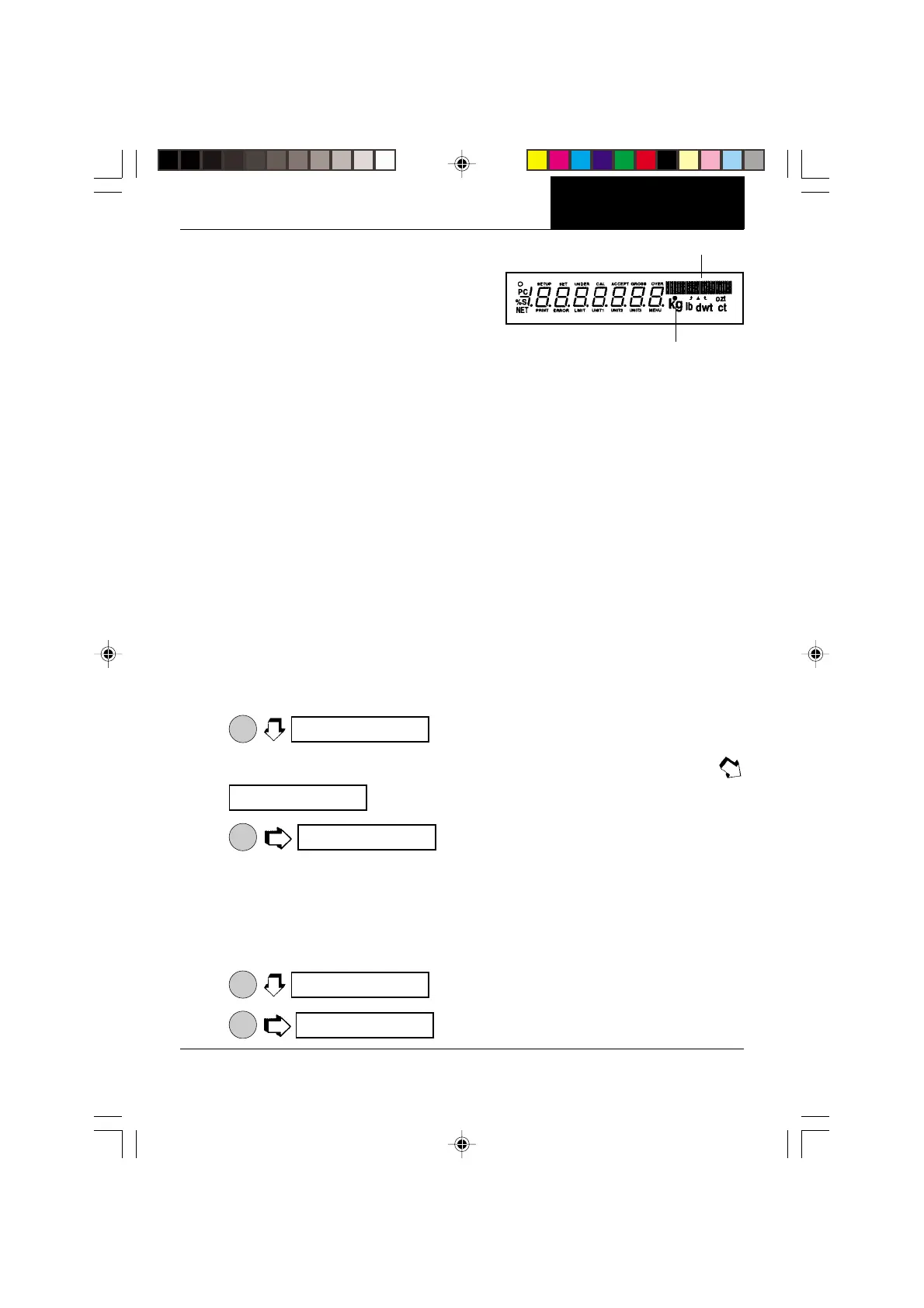
FILLGUIDE
TM
BAR GRAPH
FILLGUIDE
TM
INDICATOR
The FillGuide
TM
is a bar graph which appears in the upper right hand portion of the display.
When the load on the balance is at the balance's capacity, all of the segments are on. When
the load is at half capacity, only the first half of the segments are on. During normal operation
of the balance, the bar graph displays the relationship between the load on the pan and the
capacity of the balance. In the Fill Guide mode, the bar graph can be set to a desired target
value. The FillGuide
TM
feature can be used in any one of the available weighing units.
The Fill Option under the Setup Options submenu provides two choices for a reference
weight (similar to check weighing). Either a mass can be placed on the pan and used as a
reference weight or a number can be entered to establish the weight value. Both methods
are used to establish a reference for a 100% bar graph reading. Target parameter provides
two choices, one is fill to the reference, the other to zero weight and Target = to reference..
With the balance in a weighing mode, proceed as follows:
Reference Weight
With the balance in a weighing mode, and if reference weight was selected under Fill Options
submenu proceed as follows:
1.
ON
TARE
.
2. Place a sample weight on the pan which is the reference weight
. Assumes 50 grams weight reference.
3.
ON
TARE
. The display indicates a 50 gram mass (target =
reference. For target = to zero, display shows 0.0000 as the actual weight of the sample
with the bar graph at 100%.
4. The Fill Guide feature can now used by placing samples on the pan. If the sample is
equal to the reference weight used to calibrate the fill mode, the actual weight is
displayed with a full bar graph. When target is selected, the balance will show the
normal weight of the object on the pan.
5.
ON
TARE
to exit the fill option mode.
6.
MODE
, the balance is now in a weighing mode.
g
seT Ref
seT Ref
seT Ref
0.00000
50.00
s
s
g
•
IIIIIIIIIIIIIIIIIIIIIIIIIIIIIIIIIIIII I
IIIIIIIIIIIIIIIIIIIIIIIIIIIIIIIIIIII I
IIIIIIIIIIIIIIIIIIIIIIIIIIIIIIIIIIIII I
IIIIIIIIIIIIIIIIIIIIIIIIIIIIIIIIIIIII I
IIIIIIIIIIIIIIIIIIIIIIIIIIIIIIIIIIIII I








 To Next Page