55
MENUS
Good Laboratory Practice (GLP) (Cont.)
NOTE:
MODE
allows going back to the previous digit for correction.
5.
ON
TARE
accepts value and moves to second digit.
6.
MODE
to change next digit.
7. Repeat steps 4 through 6 to change all digits.
8.
ON
TARE
.
9.
MODE
to enter project number.
10.
ON
TARE
and repeat steps 3 through 7.
11.
MODE
.
Print Options
This submenu contains additional features which can be set and include Auto Print, Initialize
Auto Print, Stable Data only, Numeric Data only, Time, Date and Reference data and
Difference. To change any of the above listed options, enter the submenu.
Auto Print Feature
When enabled, the Auto Print feature causes the balance to automatically output display
data in one of three ways: continuously, at user specified time intervals, or upon stability.
To select one of these Auto Print methods, or to turn the feature off:
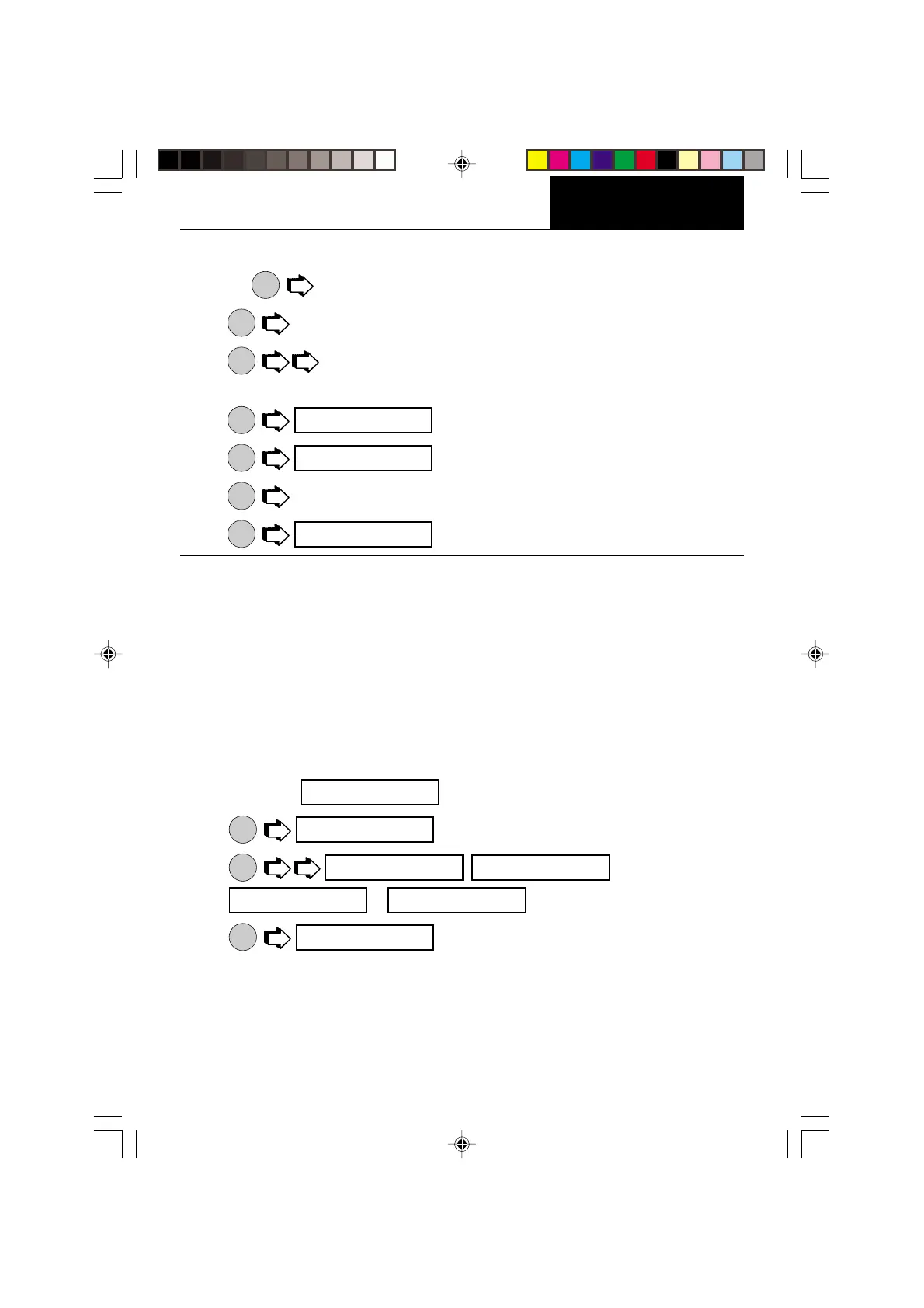
1. Access the submenu.
2.
ON
TARE
.
3.
MODE
, ,
or .
4.
ON
TARE
.
NOTE: If you select interval to automatically output data at user specified time intervals, the
interval is entered in the Initialize submenu which follows.
iD NO
pR NO
pR NO
aUTOp
off
off cONT
iNTeR oN sTB
aUTOp








 To Next Page