2.5
2
Connections & Controls
Song search
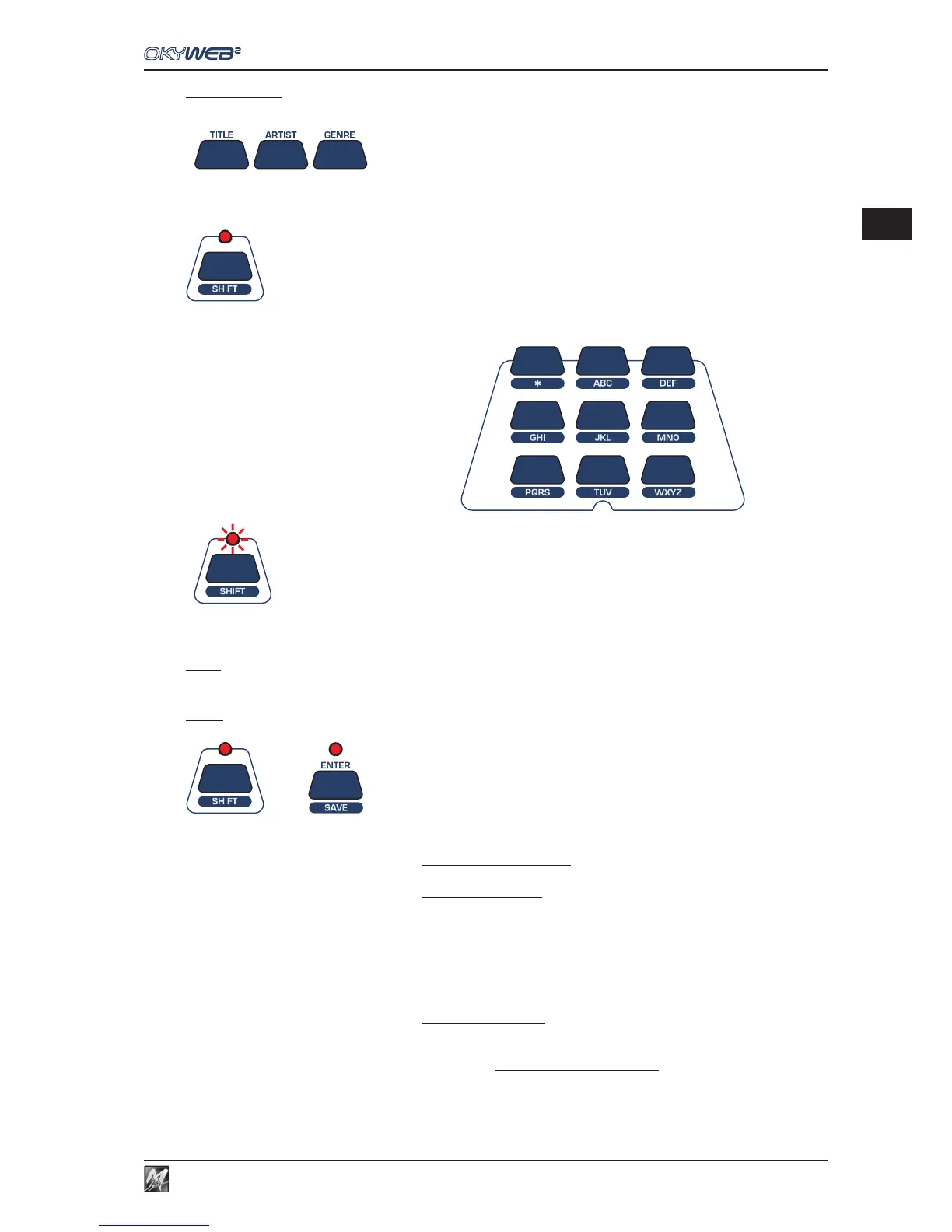
The song search function keys are in the central section of the OkyWeb2 panel.
TITLE - ARTIST - GENRE These three keys enable searches by Title, Performer and Category respectively.
With each request the archive of stored songs will be shown on the monitor, sorted
according to the requested criterion.
ALPHABETICAL SEARCH
Press the SHIFT key to enable the alphanumeric keypad.
To search for a song in the archive, simply type in the first letters of
the title.
T9 SEARCH Holding the SHIFT key down for a few seconds (with the LED off) the
LED starts to flash and a T9 Search (a very rapid intuitive search method)
is enabled.
NOTE: For more detailed information on search methods see Ch. ‘Searching Songs’.
Save
+ The combination of SHIFT and ENTER keys enables the SAVE function.
The following can be saved on a Compact Flash card:
- Playlists organised in the OkyWeb2
- Songs edited on the OkyWeb2
The following song parameters can be edited:
- Tempo
- Key
- Track Parameters
(Status, Program Change, Volume, Pan, Reverb, Chorus,
Velocity, Transpose).
- Effects edited on the OkyWeb2
The OkyFlash save procedure is enabled only when the song is not being played.
To avoid losing edited data, it’s advisable to stop the song after having carried out any changes and save it
immediately with the SAVE function.



 To Next Page