Playing Songs
3.2
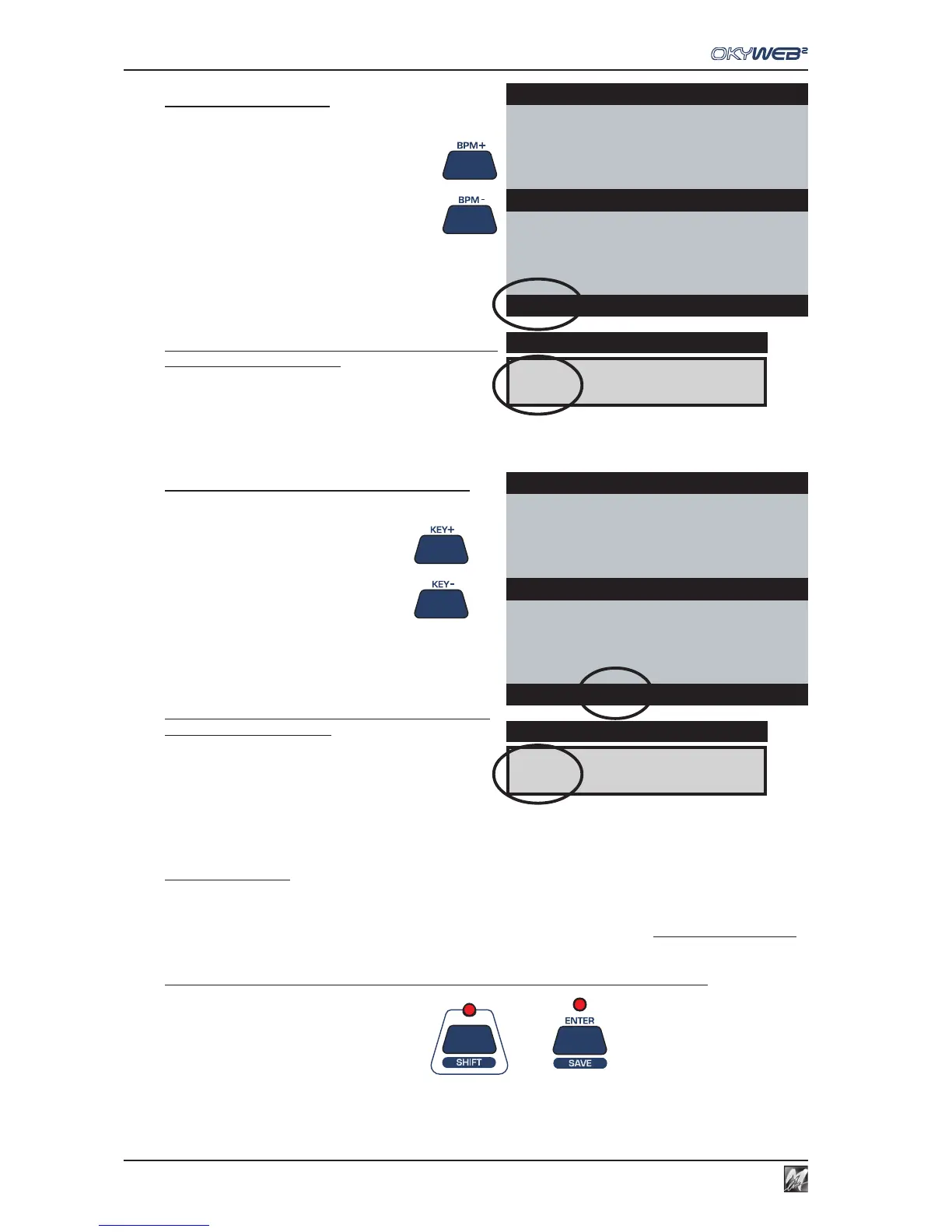
Changing Tempo
Press the BPM+ or BPM- keys
The song will change metronome setting.
The tempo settings range from 30 to 300 BPM.
The new BPM (Beats Per Minute) setting is displayed on
the bottom line of the video screen.
Press and hold down either of the keys for a few seconds
to go back to the original BPM.
Changing Key (or Transposing)
Press the KEY+ or KEY- keys
The song will change key.
The transposition is made by semitones (-12 / +12) and
displayed in on the bottom line of the video screen.
Press and hold down either of the keys for a few seconds
to go back to the original key.
Saving Changes
The tempo and key changes are temporary and are not saved in the OkyFlash memory, yet. If you exit the
changed song, the tempo and key parameters will go back to their original values.
Each time you make a change to a song (BPM, Transpose, Melody Mute or Edit) the Enter LED lights up to
signal that the song has been changed and stays lit until either the change is saved or another song is selected.
To make the tempo and key changes permanent and save them with the song:
Press the SHIFT key (the red LED lights up)
+ Press the SAVE key
Yesterday-Beatles
I’M NOT HALF THE MAN I USED
TO BE
THERE’S A
Cm Cm/Bb Abmaj7
WHEN THE SAINTS
WHEN YOUR SMILING
ÆYESTERDAY
YOUR SONG
BPM 98 KEY -2 BAR 11
& &
& &
&
-2
4/4
11/1
DISPLAY
Yesterday-Beatles
I’M NOT HALF THE MAN I USED
TO BE
THERE’S A
Dm Dm/C Bbmaj7
WHEN THE SAINTS
WHEN YOUR SMILING
ÆYESTERDAY
YOUR SONG
BPM 85 KEY 0 BAR 11
qq
qq
q
85
4/4
11/1
DISPLAY



 To Next Page