6.3
Editing
6
o
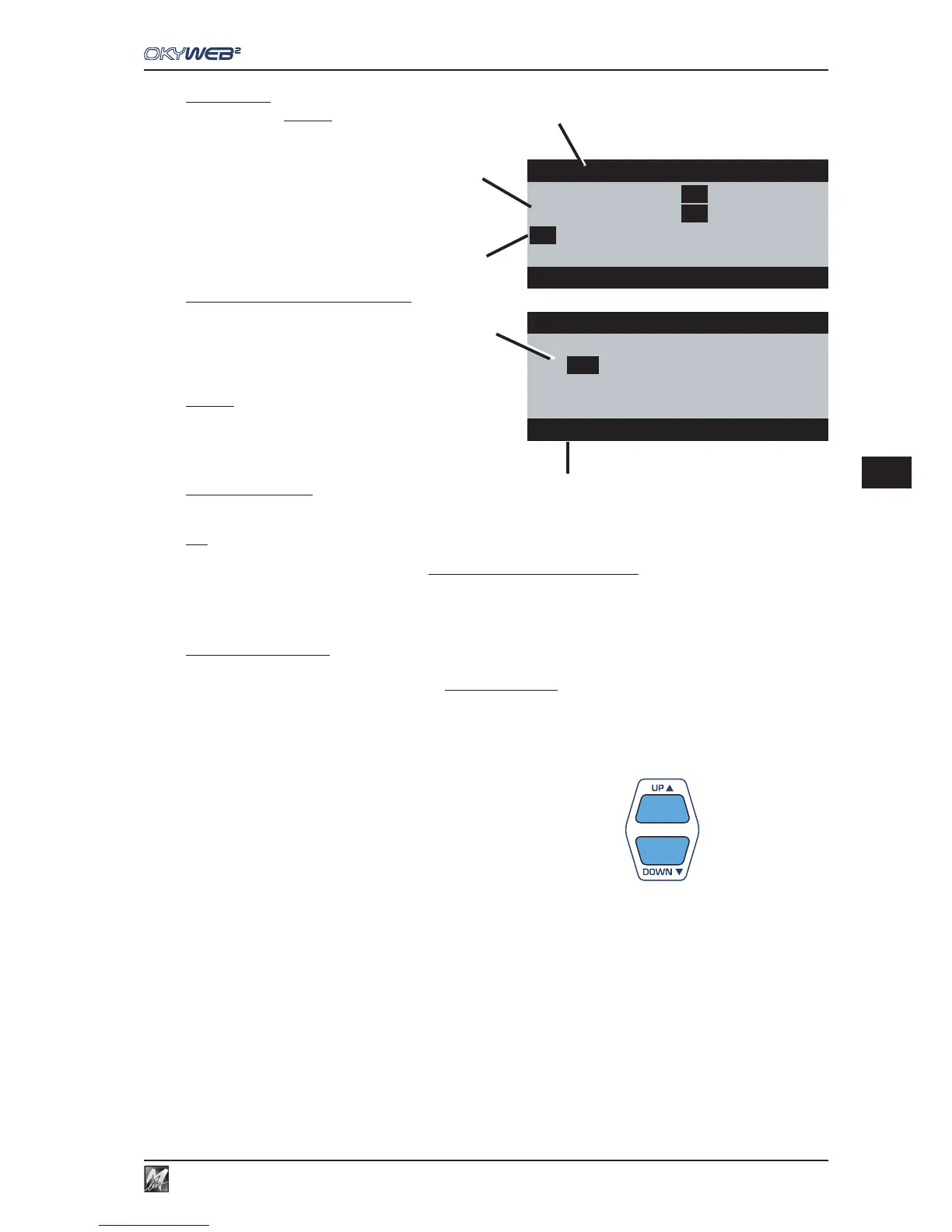
Tracks used
Only the tracks actually used by the song
(i.e. the tracks containing MIDI Notes)
are displayed (in progressive order).
In other words, the tracks that are not used,
or are used for other purposes (e.g. song
lyrics) are not shown, as they don’t require
Editing.
For example: a song that only contains piano
accompaniment + melody will only show two
tracks.
p
Indicators of Notes being played
Every time MIDI notes are played, the number
of the track that contains them is highlighted for
a few moments with a dark frame, facilitating
identification.
¸
Cursor
The cursor allows to select the tracks to edit.
According to its position, the cursor enables two
different Editing modes:
q
“All Tracks” mode
In All Tracks mode, changes made to the
selected parameter affect all the tracks of the song.
N.B.: this obviously is not the case with the Instrument parameter, which, as it establishes the sounds of the individual tracks, is not
accessible in this mode.
To enable All Tracks mode, just move the cursor to the name of the parameter:
- the name of the parameter changes colour;
- the information area
s
indicates “MODIFY ALL TRACKS”.
r
“Single Track” mode
In Single Track mode, the changes to the selected parameter only affect the selected track.
To enable Single Track mode, just move the cursor on to a track:
- the value of the parameter in the selected track is highlighted with a dark square.
- The information area
s
shows “Number of the Track” + “Name of the Instrument”.
To move the cursor to the required track, use the UP and DOWN keys
- To move the cursor from All Tracks mode to Single Track mode, press the DOWN key.
- To move the cursor from Single Track mode to All Tracks mode, position the cursor on the first track and
press the UP key. (With the Instrument parameter, All Tracks mode is not accessible).
- To move the cursor to a track with a higher (or lower) number than that contained in the current page,
proceed normally with the UP and DOWN keys: pages are scrolled automatically.
q
Edit
¸¸
¸¸
¸
VOLUME pag1/2
02
127
10
120
03
123
11
125
04
127
12
96
07
120 13 85
MODIFY ALL TRACKS
o
p
s
Edit VOLUME pag1/2
02
127
10
120
03
¸¸
¸¸
¸
123
11
125
04
127
12
96
07
120 13 85
03 Clean Guitar PLAY
r



 To Next Page