4.1
4
Searching Songs
4 - Searching Songs
The Compact Flash card used by OkyWeb2 (i.e. OkyFlash by M-Live) for memory storage can contain an
enormous quantity of MIDI files.
A number of different search methods have been devised to make the song archive easy to use and functional.
Search keys
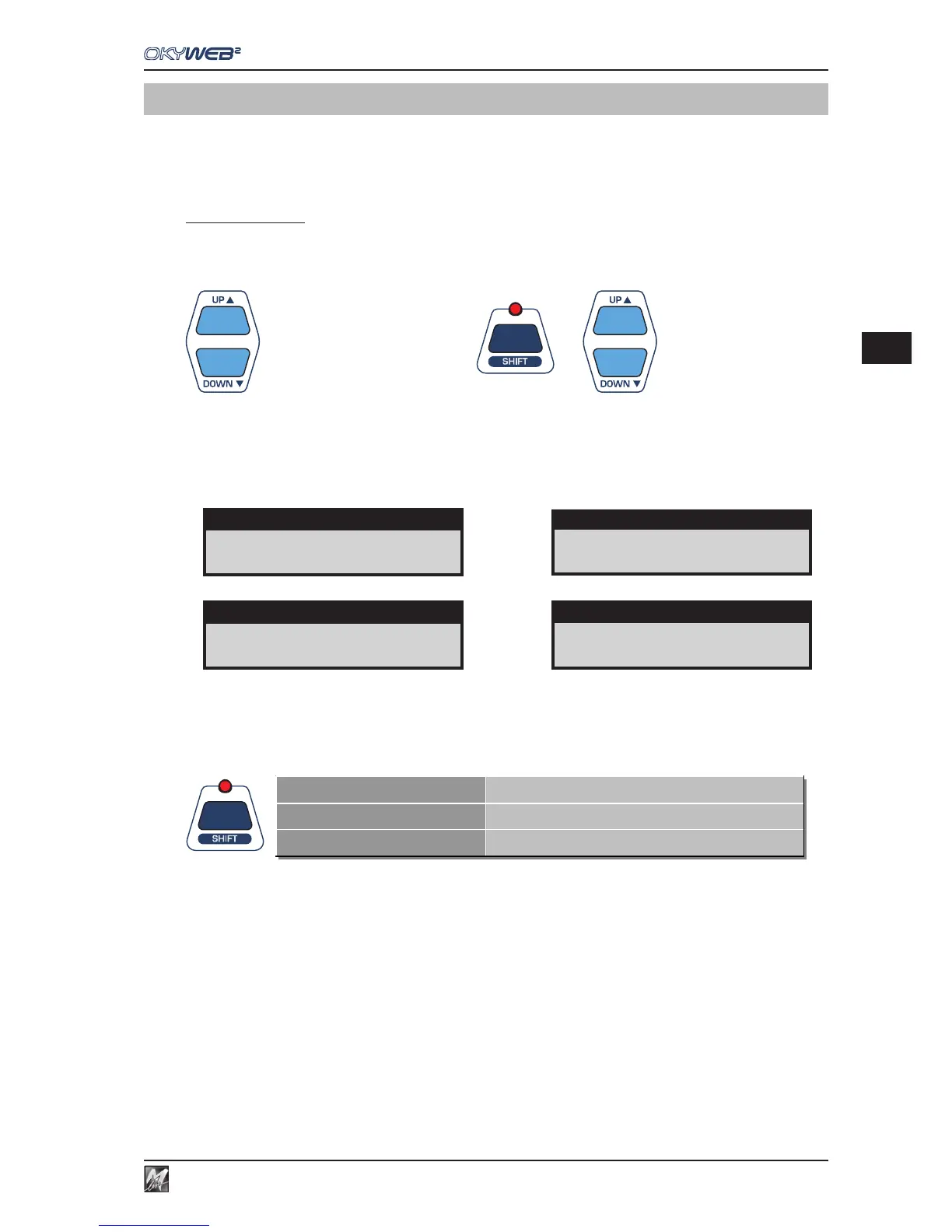
Use the UP and DOWN keys to scroll the lists Title, Artist or Genre on the video screen.
Press the SHIFT key to make the arrows move the cursor a page at a time.
Moves the cursor position by position.
+
Moves the cursor page by page.
On the OkyWeb2 display, the arrows on the right tell you whether you are at the beginning, middle or end of a list
and so whether you can move down, up or both ways.
If an item has a hyphen next to it, this means it is an only option and the arrows will have no effect.
The SHIFT key has three modes, associated to the selection of the three different OkyWeb2 search functions,
as signalled by the status of the corresponding LED:
SHIFT LED OFF
Search by Title, Artist and Genre enabled
SHIFT LED ON
Alphabetical Search enabled
SHIFT LED FLASHING
T9 Search enabled
The various OkyWeb2 keys can carry out several functions, indicated with printing in different colours and enabled
via the SHIFT key:
LED OFF The SHIFT function is disabled and the functions shown in positive (printed above the key)
are available: Search by Title, Artist and Genre; BPM + / -; KEY + / -; EQ/EFX; PLAYLIST.
LED ON The SHIFT function is enabled and the functions shown in negative (printed below the key)
are available: Alphabetical search; SAVE function.
Also changes the function of the UP & DOWN keys, which in this case allow to scroll through
the song list one page at time.
This mode is enabled by pressing and releasing the SHIFT key.
FLASHING LED T9 search is enabled, which allows to use the alphabetical keypad (characters in negative)
similar to that of a mobile phone.
This mode is enabled starting from LED off status and keeping the SHIFT key pressed for a
few seconds.
RED RED WINE
Song in the middle of the list
A FOGGY DAY ↓
First song of the list
YOUR SONG ↑
Last song of the list
TITLE -
Single option



 To Next Page