EQ / EFX
7.4
Mic EQ
The Equalizer dedicated to the microphone is a powerful versatile instrument that allows to control the sonic
texture of your voice, perfecting its integration with the sounds of the backing tracks.
MIC EQ PRESET
Enabled Preset.
The default configuration has 8 Presets, already optimised
for various applications.
The Presets can be changed but not overwritten.
By means of the PC software supplied, you can prepare
your own Presets and add them to the Preset library saved
on the Compact Flash card.
¥ When the name of the Preset is preceded by a graphic
symbol, this shows that the Preset has been modified.
N.B.: changes that are not saved produce temporary effects, useful for
example for carrying out impromptu changes required during live performances: When a new Preset is uploaded (including the same
recently edited Preset), it will have the values with which it was saved before editing work just carried out.
EQ TYPE
Type of Equalizer.
The Presets are originally prepared with a 4-band
parametric EQ, a powerful instrument, but rather demanding
to handle.
Using the EQ TYPE control, you can choose a set of more
intuitive controls with which to modify the uploaded Preset.
N.B.: the “4-band Parametric EQ” configuration is available by means
of the PC software supplied.
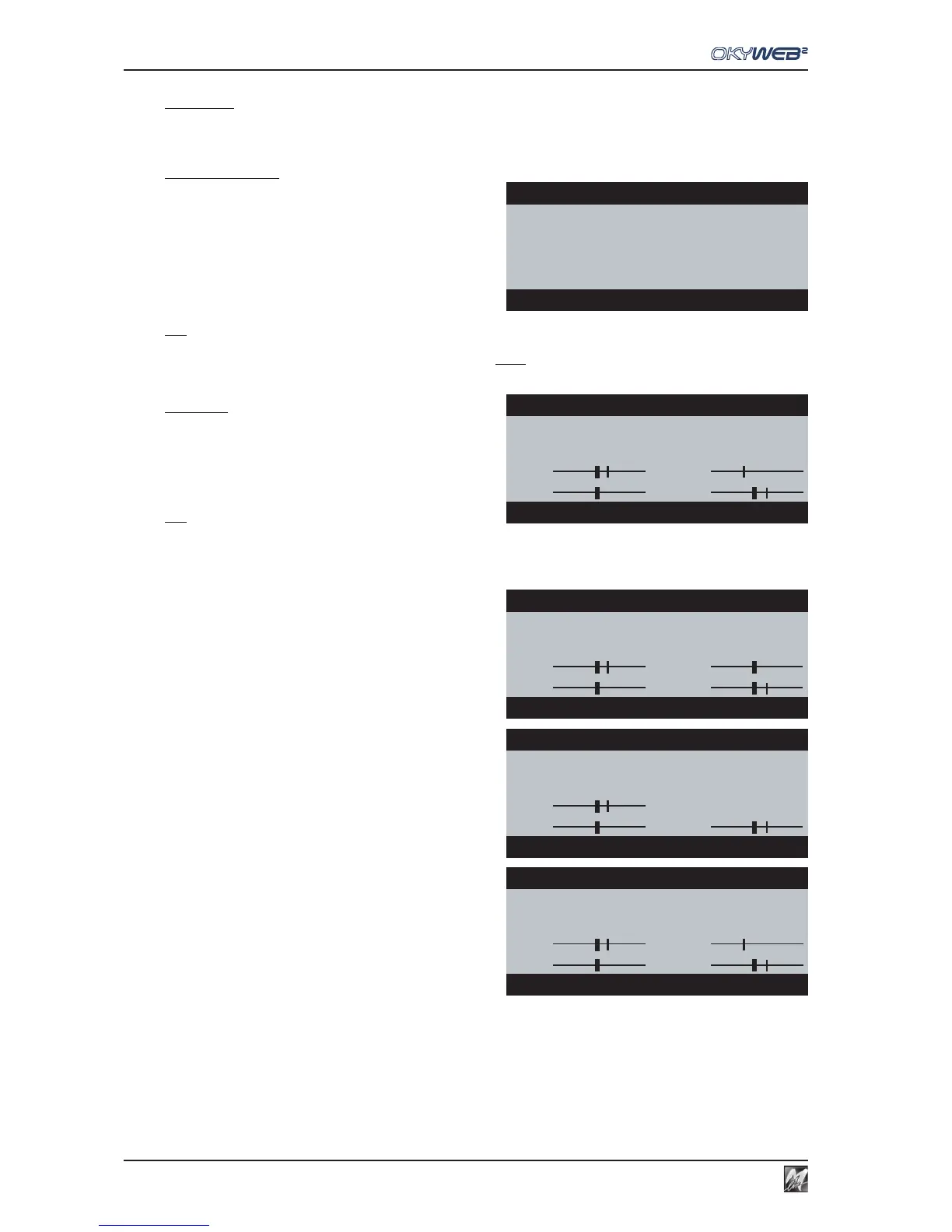
The following configurations are available:
4BAND GRAPHIC
4-band graphic EQ, with the following controls:
HI High frequency gain.
HMID Mid-High frequency gain.
LMID Mid-Low frequency gain.
LO Low frequency gain.
3BAND GRAPHIC
3-band graphic EQ, with the following controls:
HI High frequency gain.
MID Mid frequency gain.
LO Low frequency gain.
3BAND + MID Freq
3-band semi-parametric EQ, with the following controls:
HI High frequency gain.
FREQ centre frequency of the Mid frequencies.
MID Mid frequency gain.
LO Low frequency gain.
The Gain controls work with an amplitude of ±12dB (decibels) and allow to boost or cut the respective frequencies.
For example: L0 = -6dB is equivalent to halving the volume of the Low frequencies.
The Freq control establishes the centre frequency of the frequency range on which the relative gain has effect.
For example: using the (MID)-Freq control moves the frequency range that will be adjusted with the MID control.
The value in dB (Gain) or Hz (Freq) of each graphic representation is shown at the bottom of the page.
MIC EQ
→MIC EQ PRESET: Voice Booster
EQ TYPE:4BAND PARAMETRIC
SELECT EQ PRESET
MIC EQ
MIC EQ PRESET:¥Voice Booster
→EQ TYPE:3BAND+MidFREQ
HI: FREQ:
LO: MID:
SELECT EQ TYPE
MIC EQ
MIC EQ PRESET:¥Voice Booster
→EQ TYPE:4BAND GRAPHIC
HI: HMID:
LO:
→
LMID:
LOW-MID Gain= +4dB
MIC EQ
MIC EQ PRESET:¥Voice Booster
EQ TYPE:3BAND GRAPHIC
→HI:
LO: MID:
HIGH Gain= +3dB
MIC EQ
MIC EQ PRESET:¥Voice Booster
→EQ TYPE:3BAND+MidFREQ
HI: →FREQ:
LO: MID:
MID Freq= 508 Hz



 To Next Page