8.1
Options
8
8 - Options
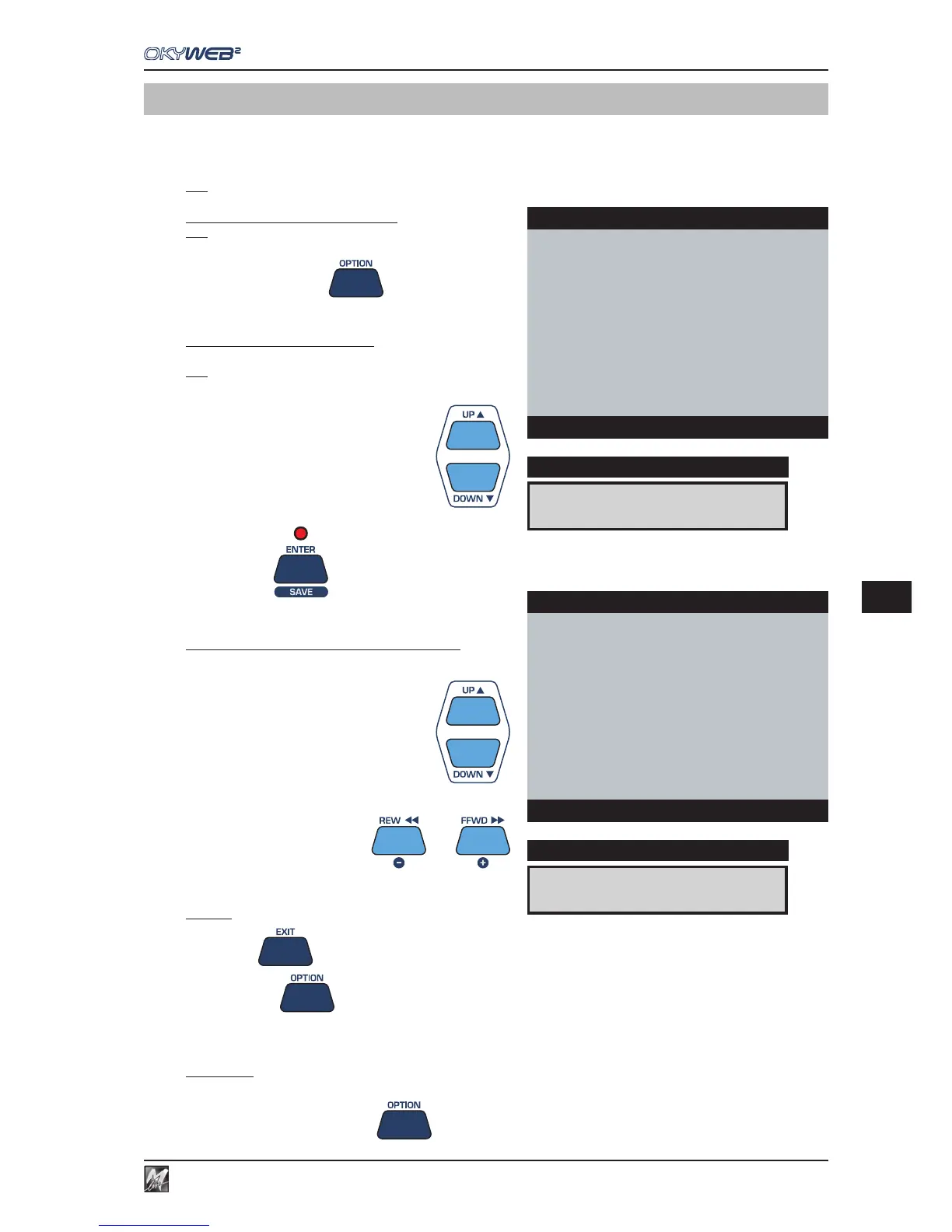
The OPTION key gives access to the settings of various controls and parameters of OkyWeb2.
The settings are automatically saved in the Compact Flash card currently inserted in OkyWeb2. So, when using
several Compact Flash cards, remember that settings can vary from one Compact Flash card to another.
N.B.: the Option parameters can also be set by means of the PC software supplied.
Accessing the OPTIONS Menu
N.B.: for any accidental access during performance, the Options Menu
can only be enabled when OkyWeb2 is in STOP status.
Press the OPTION key
In this environment, the Options are listed according to type.
Accessing a type of Option
Choose the required type with the UP and DOWN keys.
N.B.: the cursor automatically goes to the type of Option selected during
the previous access from when the unit was switched on.
Press ENTER
The list of available options appears.
Changing the value of a specific Option
Use the UP & DOWN keys to select the option.
To change the value of the option, use the - and + keys.
To exit
Press EXIT to return to the Options Menu.
Press OPTION to exit the environment.
Short-Cut
To skip the intermediate stages and directly reach the last Option edited (from when the units was switched on):
Press and hold down OPTION
VIDEO OPTIONS
DISPLAY
OPTIONS MENU
GENERAL OPTIONS
MUSIC OPTIONS
MIC OPTIONS
MIDI OPTIONS
ÆVIDEO OPTIONS
OS Ver.X.x
Options
TXT MODE:ROLLING
DISPLAY
VIDEO OPTIONS
ÆTEXT MODE : ROLLING
TEXT ALIGN : CENTER
COLOURS : SET1
VIDEO IN : ENABLED
Options



 To Next Page