Compact Flash & Software
9.2
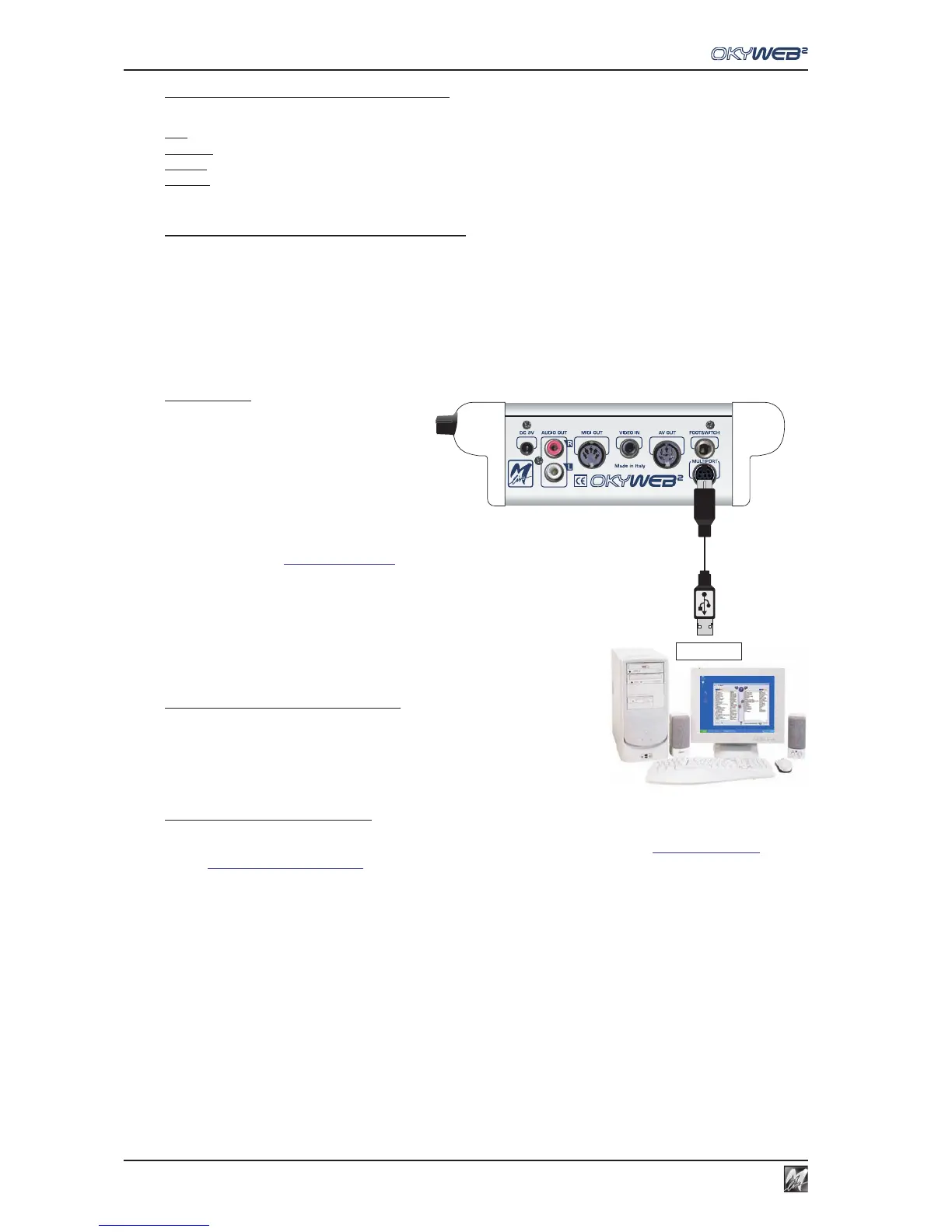
MULTIPORT / USB
CABLE
USB port
Saving data on a Compact Flash card
The procedures that can be carried out in a Compact Flash card directly from OkyWeb2 are:
Edit: editing the sounds and parameters of the Songs’ tracks.
EQ/EFX: saving effects and equalizers for the voice and backing tracks in the songs.
Playlist: creating and editing Playlists.
Options: saving the options of the Options menu.
Saving Songs on a Compact Flash card
Songs can be saved on a Compact Flash card in various ways:
Loading the card at an M-Live Song Service center.
Using an OkyWrite drive for Compact Flash cards connected to a PC.
Connecting OkyWeb2 to a PC via the Multiport and Multiport/USB cable supplied and using the software provided.
Software
All procedure that involves the use of a PC can
be carried out using the software supplied,
which allows to easily handle large libraries of
songs and program various OkyWeb2 functions
more rapidly:
- Saving an unlimited number of songs on a
hard disk.
- Transferring backing tracks to the OkyWeb2 Compact Flash card.
- Programming Playlists.
- Connecting to the OkyWeb2 web site to download thousands of fully licensed MIDI Files.
- Transforming Standard MIDI Files into MF3 files.
- Handling MF5 files.
- Editing and transfer of EQ/EFX presets.
- On-line update of the OkyWeb2 operating system.
- Playing back backing tracks saved on a hard disk using OkyWeb2 instead
of the PC’s player.
Installing the software on your PC
Insert the CD supplied in the computer’s drive and follow installation
instructions.
At the end, if you have an Internet connection, you can use the appropriate
program function to download the latest update available.
Software updates and manual
You can find the users manual on the software CD.
Latest updates to this software and other documentation can be downloaded from the HitTrax/OkyWeb2 support
pages (http://www.okyweb.com.au).


 To Next Page