9.1
Compact Flash & Software
9
9 - Compact Flash & Software
OkyWeb2 uses the very small Compact Flash cards as storage media for thousands of backing tracks and
other important data indispensable for its operation.
NOTE: OkyWeb2 is compatible with <CF> CompactFlash
TM
specifications and has been tested successfully with a lot of Compact Flash
cards available on the market and made by several different Manufacturers. Nevertheless, M-Live will accept no liability for OkyWeb2
malfunctions if Compact Flash cards other than those with the M-Live logo are used.
Formatting Compact Flash cards
In order to be used with OkyWeb2, Compact Flash cards must firstly be appropriately formatted. To carry out
formatting procedure, connect OkyWeb2 to the computer and use the appropriate function of the software supplied.
Capacity of Compact Flash cards
Compact Flash cards are available in various formats with different memory capacities (e.g.: 64MB, 128MB, etc.).
The quantity of backing tracks that can be saved on a Compact Flash card depends on both the format of the
card and the size of the files. Indicatively speaking, a 64MB Compact Flash card can contain 2,000/2,800 backing
tracks, a 128MB card 4,000/5,600 backing tracks, etc.
Considering that the cards can be easily and rapidly interchanged, this gives you an idea of the amount of
material that this technology allows you to use in a fast, user-friendly way.
Inserting and replacing a Compact Flash card
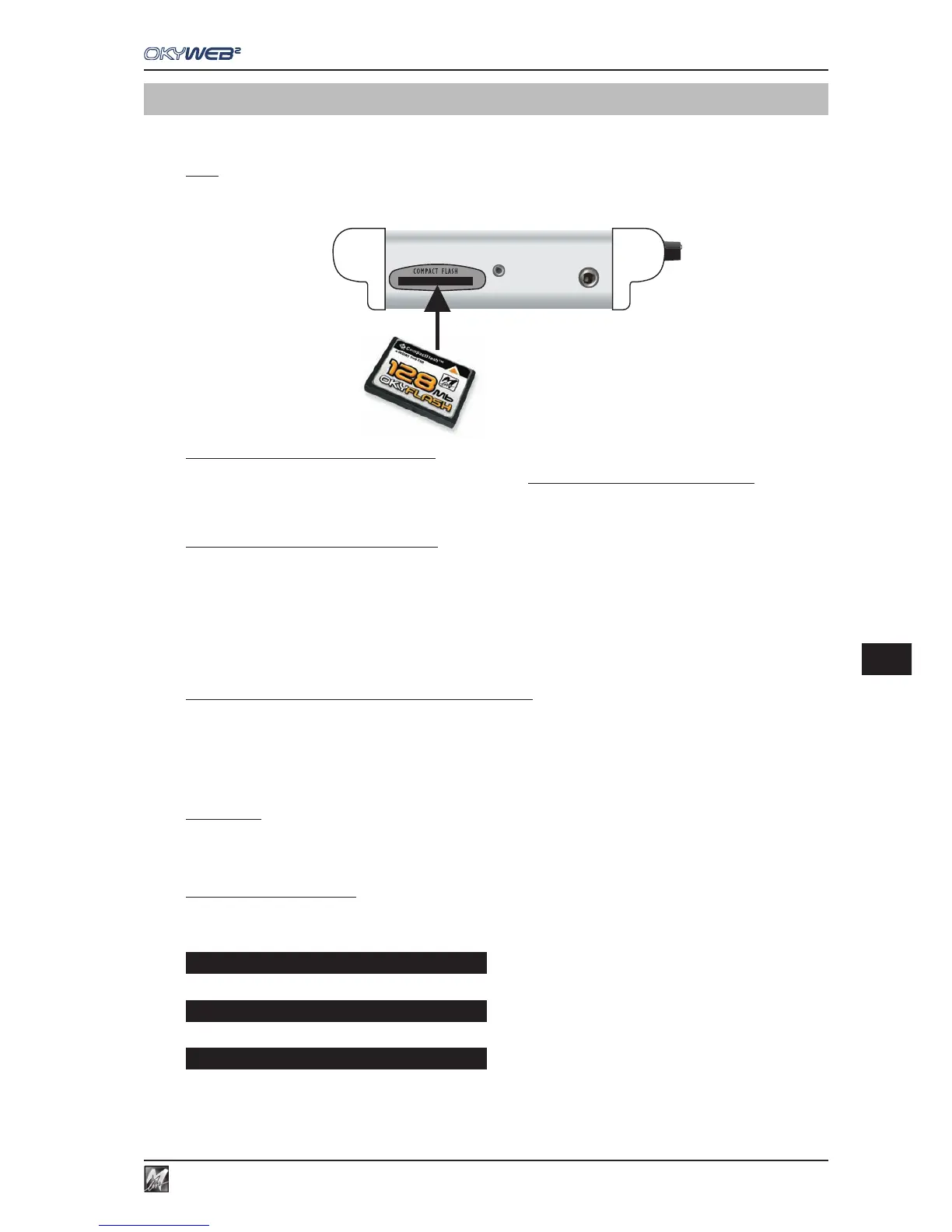
Compact Flash cards must be inserted in the appropriate slot on the front panel.
Once it has been inserted, the card behaves like a hard disk: songs and data saved on it are immediately
available.
Each Compact Flash card contains its own backing tracks, options and data. Therefore, when replacing a card,
remember that the OPTIONS menu settings, EQ/EFX libraries and other parameters can differ from one Compact
Flash card to another.
IMPORTANT: even if “empty, appropriately formatted Compact Flash cards contain data indispensable for
some OkyWeb2 functions. So, to ensure correct operation, the Compact Flash card must
always be inserted, even when OkyWeb2 is used as an expander.
Card Status Messages
When the OkyWeb2 is switched on or when a Compact Flash card is just inserted, OkyWeb2 checks and reads
the contents of the card. An alert message is displayed if any anomalies are found.
Card unreadable (probably damaged).
No card inserted. The slot is empty.
Card empty: no songs stored on card.
Int error Flash not ready
Flash not inserted
Warning no songs



 To Next Page