4.5
4
Searching Songs
Alphabetical Search
Scrolling a list of thousands of songs can be a tiresome task.
You can use the Alphabetical Search function to go straight to a required Title, Artist or Genre simply by typing in
the first letters of the Title, Artist’s name or Genre.
The Alphabetical Search can be enabled for each of the three lists: Title, Artist and Genre.
To enable the Alphabetical Search
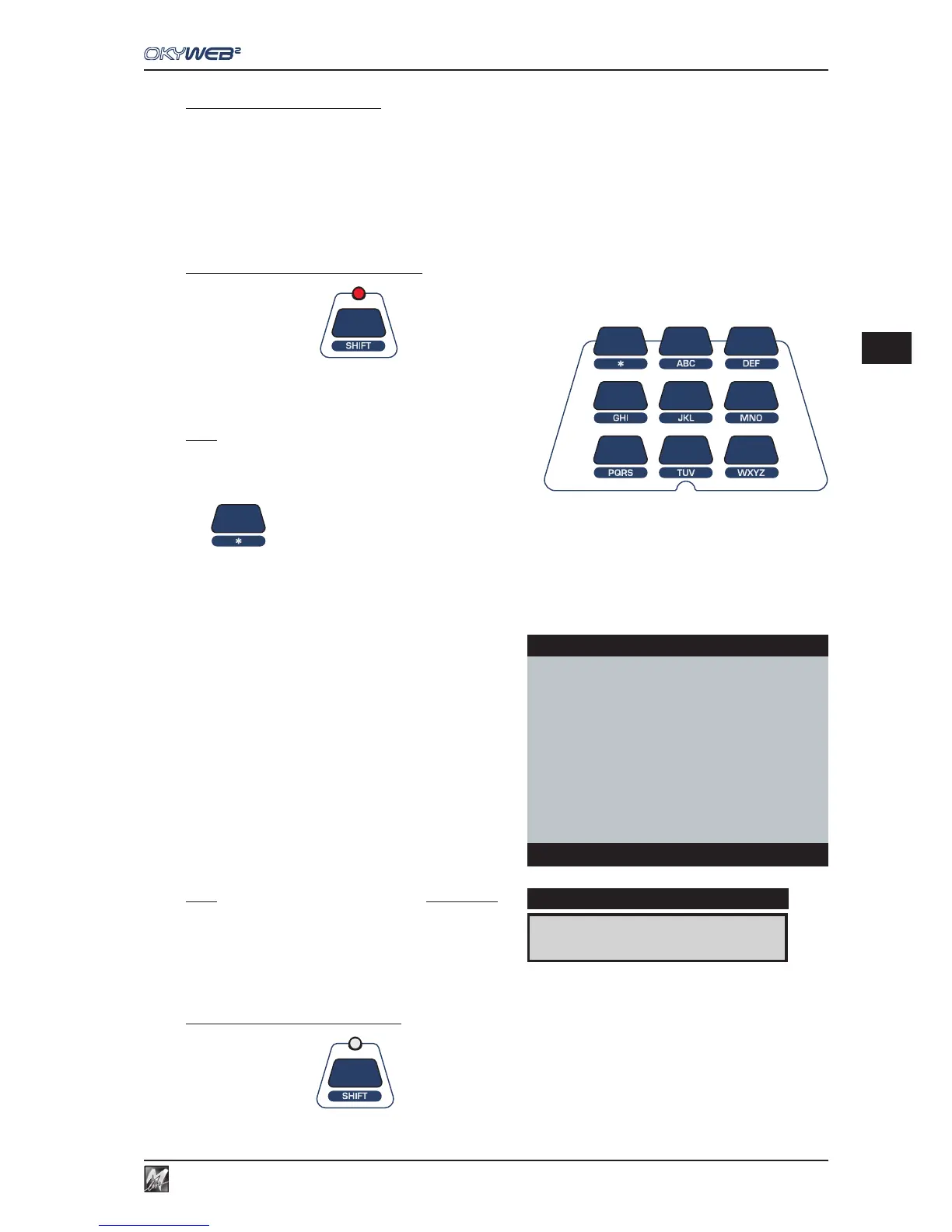
Press the SHIFT key The red LED lights up.
The nine central keys on the upper panel are transformed into a
letter keypad, similar to a mobile phone keypad.
NOTE: press the key repeatedly to show all the letters on a key in sequence,
just like on a mobile phone. To input two letters on the same key one after the
other, wait a few seconds between the first and second letter.
The
key enters the following characters: <space> * + - . :
Type in the first letters of the Song Title, Artist or Genre
you’re looking for.
OkyWeb2 will display the Titles, Artists or Genres stored
that begin with the letter selected.
Add new letters to refine the search and proceed in this
way until you find what you’re looking for.
NOTE: the Alphabetical Search and the T9 Search are not enabled in
the specific Artist or Genre filter windows. The Alphabetical and T9
Searches, therefore, cannot be done in the ‘by Artist’ or ‘by Genre’
song lists.
To exit the Alphabetical Search
Press the SHIFT key The LED turns off.
SATISFACTION
DISPLAY
OkyWeb2
MY LIFE
ONE MORE NIGHT
ONLY THE LONELY
RED RED WINE
→SATISFACTION
SINGING IN THE RAIN
SWEET GEORGIA BROWN
THAT DON’T IMPRESS ME MU
Search:SA



 To Next Page