3.5
3
Playing Songs
Choosing Lyrics display mode
You can choose the mode with which lyrics are displayed via OPTIONS/VIDEO OPTIONS/Text Mode.
If you choose TEXT ONLY or ROLLING, the text will be displayed normally in the mode chosen, only changing to
TEXT+SEARCH mode temporarily during search work; if you choose TEXT+SEARCH, the display will be only in
TEXT+SEARCH mode.
N.B.: any display of the song’s chords (which can be enabled via OPTIONS/MUSIC OPTIONS/CHORDS) requires TEXT+SEARCH or
TEXT ONLY mode to be set as the preset mode.
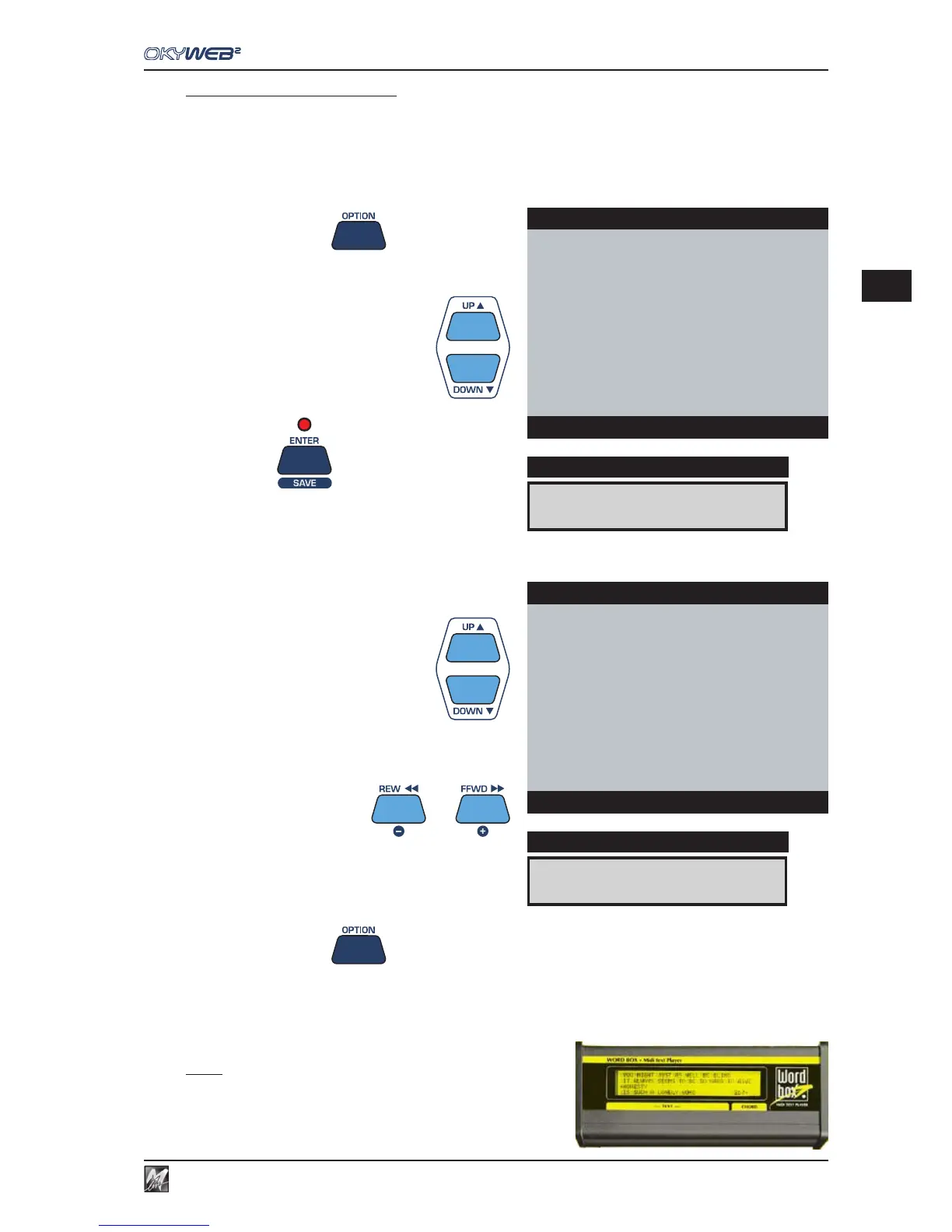
Press the OPTION key
Select VIDEO OPTIONS with the UP and DOWN keys
Press ENTER
Select TEXT MODE with the UP and DOWN keys
Set the desired mode with the - and + keys
Press the OPTION key to exit the Options environment.
NOTE: as an alternative to a television set, an M-Live WORD
BOX can be used for viewing the lyrics.
The WORD BOX, which connects to the MIDI output, is easily
transportable and can be used for reading the lyrics if no television
set is available.
VIDEO OPTIONS
DISPLAY
OPTIONS MENU
GENERAL OPTIONS
MUSIC OPTIONS
MIC OPTIONS
MIDI OPTIONS
ÆVIDEO OPTIONS
Options
TXT MODE:ROLLING
DISPLAY
VIDEO OPTIONS
ÆTEXT MODE : ROLLING
TEXT ALIGN : CENTER
COLOURS : SET1
VIDEO IN : ENABLED
Options



 To Next Page