1 INTRODUCTION
1.1 About this user manual
This manual applies for both music centers, the Symphony and the Musica.
Since the software of your music center is maintained and updated conti-
nously the software version of your device may differ from the one described
here. This may show in some minor differences in the wording of messages or
design of screens.
1.2 What is a music center?
Your music center stores all of your music library and enables you to fi nd and
play single tracks, complete CDs or your own selections quick and easy. You
may use it as a CD player, you can import tracks from Audio CD and other
sources into it, and you are able to produce your own CD - obeying the Copy-
right Laws of your country - from its content. Additionally, your music server
can be connected to a computer network and may distribute its music to other
devices (satellites) based in various rooms.
The front panel of your music center provides you with a few buttons, a backlit
display and the easy-to-use Turn&Select wheel. The display shows the contents
of the music center and the menus for operating it. An additional remote con-
trol gives you the couch option and even your PC may be used for controlling
the music center.
1.3 First steps
1.3.1 Checking parts list and fi nding a place
Having unpacked your music center, itʼs a good idea to check now to see that
you have all the pieces. Besides the music center itself and this manual you
should fi nd the following items:
• Power cord,
• Cinch audio cable,
• Optical Toslink audio cable (Musica only),
• Remote control and batteries,
• WLAN antenna,
• Recovery CD-ROM,
• Registration card.
Put the music center on secure, level surface within the reach of your Hi-fi
components.
1.3.2 Connecting
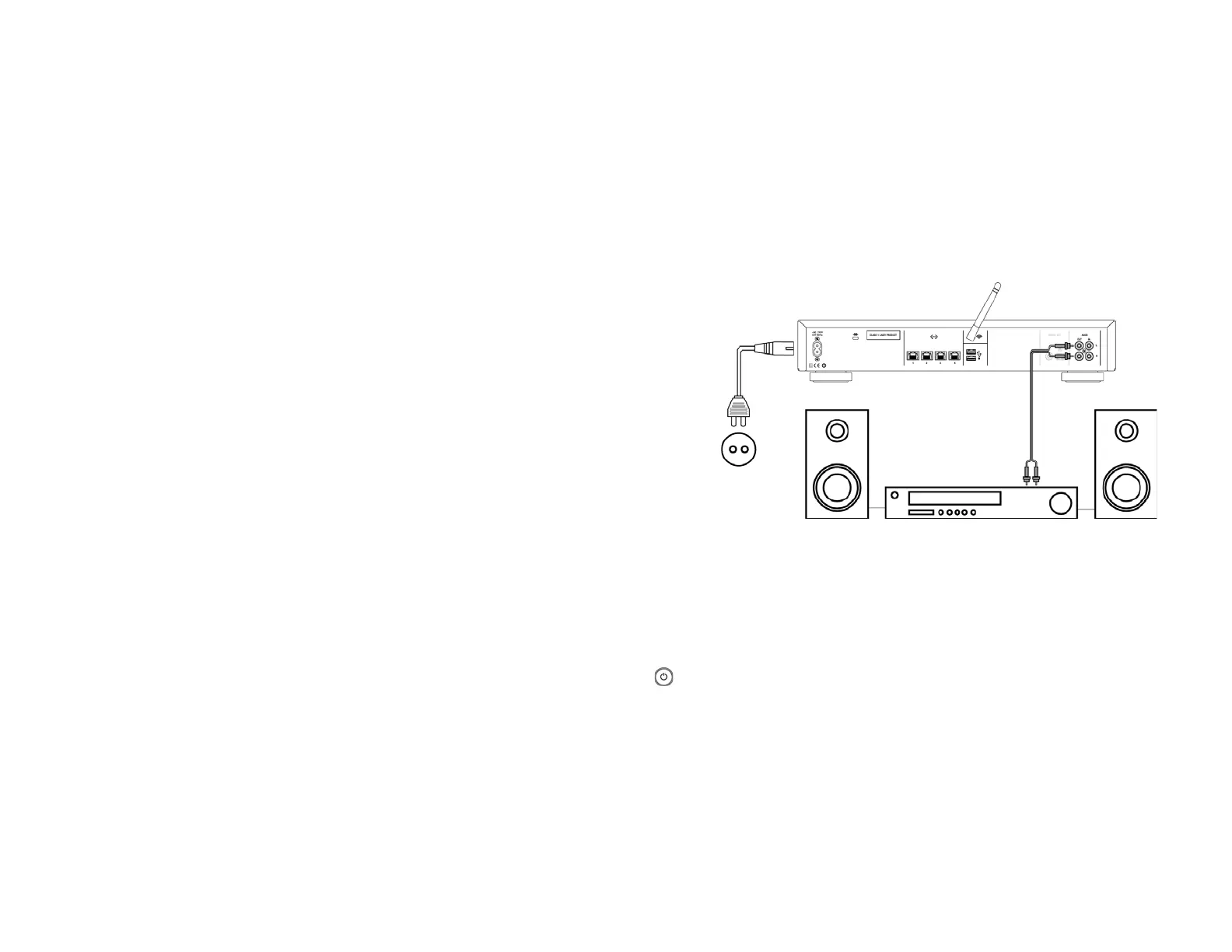
Connect the output from the music center“AUDIO OUT” (25) to the input jacks
of your stereo amplifi er or Hi-fi component, matching the red plug to R (right)
and the black or white plug to L (left). Watch out for a secure seating of the
plugs to avoid noise.
If the music center should communicate with other devices wireless, screw the
WLAN antenna into the thread (23) at the back.
Connect deviceʼs AC power receptacle (20) with a power plug.
1.3.3 Getting started
Turn on your Hi-fi system, your receiver, or your amplifi er. Choose the appro-
priate audio input channel and turn the volume all the way down. Remove the
protective fi lm from the music centerʼs display (6) and use the On/Off button
(1 ) at the front panel to turn it on.
The display gets lit and the music center needs about 40 seconds for the initial-
isation. When the music center logo appears on the display it is operational
and soon you are asked for chosing your preferred language:
3



 To Next Page