2 THE BASICS
This chapter explains the basic functionality of your music center. Some details
are intentionally omitted to keep these sections simple. The next chapters go
more into detail.
2.1 Main menu
Besides the buttons on the front panel or the remote control the menu option
shown on the display are your main control of the music center. The main
menu gives you access to the various parts of the software. Function key 1, the
top one, mostly shows “Info” for the overall statistics of your music center as
well as its serial number, and function key 2 mostly shows “Help” for context-
sensitive help at your fi nger tips.
2.1.1 Audio CD
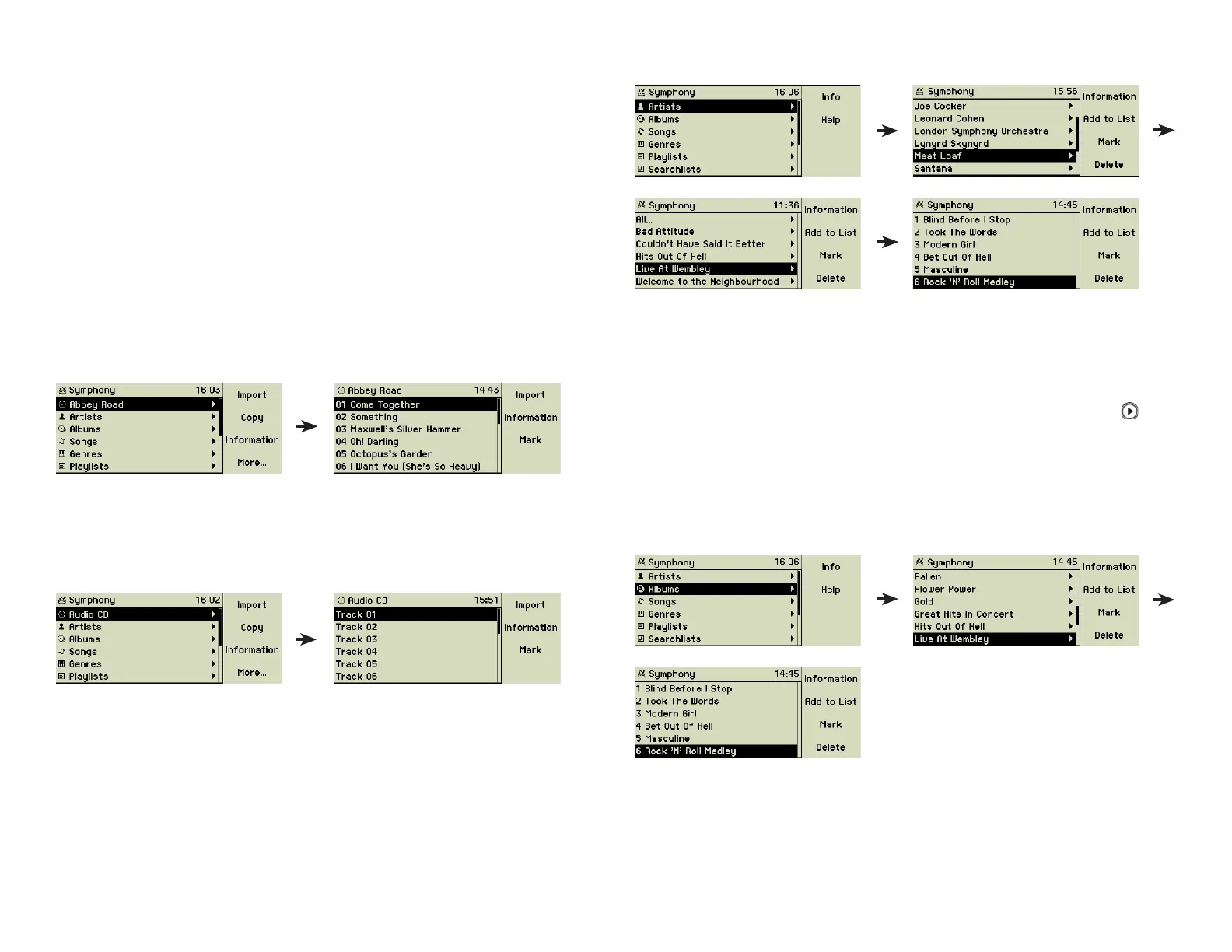
If a music CD is loaded into the CD slot, this menu option is at the top.
To the right of the CD you fi nd the list of its tracks. The position of the cursor
in the menu structure defi nes the selection of songs played or imported. If the
title information of the music CD could not be found in the internal database
and if an Internet access is not available or enabled, generic descriptions are
displayed here:
2.1.2 Artists
This reveals an alphabetical list of all artists found on your music center.
Behind each artist you fi nd the list of his/her albums and behind each album
its songs. These lists are fi lled by importing songs into the music center. “All...”
shows all songs of the chosen artist including songs which are not part of an
album.
The cursor defi nes the set of songs to be played or added to a list. Is the cur-
sor on the name of an artist and you press the Play/Pause button (5 ), all
albums and songs of this artist are played one after another. Is the cursor on
the name of an album and you press the same key, the songs of this album
are played only.
2.1.3 Albums
This reveals an alphabetical list of all albums found on your music center.
Behind each album you fi nd its songs. These lists are fi lled by importing songs
into the music center. The cursor defi nes the set of songs to be played or
added to a list.
7



 To Next Page