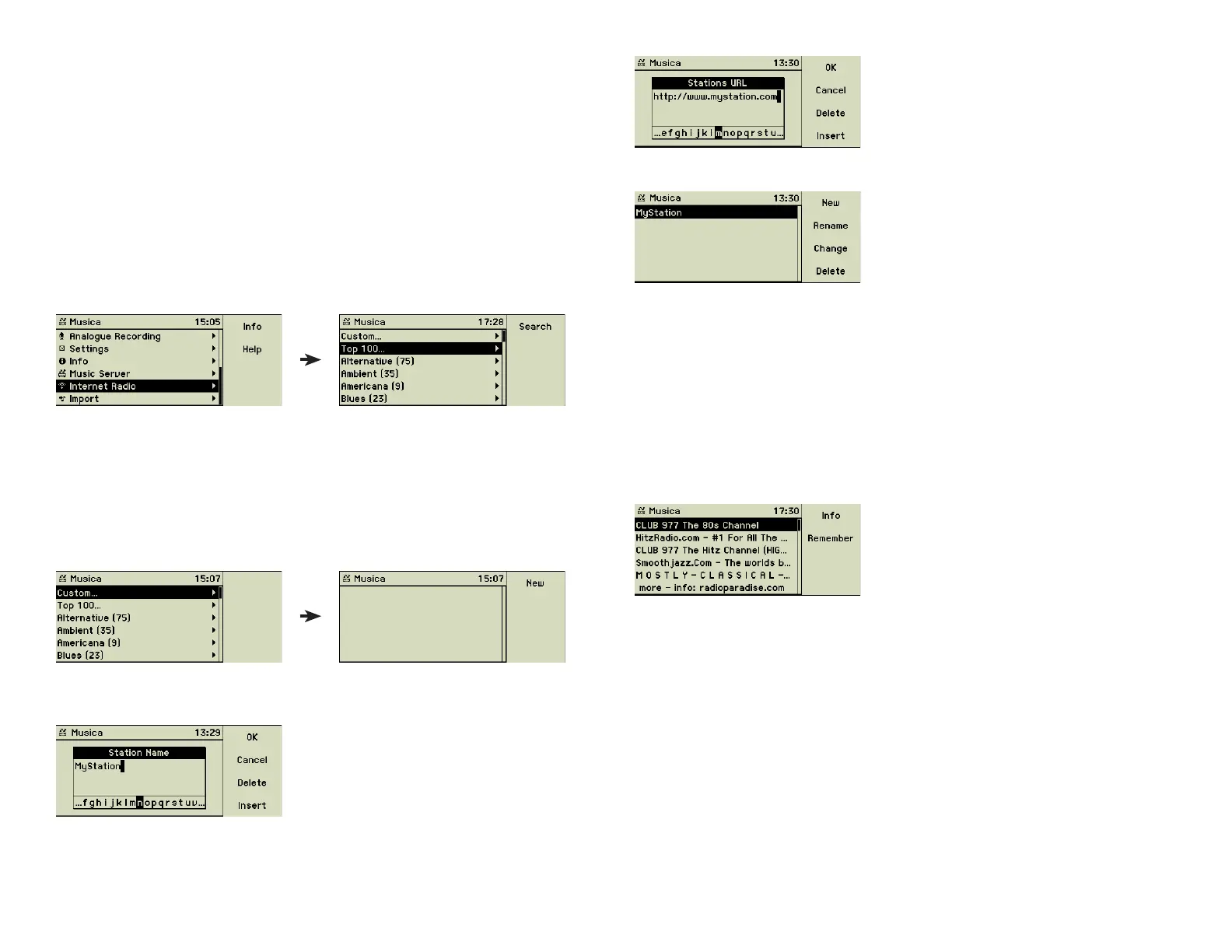
Press the function key 1 “OK” and your fi rst radio station is defi ned.
Tip: Your music center supports two kinds of URLs (web addresses). Direct
URLs which allow to download the MP3 fi les immediately after the connec-
tion has been established and URLs with suffi xes like .pls oder .m3u accessing
playlists. The second type provides a list of music servers, which are tried one
after another until a connection can be established. All music servers of such
a list refer to the same radio station.
3.5.2 Top 100...
This option uses the Shoutcast server which lists the 100 most popular Internet
radio stations. Obviously this list is not static but changes over time.
3.5.3 Predefi ned stations
Initially these lists are empty. Please choose the genre you want to hear and
press the function key 1 “Search” or turn the outer ring of the Turn&Select
wheel to the right. Your music center now looks for the appropriate stations
and fi lls the list.
3.5 Internet Radio
If you plan to use this feature we recommend that you have an Internet access
tariff based on a fl at rate. Otherwise the fi gures on the Internet providerʼs in-
voice may slightly reduce the pleasure. An example: 1000 MByte transferred
data equals to about 17 hours of Internet radio listening.
Please note that the streaming process of Internet radio usually needs some
open outgoing ports in the range of 8000 to 8005, but other ones are pos-
sible, too. If your music center is connected to the Internet through a fi rewall,
you may have to open the necessary ports additionally. The web pages of the
Internet radio stations should provide these information.
If your music center is connected to the Internet selecting “Internet Radio”
from the main menu opens an additional world of unlimited music.
A long list of about 2,000 predefi ned stations is available from the start. It is
partitioned into your own stations, the Top 100, and a lot of genres.
3.5.1 Custom...
You may create your own personal list of radio stations selecting the menu
option “Custom...”.
Press the function key 1 “New” and enter the name of your fi rst radio
station.
Press the function key 1 “OK” and enter the URL of this station.
20



 To Next Page