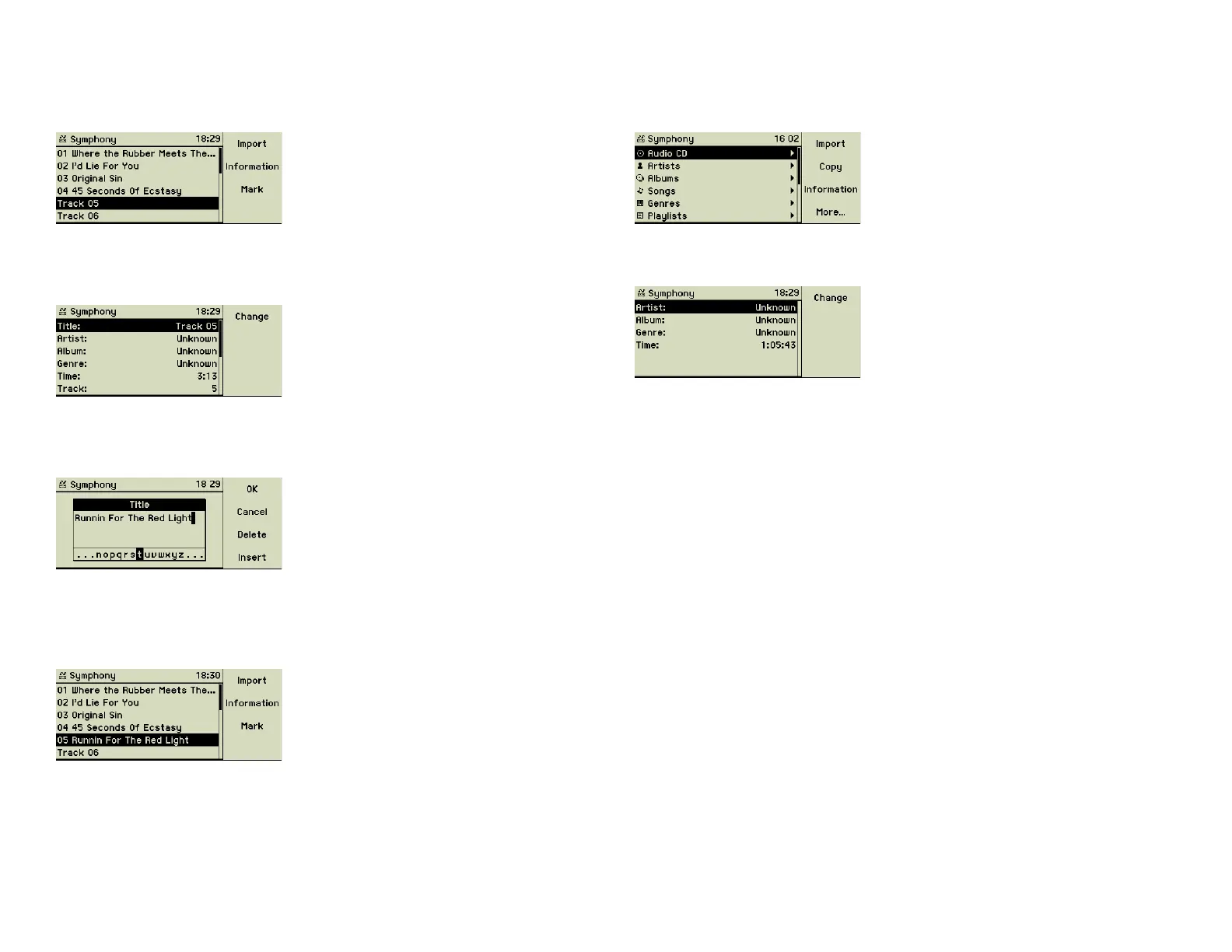
Meta data of an album
Since the artist and the album title applies to all tracks, this meta data needs
to be entered only once per album.
Press function key 3 “Information” to see the meta data common to the al-
bum.
You may scroll down to the line Album, press function key 1 “Change” and
enter the title of this album for all songs. Editing the other meta data is done
the same way.
Meta data of one or more artists
Sometimes you want to assign the same genre to one ore more artists. Just
select and mark one or more artists in the artist list and press function key 3
“Information”.
3.4 Digitizing sounds of vinyl records and analog music t
tapes
We are sure during the years everybody had collected some very special
items: music tapes compiled with love by a girl/boy friend, a real tape record-
ing of a legendary family party, or the vinyl records no one cared to re-master
on a CD. The music center can record and digitize all these memories for a
safe digital future.
This kind of recording requires a lot of processing power of your music center.
We recommend that you donʼt use its web interface or import folder during
this process. Please make sure that the encoding of imported music CDs is
complete.
Meta data of a single song
Use the Turn&Select wheel to navigate to the list of songs. Select a track show-
ing the generic “Track 05” description. Press function key 2 “Information”.
You are looking at the generic meta data of “Track 05”. The line containing
the title is selected. Press function key 1 “Change” to enter the real title of this
song.
Use the inner disc of the Turn&Select wheel (11) to select a character from
the alphabetic list at the bottom and choose it by turning the outer ring of the
Turn&Select wheel (11) shortly to the right.
Create the complete title using this technique. Function key 3 “Delete” and
function key 4 “Insert” help correcting typos. When fi nished press function
key 1 “OK” and you are back in the list of songs and the newly entered title
is shown.
16



 To Next Page