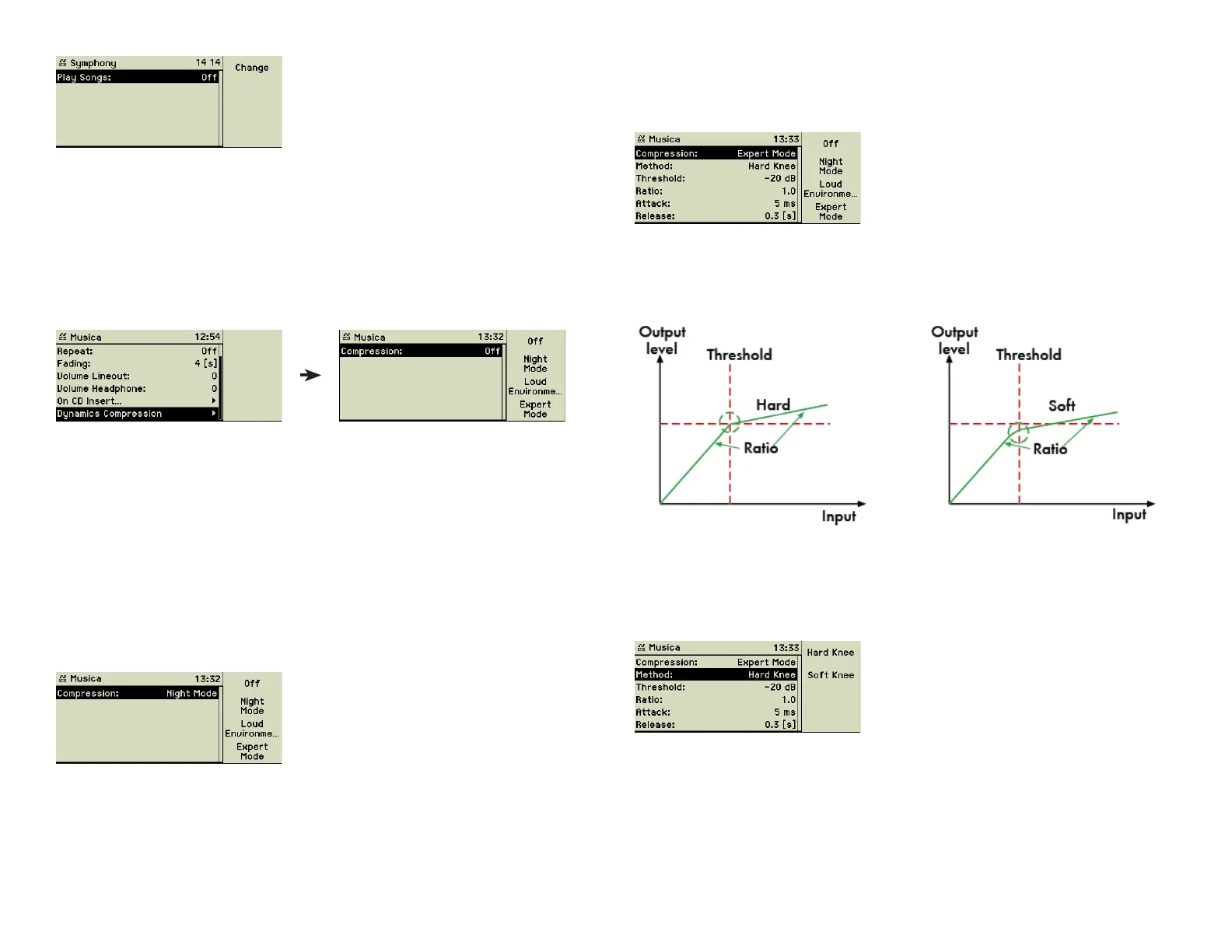
4.3.1 Dynamics compression
Dynamics compression adjust the volume of the played music dynamically: It
limits the output level during playback to a preset value. This setting can be
enabled or disabled for all tracks of the music library centrally. It is most often
used in public areas, like restaurants, hotels, etc., to accomodate the guests.
These options allow you to defi ne how your music center should handle the
output level during playback.
Off: The function key 1 “Off” switches dynamics compression off completely.
Night Mode or Loud Environment
Two predefi ned modes of dynamics compression can be easily activated
by pressing function key 2 “Night Mode” or function key 3 “Loud Environ-
ment”.
Night Mode is recommended for quiet environments like listening music in
your apartment showing consideration for the sleep of your neighbours. In
contrary Loud Environment may be used in places with lots of environmental
noise.
Expert mode
The function key 4 “Expert Mode” allows experts to set the parameters of
dynamics compression.
The dynamics compressor limits the range of dynamics of the audio material.
When the defi ned threshold level is reached, the compressor compresses the
signal according to a certain ratio. Attack time and release time defi ne how
fast the compression begins and ends.
Activation method: This method defi nes how the transition between
compression and non-compression should be done. Soft Knee is r
ecommended for instrumental sound, Hard Knee for voices, suppressing
“pop” sounds in talking and singing.
Threshold: This is the level when the compression will be applied.
Ratio: This defi nes the magnitude of the compression, the relation between
input and output level. A ratio of 4:1 means, that an increase of 100% of the
input level beyond the threshold leads only to an increase of 25% of the
output level.
24



 To Next Page