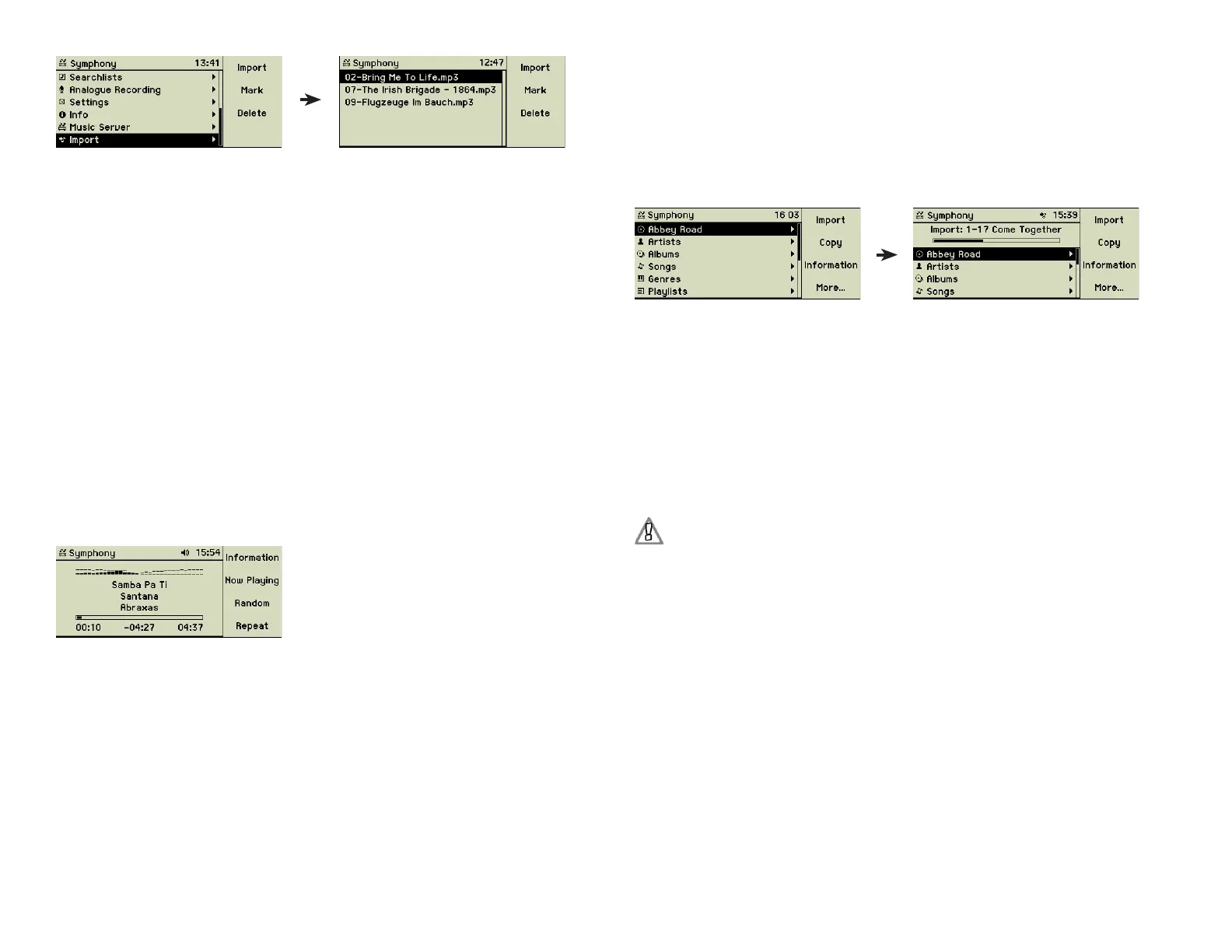
To import all available fi les and folders select function key 1 “Import” from
the main menu.
The import process does not do any encoding of the fi les. Your music fi les
have to be in a fi le format the music center is able to play, before you start to
import them. And there is no check on double entries by the music center.
Note: This menu option is visible only if the import folder contains data.
2.2 Playing a music CD
Insert the CD into the slot (2). If the meta data of the CD is available in the
internal database, title and artist are displayed automatically. Depending on
the settings and the availability these information can be searched for in the
Internet database.
Depending on the settings the CD starts playing automatically. Otherwise you
may choose a song and play it by pressing the Play/Pause button (5 ) button.
While the song is playing, artist, album title, and song title are displayed.
Long names are displayed alternating from the left to right. Again depending
on your settings, run time, total time, and remaining time, playlist, index of
the song in the playlist and total songs of the playlist or a spectogram can be
displayed.
The control buttons (3) - (6) give you the options to pause the playing, to stop
it, and to jump forwards or backwards. The Eject button (8) returns the CD
to you.
2.3 Importing a music CD
The recording of a CD happens in two steps: the music center fi rst records the
music fi les on the hard disk without any compression or encoding; the second
step is the encoding of these fi les in the chosen format. After the music is
recorded, you can eject the CD and insert the next one. Please note that both
the music center and the record icons in the display header are still fl ashing.
This shows that the music center is still encoding the fi les of the fi rst CD. Dur-
ing this operation, the handling of the music center may be not as quick and
smooth as usual.
After inserting a music CD its title is shown as the topmost entry of the main
menu. Press the Record button (7) or the function key 1 “Import” to import all
tracks of the CD on the music centerʼs hard disk. If you want to import only
selected tracks, select and mark these tracks before starting the import.
The progress of the import is shown on the display. It is possible to listen to
the songs while the importing takes place. Since the importing time is much
shorter than the playing time, listening and importing is not in sync.
CDs which are not recognized by the CD database are labelled by the music
center using the import date and time e.g. “Audio-CD 2005-01-01 10:12”.
If you want to import songs already stored on the music center, you are pre-
sented with a choice of overwriting or skipping it.
After the import you may have a look at the “Info” window to check the en-
coding format and the amount of space of your imported fi les.
Duplication of copy-protected audio CDs may infringe copyright and
digital rights laws of your country.
2.4 Playing songs
Use the menu options Artists, Albums, Songs, Genres, or Playlists to fi nd the
song or the songs you want to play. Then press the Play button (5) and the
playback starts.
While the song is playing, artist, album title, and song title are displayed.
Long names are displayed alternating from the left to right.
10



 To Next Page